


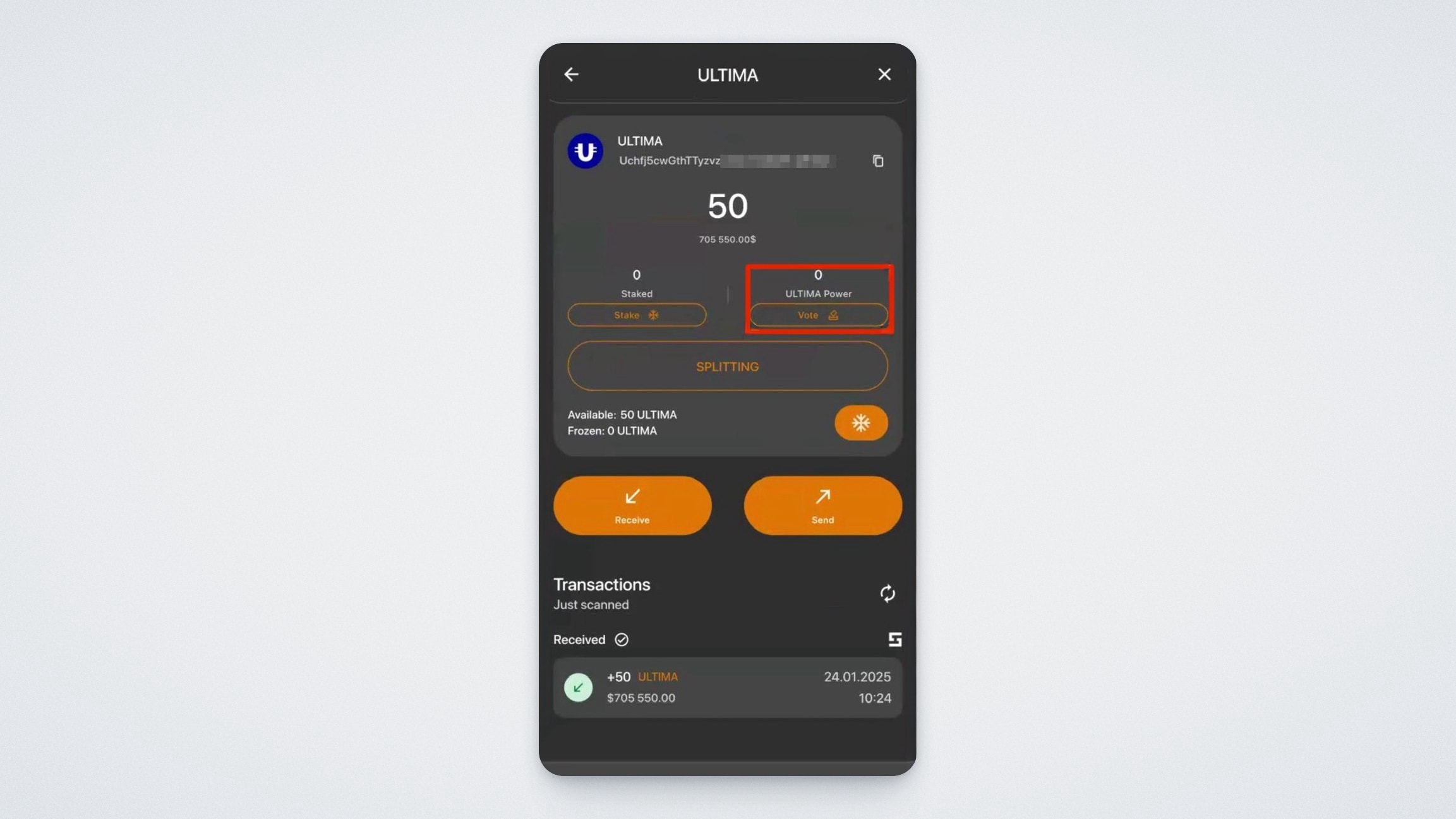
This guide explains in detail how to vote in the UChain blockchain through the UWallet app. Before voting, you need to obtain votes by staking UCN coins. Go to the UCN coin screen, where you will see two widgets: “Staking” and “Votes.”
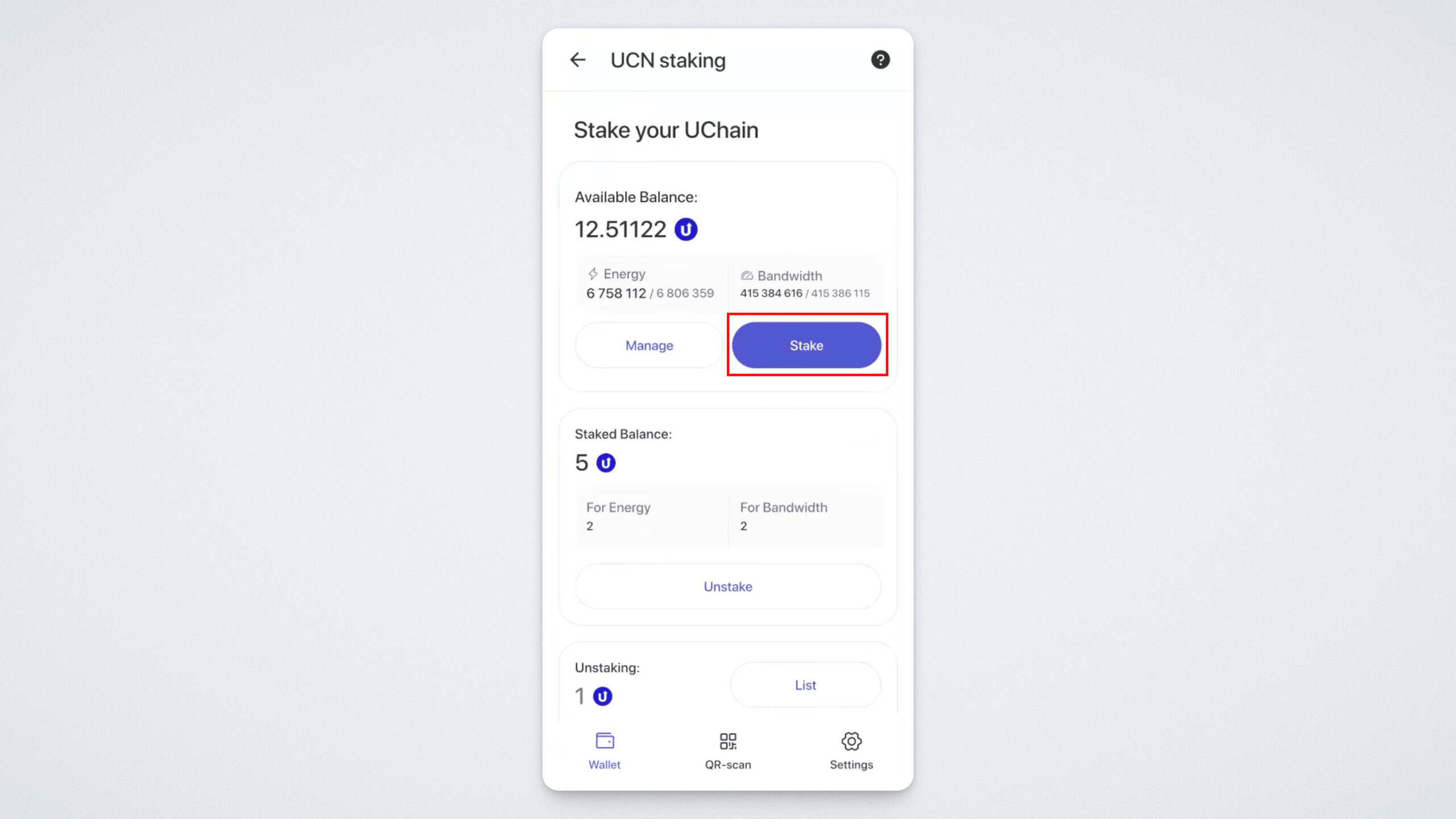
To receive votes, you must stake your UCN coins. Tap the “Staking” button.
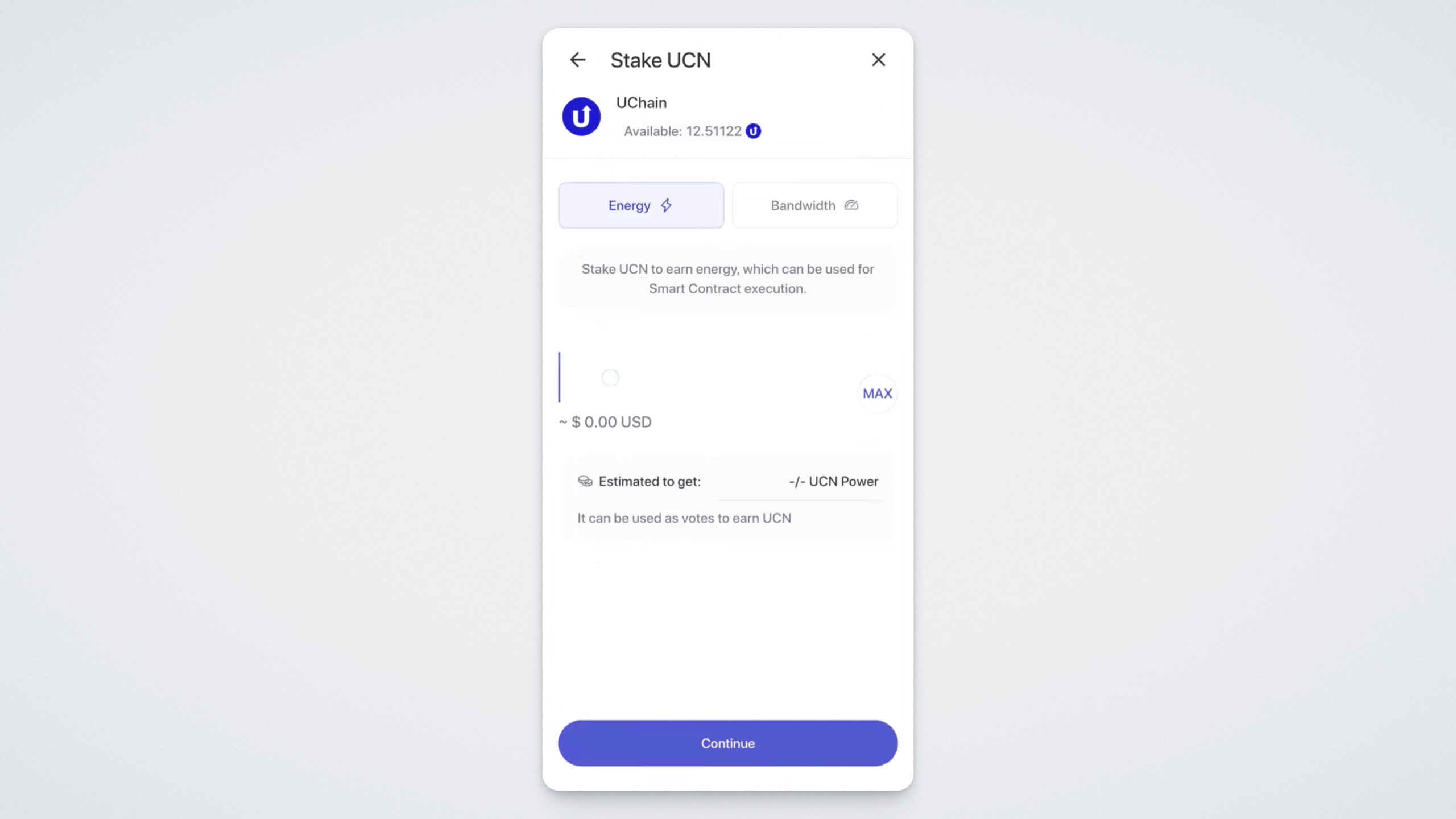
To stake UCN, tap “Staking,” specify the number of coins you want to lock, choose the resource you want to obtain, and tap “Continue.”
Please note that you can stake your coins for either Energy or Bandwidth.
Bandwidth in the UChain blockchain is a resource required for all transactions within the network.
Energy, on the other hand, is used for executing all smart contract operations, such as splitting, split-token transactions, and more. In essence, Energy acts as fuel for smart contracts.
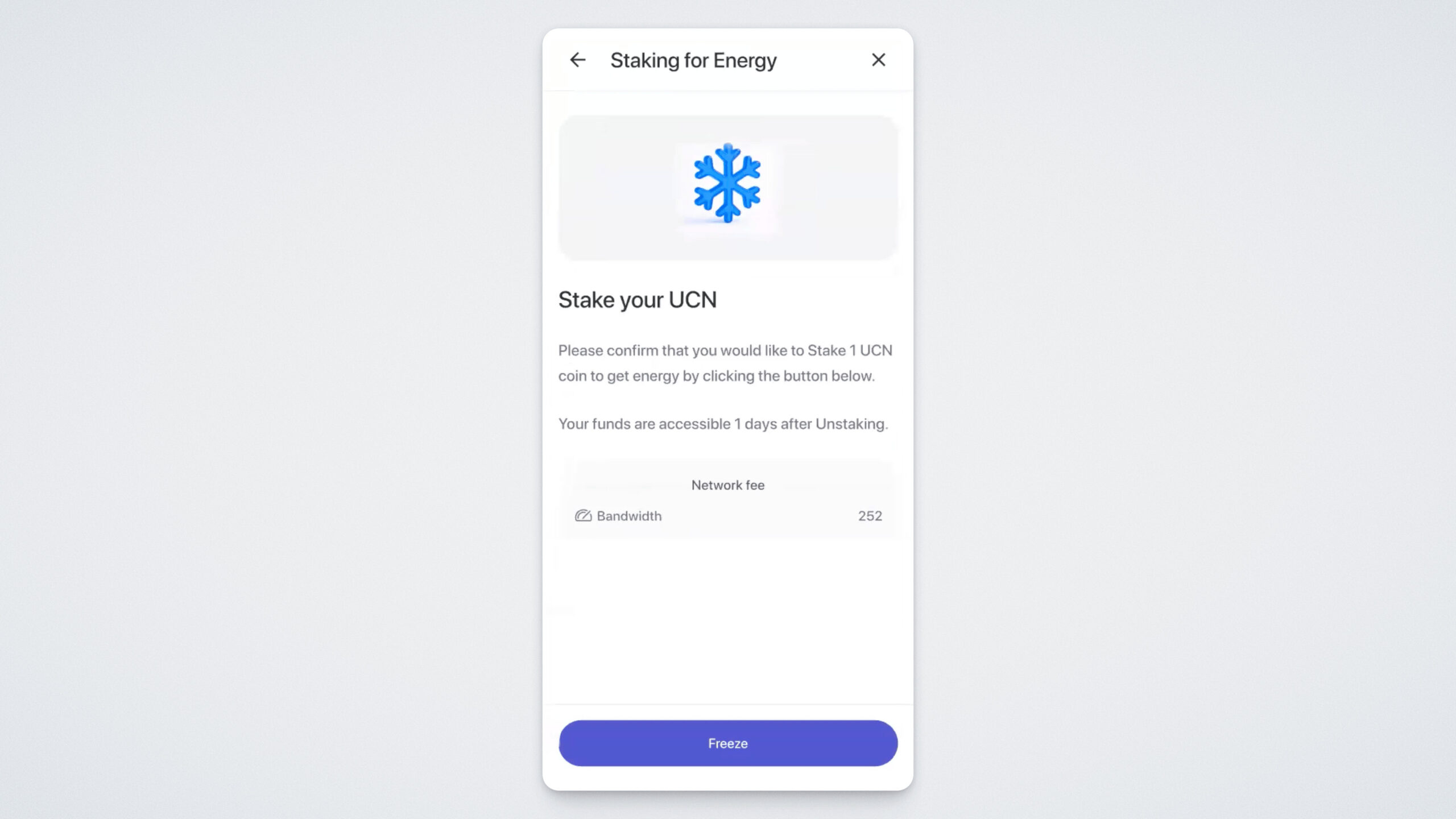
You will see complete information about your staking, including available resources and total power. Review the details carefully, then tap the “Freeze” button:
Confirm the action using your PIN code. If everything is done correctly, you will see a confirmation message indicating that your coins have been successfully staked:
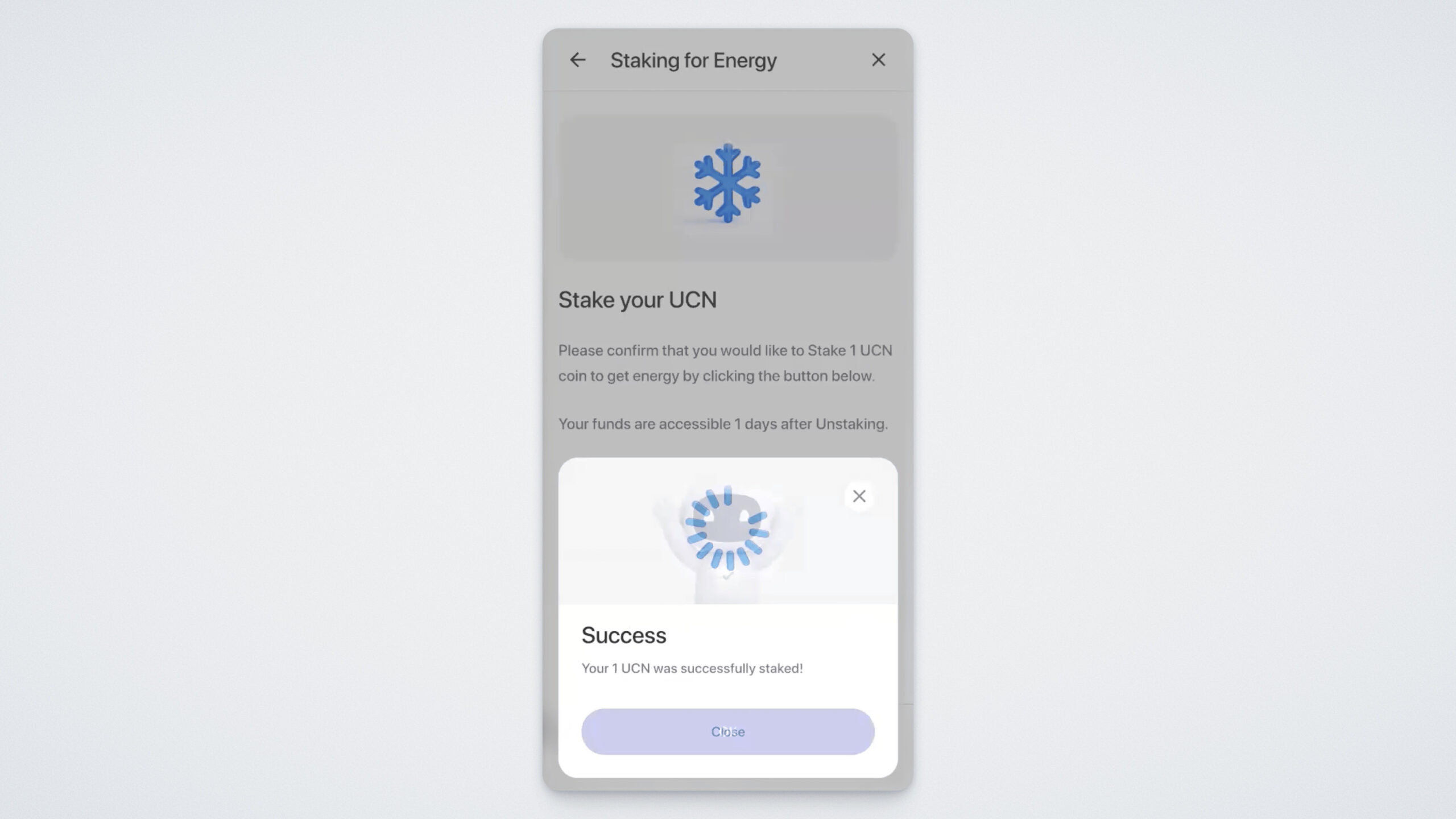
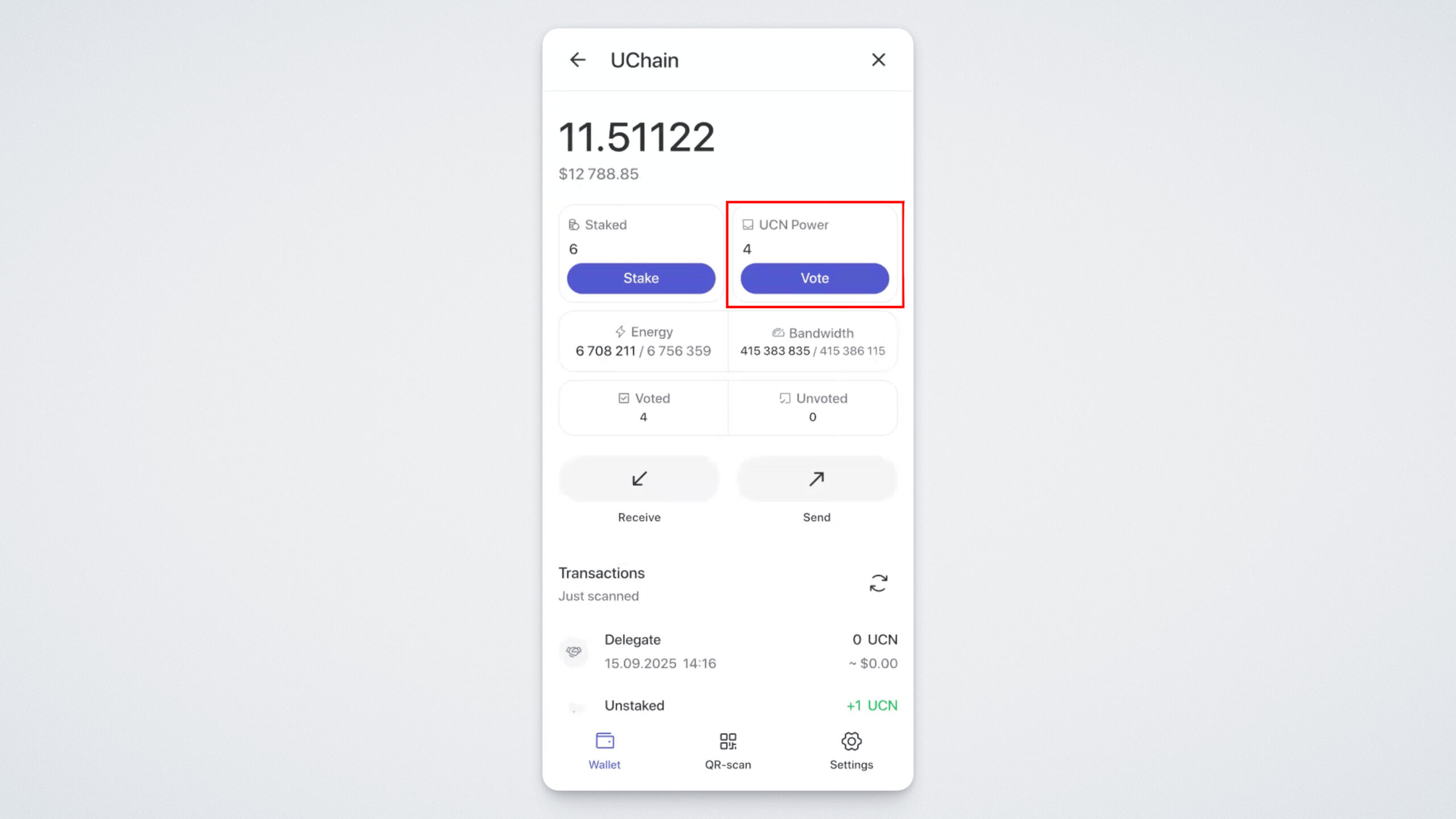
Your staked coins and the corresponding UCN Power will now appear on the UCN screen:
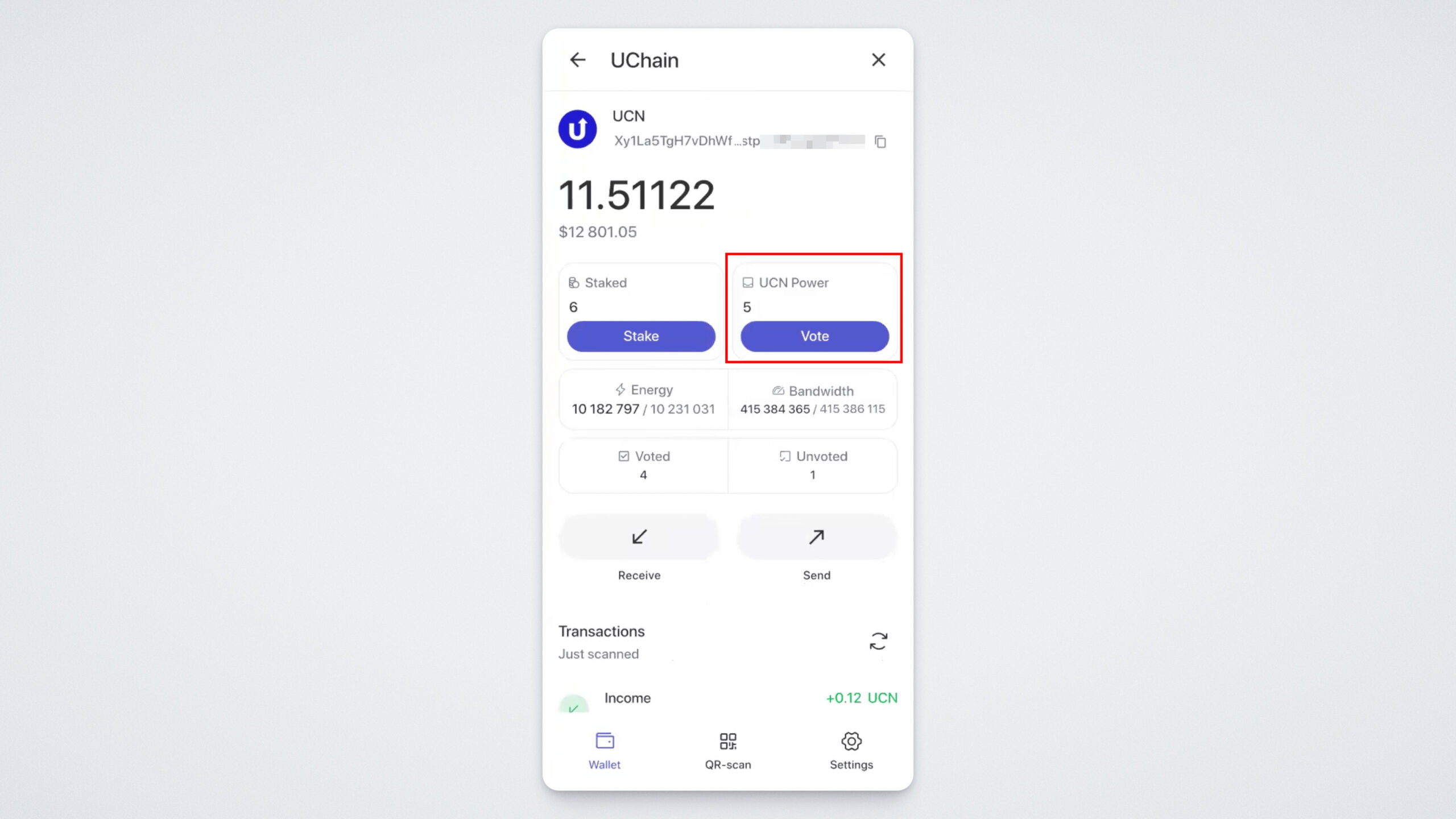
To start voting, tap the "Vote” widget.
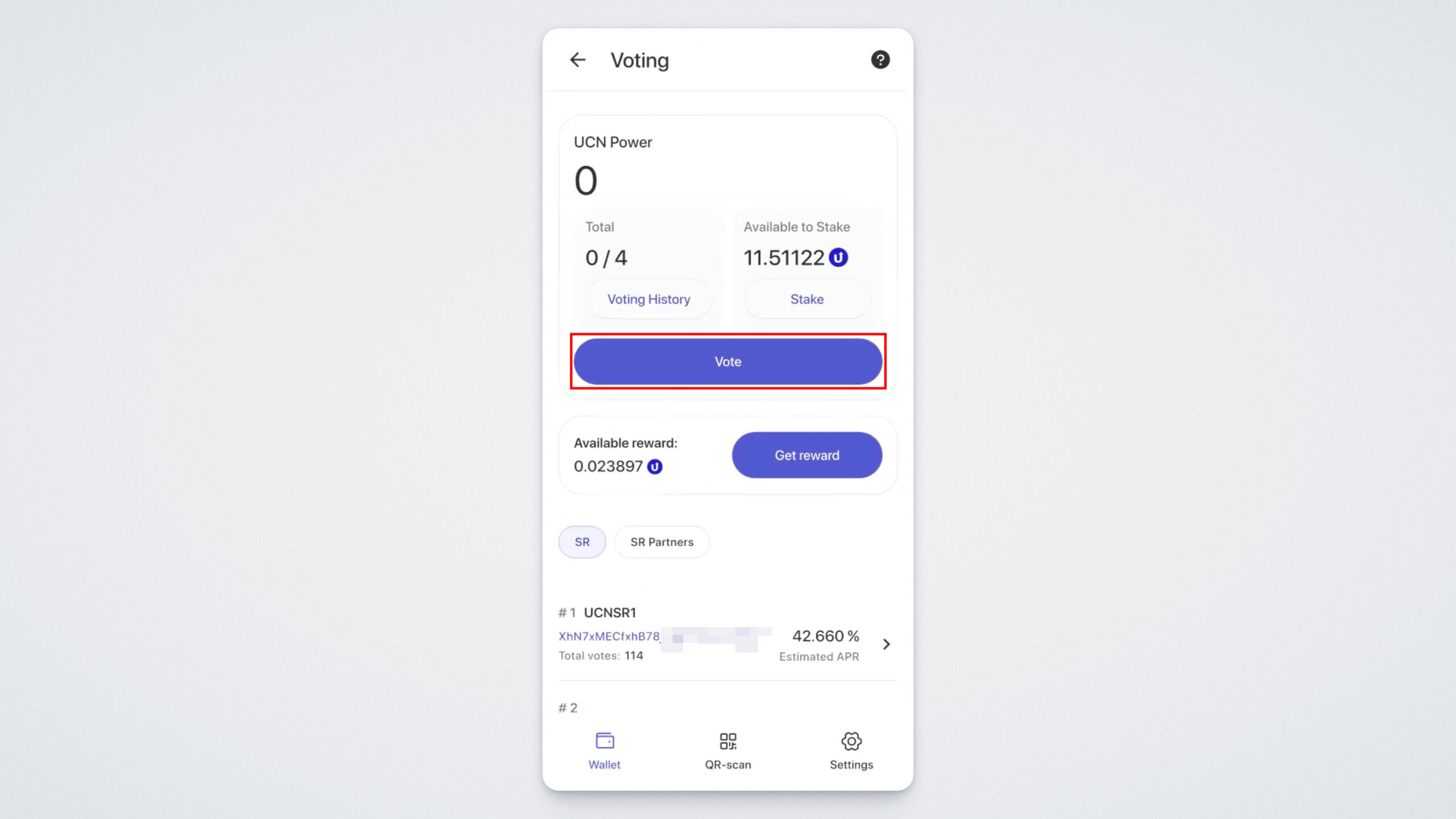
On the voting screen, you will see:
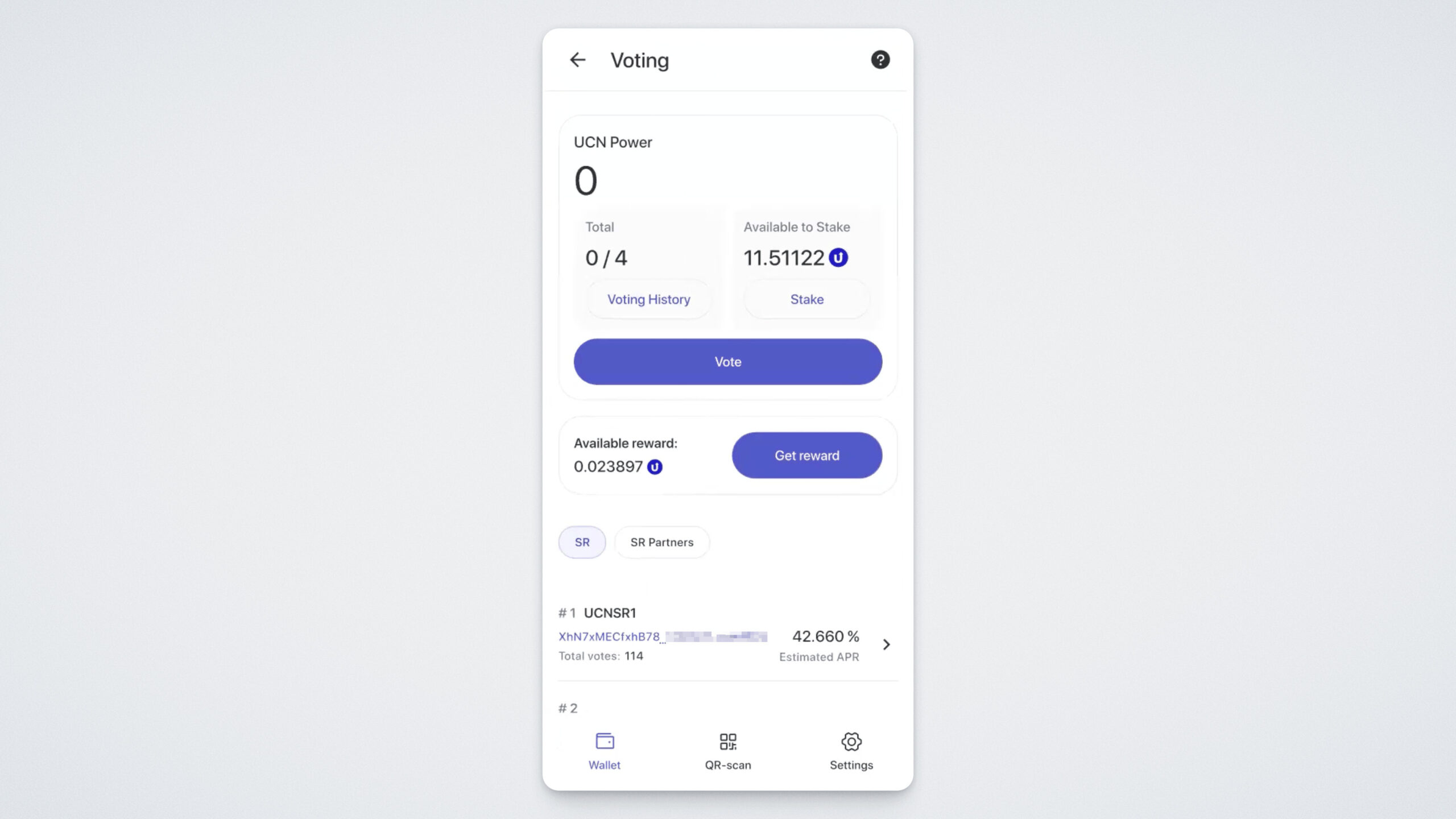
- Your UCN Power — total balance and the number of available votes for participation;
- The amount of UCN available for staking (tapping this widget will take you directly to the staking section);
- The available reward amount;
- The list of candidates available for voting.
Tap “Vote.”
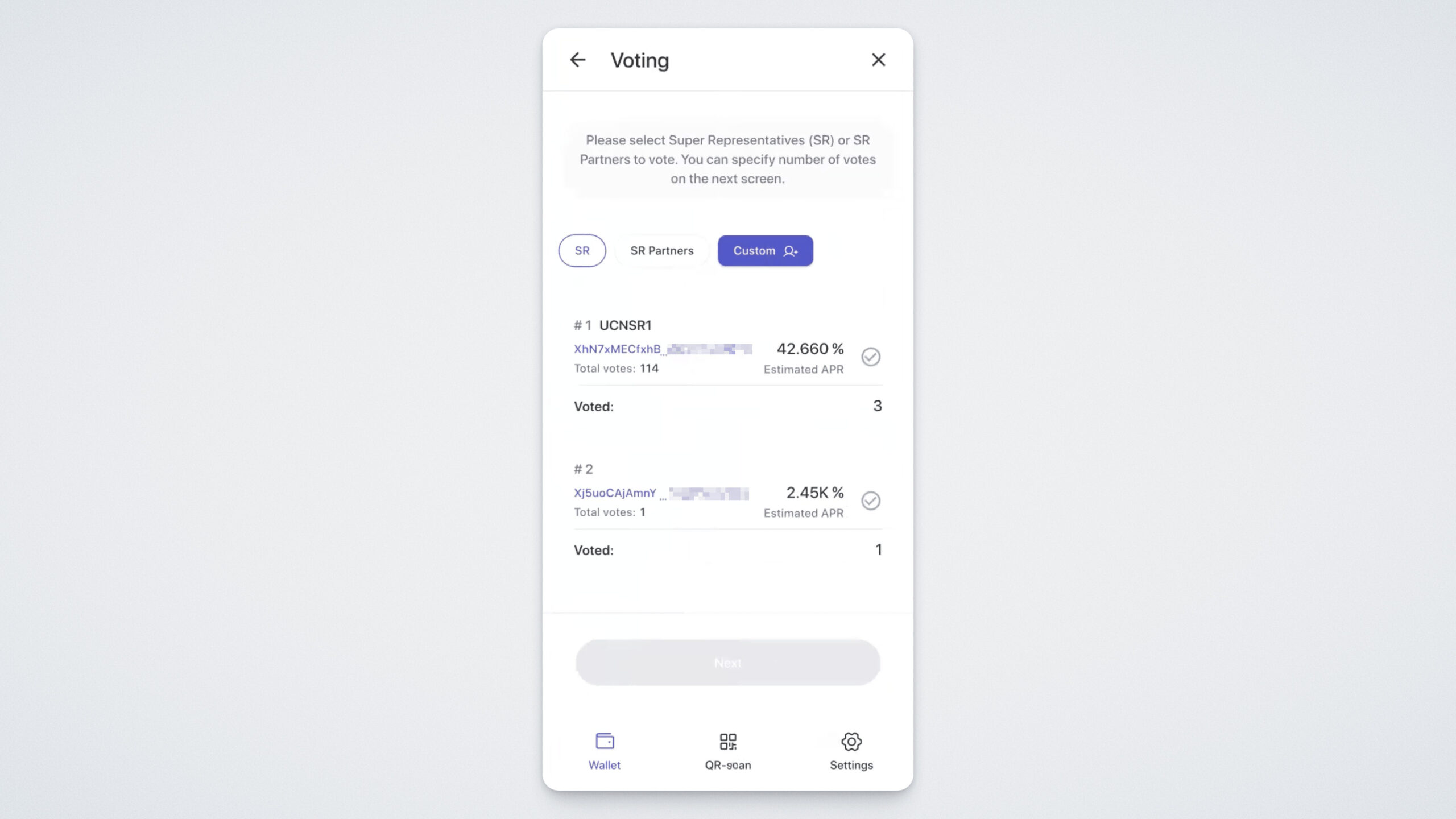
A screen will open with the list of Super Representative candidates.
You’ll see three tabs — Super Representatives (SR), Partners, and Custom Mode, where you can select your own candidate by entering their wallet address.
You can vote for one or multiple candidates. To select a candidate, tap the checkmark to the right of their name.
Tapping the candidate’s name opens more details, such as their name, website, total votes received, your estimated profit from voting for them, and the number of blocks they have produced.
Please note: when you vote again for the same candidate, your new votes do not add to the previous total. For example, if you gave 2 votes yesterday and 3 votes today, the current total will be 3, not 5.
Tap the back arrow in the upper-left corner to return to the candidate list.
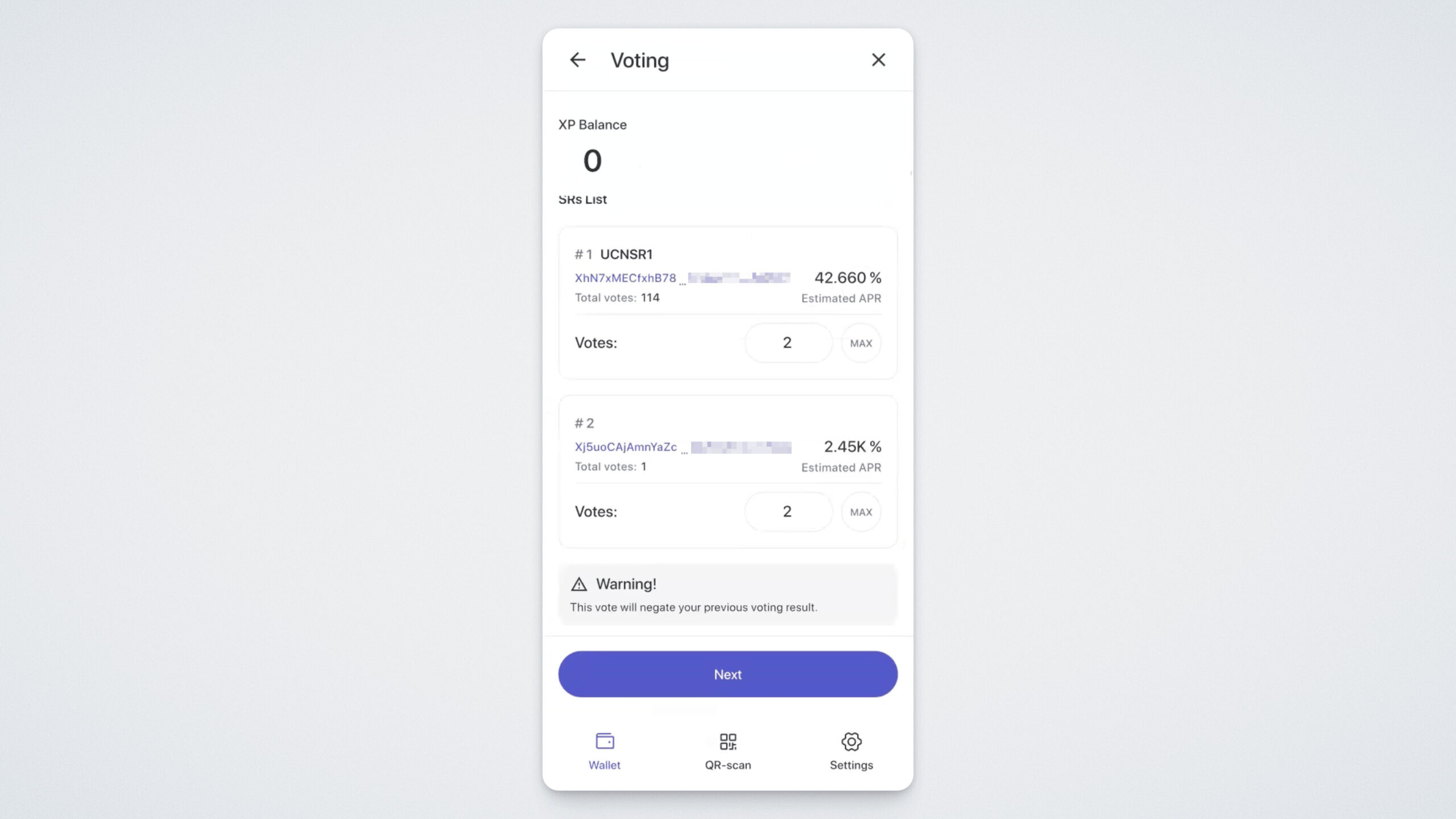
Select one or more candidates, enter the number of votes you want to allocate, and tap “Next.”
A new screen will open displaying your total UCN Power balance and detailed information about the selected candidates, including:
- The number of votes you’ve assigned to them;
- Their addresses;
- The address you’re voting from;
- APR (Annual Percentage Rate) — a dynamic indicator showing the potential annual return from your voting;
- The amount of Bandwidth that will be consumed for the voting.
Review all the information carefully, then tap “Next”:
On the next screen, you will need to confirm your action.
Confirm it, and if everything is done correctly, you will see a message stating that your vote has been successfully submitted.
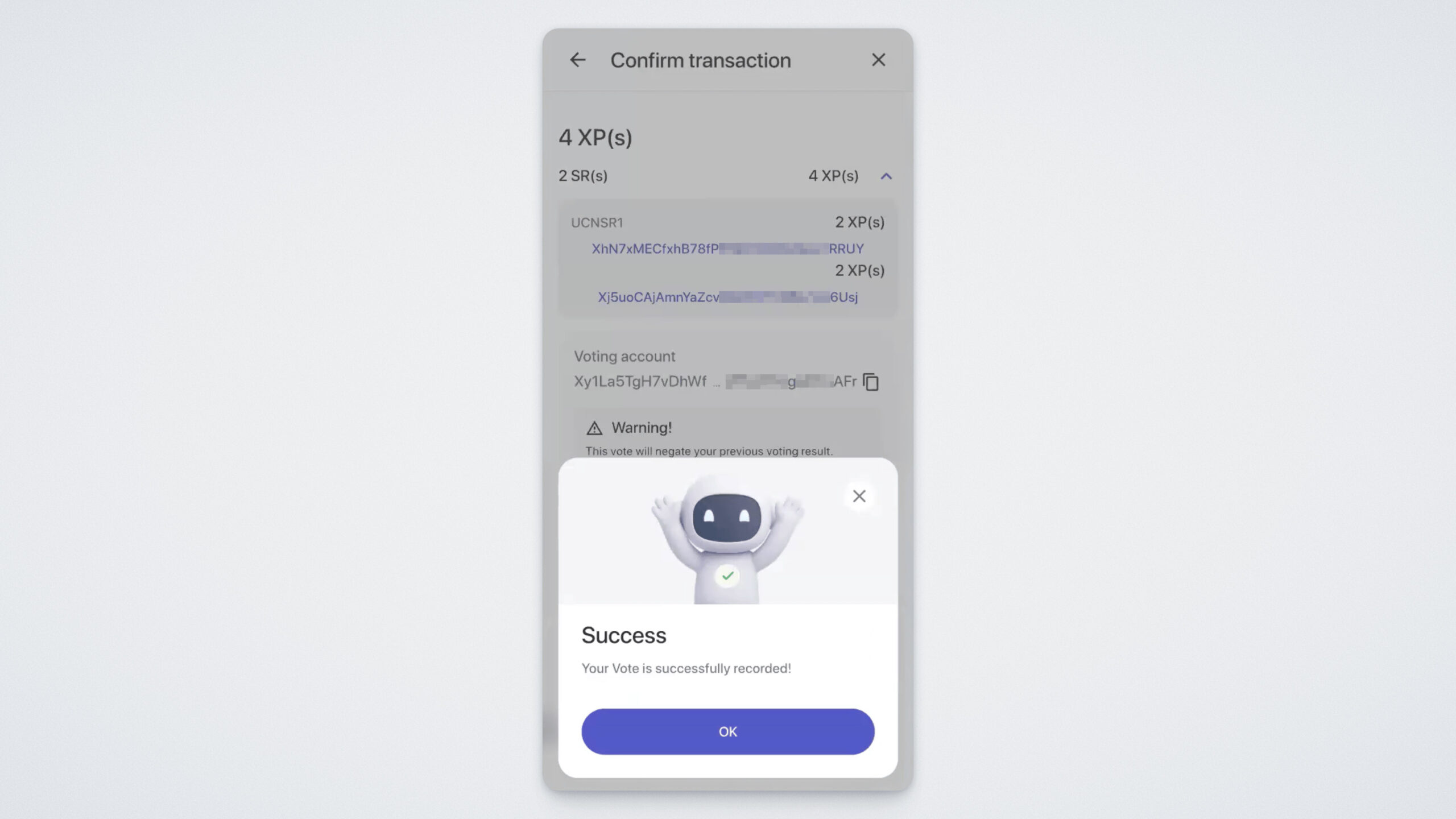
Within just a few seconds, the voting transaction will appear in your UCN transaction history.
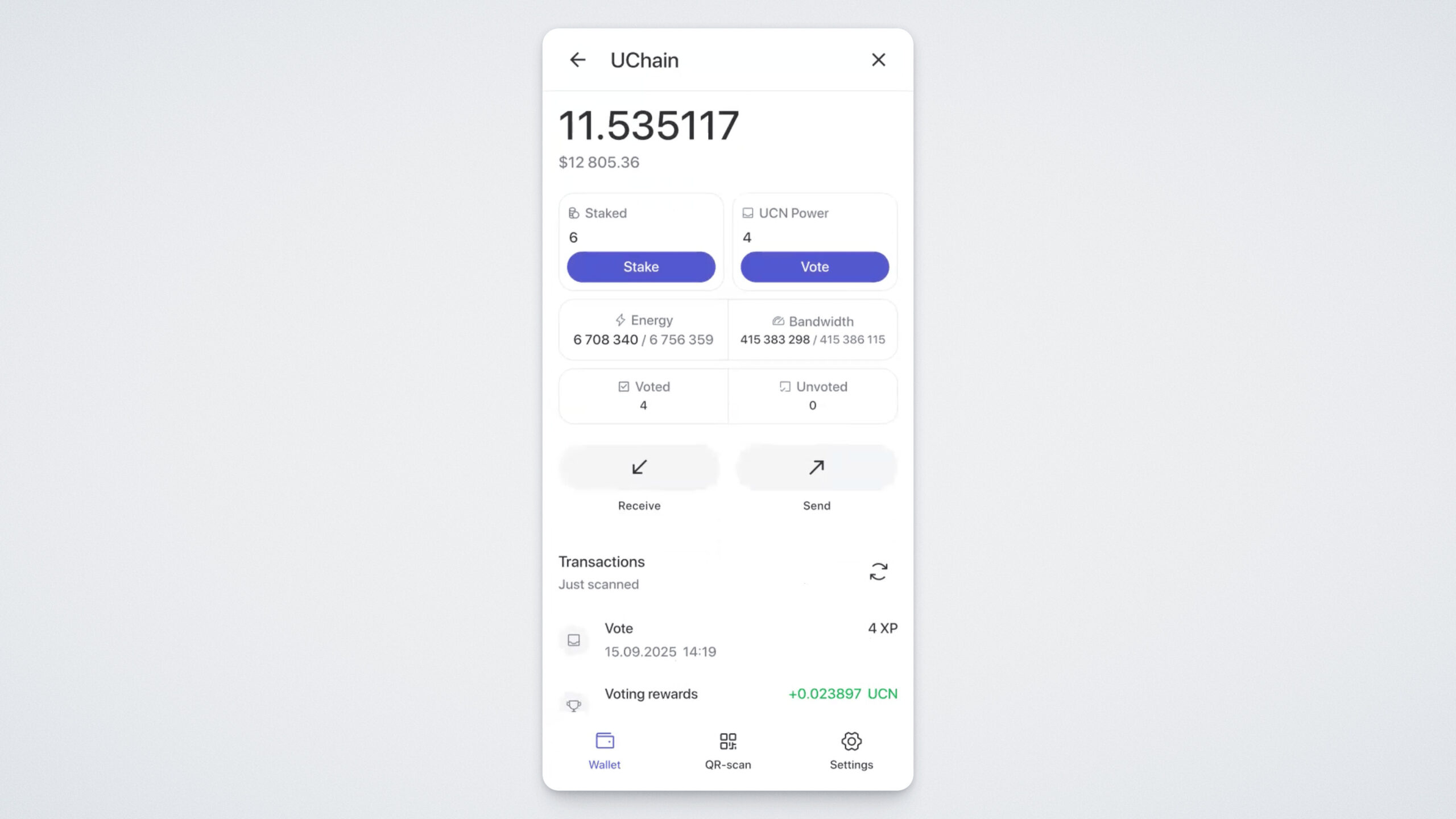
You can also view the complete history of your voting transactions in the “Voting” — “Voting History section”.
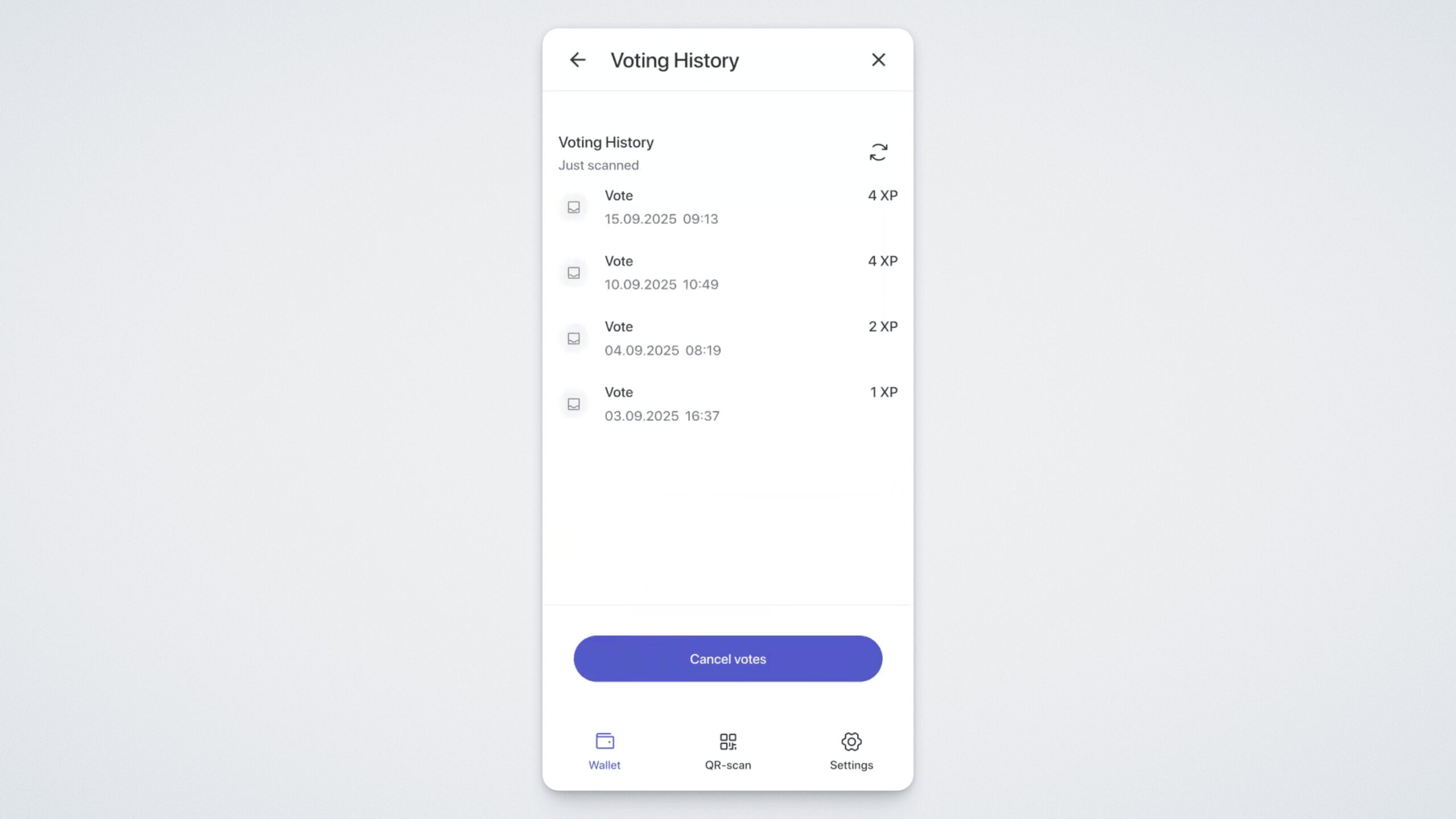
In the “Voting History” section, you can cancel your vote by tapping the “Cancel Votes” button at the bottom of the screen. Doing so will cancel all your previous votes, and your votes will be returned to your balance.
Please note that a network fee will be charged for canceling your votes.
Reward Distribution
Voting rewards are accrued every six hours, but you can claim them only once per day.
To claim your reward, follow these steps: open the Voting section and tap the “Get Reward” button.
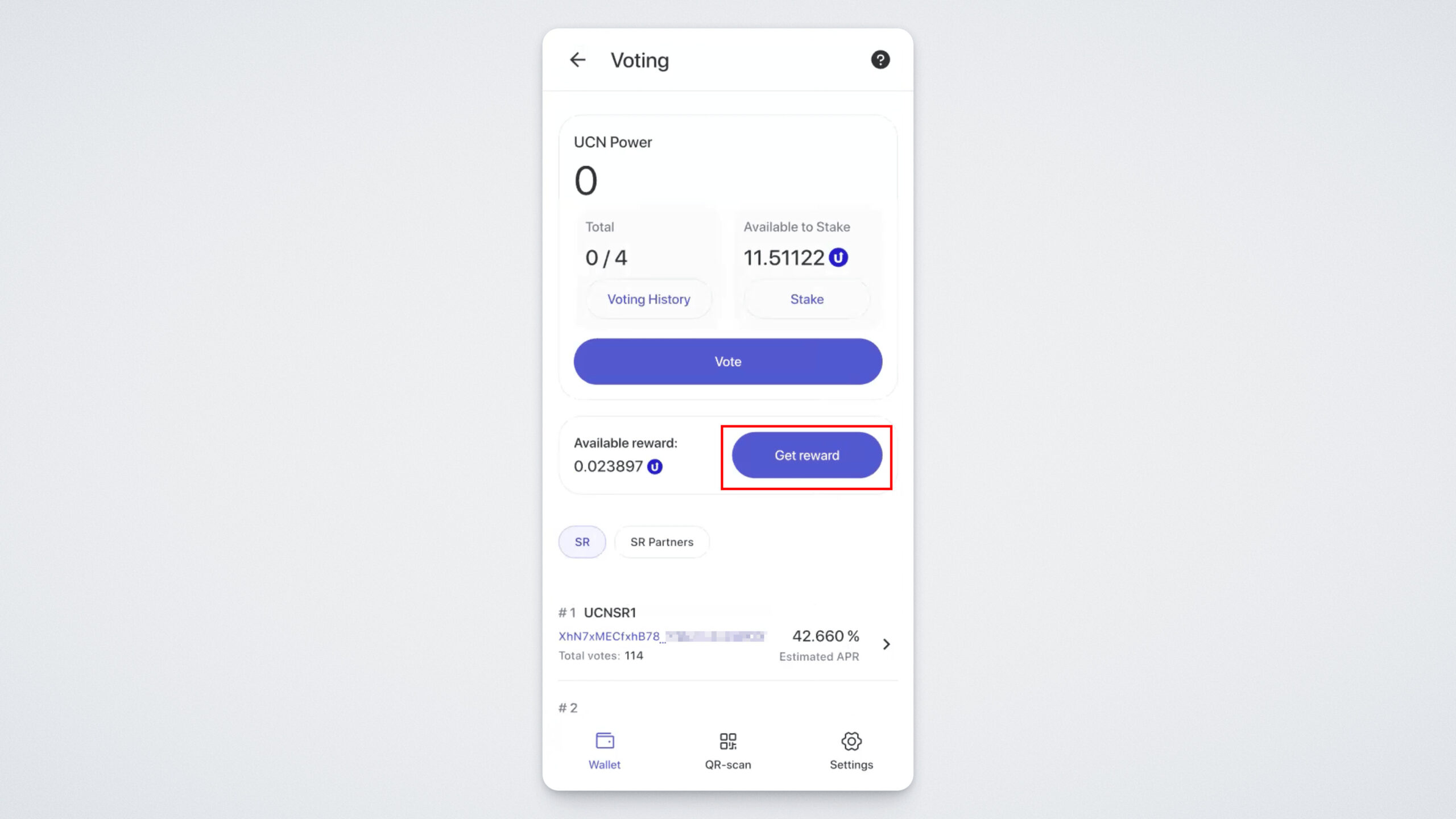
A screen will appear showing the amount of your reward and a notification about the network fee for claiming it. Tap “Confirm”:
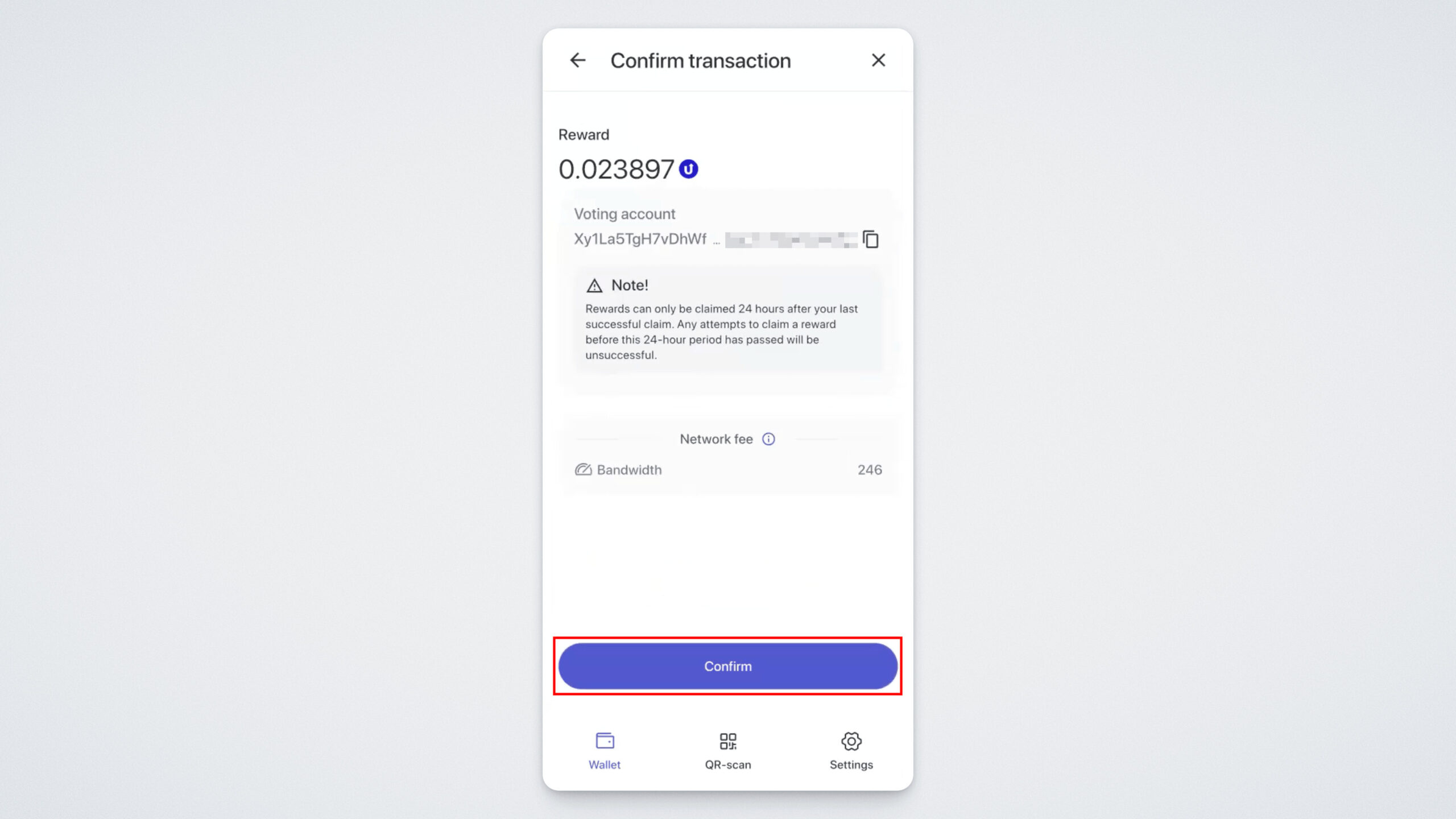
Confizm the transaction. If everything is done correctly, you’ll see a message stating that your reward has been successfully credited.
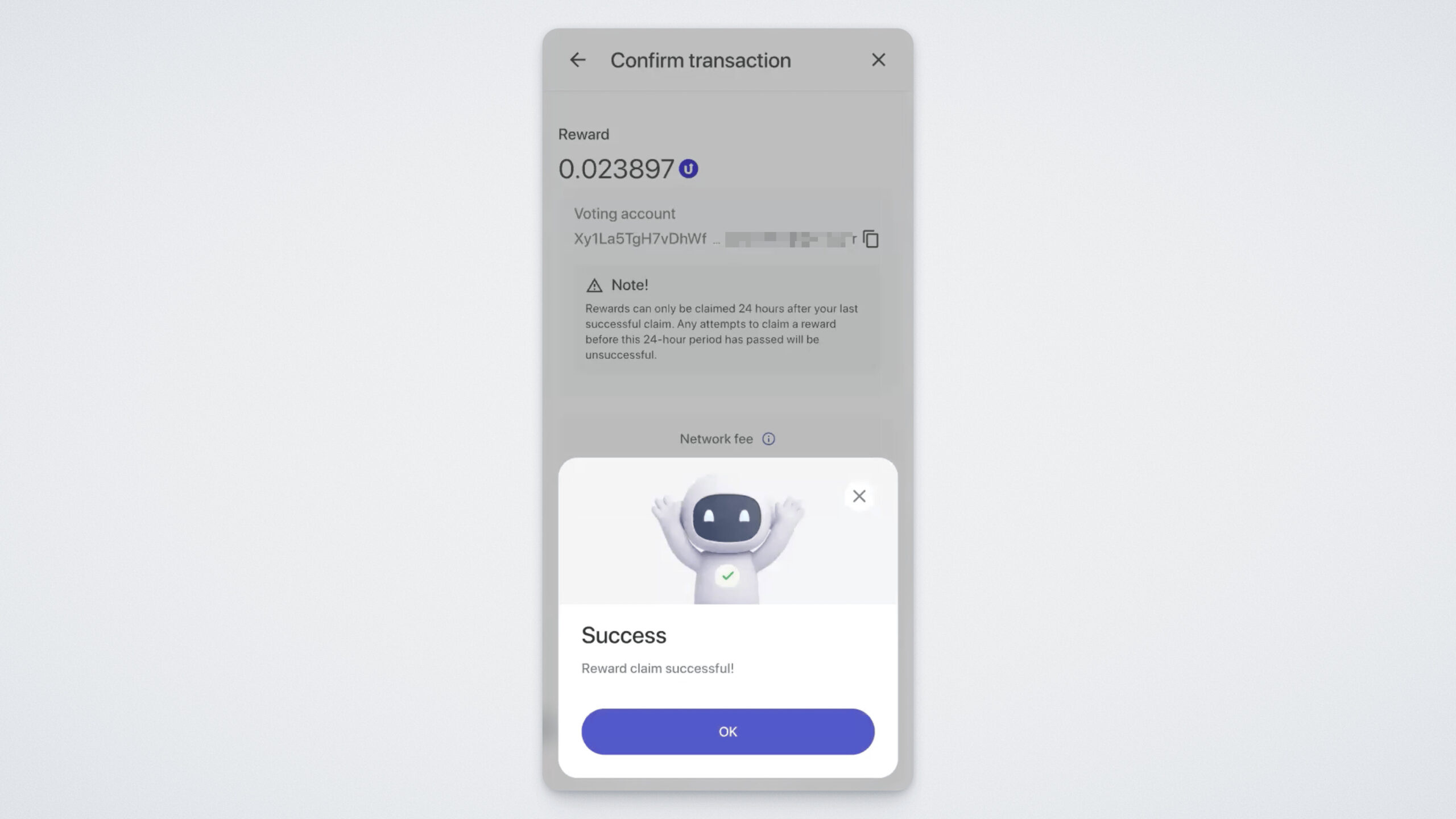
You can view the transaction in your UCN transaction history.
How Is APR Calculated?
APR (Annual Percentage Rate) is calculated as follows:
First, the total daily income of a voter (TotalDailyVoterReward) is determined. This value consists of two parts:
- DailyVoterBlockReward — the daily reward for participating in block validation;
- DailyVoterVoteReward — the daily reward for participating in voting.
The formula is:
- TotalDailyVoterReward = DailyVoterBlockReward + DailyVoterVoteReward
Next, the total annual income of a voter (TotalVoterYearReward) is calculated. Since a year has 365 days, the daily reward is multiplied by 365:
- TotalVoterYearReward = TotalDailyVoterReward × 365
To calculate the APR, divide the total annual income of a voter by the number of votes (in this case, it’s assumed that one account equals one vote — that is, one staked UCN coin) and multiply by 100% to express the result as a percentage:
- APR = (TotalVoterYearReward ÷ 1) × 100%
Thus, APR shows what percentage of your staked coins you can earn in one year by regularly participating in voting and block validation.
Recap
- You can vote at any time.
- You can vote for one or several Super Representatives.
- The higher the candidate’s APR, the more profitable it is to vote for them.
- Rewards are accrued every six hours at the end of each voting round.
- Once you’ve voted for an SR, your votes remain assigned to them, and rewards will continue to be accrued every six hours.
- Rewards can be claimed every 24 hours.
- When re-voting, new votes replace previous ones. For example, if you gave a candidate 2 votes yesterday and 3 votes today, the total number of votes for that candidate will now be 3, not 5.