


In this guide, we will explain how to connect a trading bot to your KuCoin exchange account.
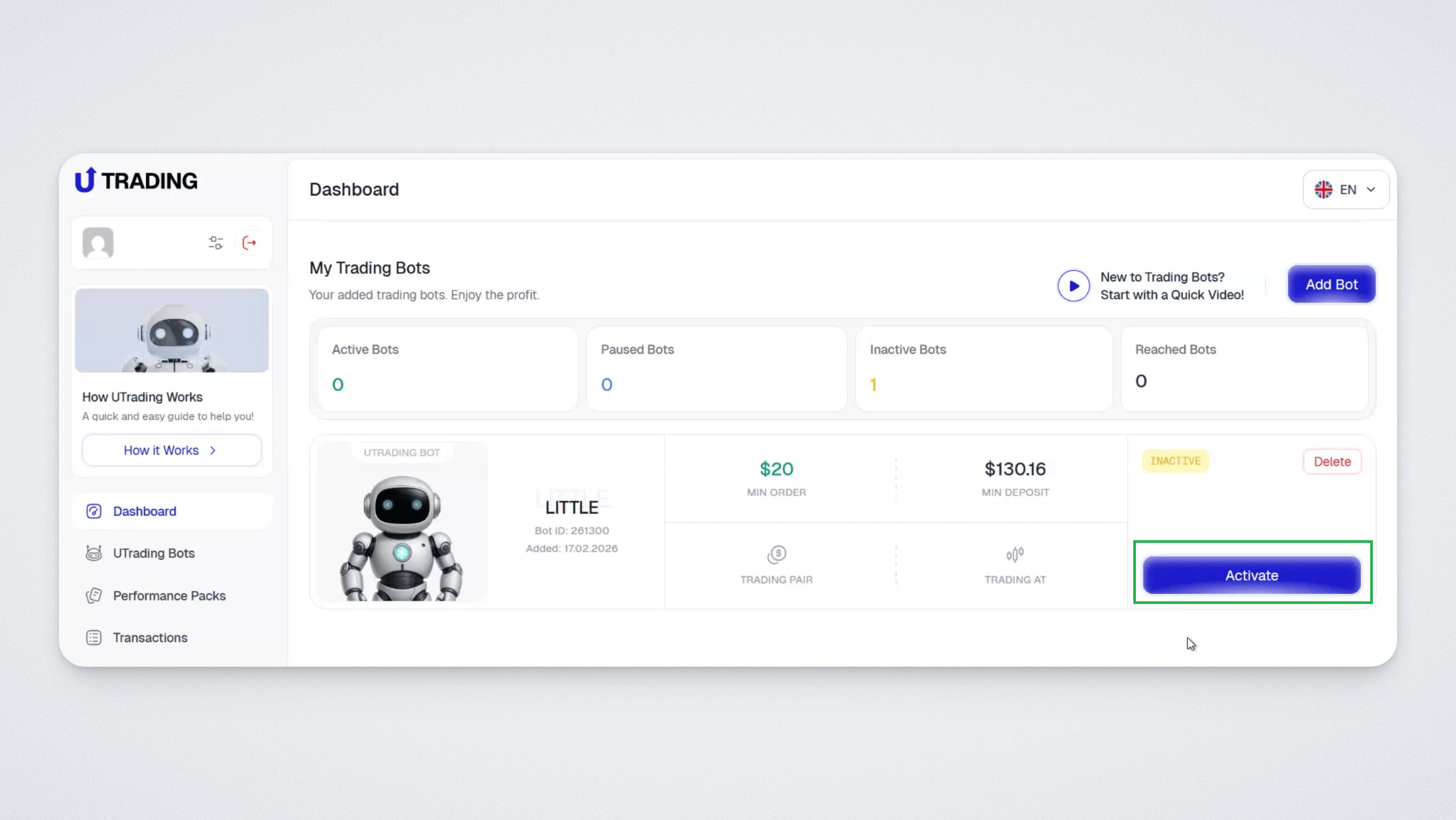
The next step after purchasing a Performance Pack is activating the bot. To do this, go to the Dashboard and click “Activate” on the bot you added.
A window will appear where you can select the exchange to connect. In our case, we are connecting the bot to KuCoin, so select KuCoin.
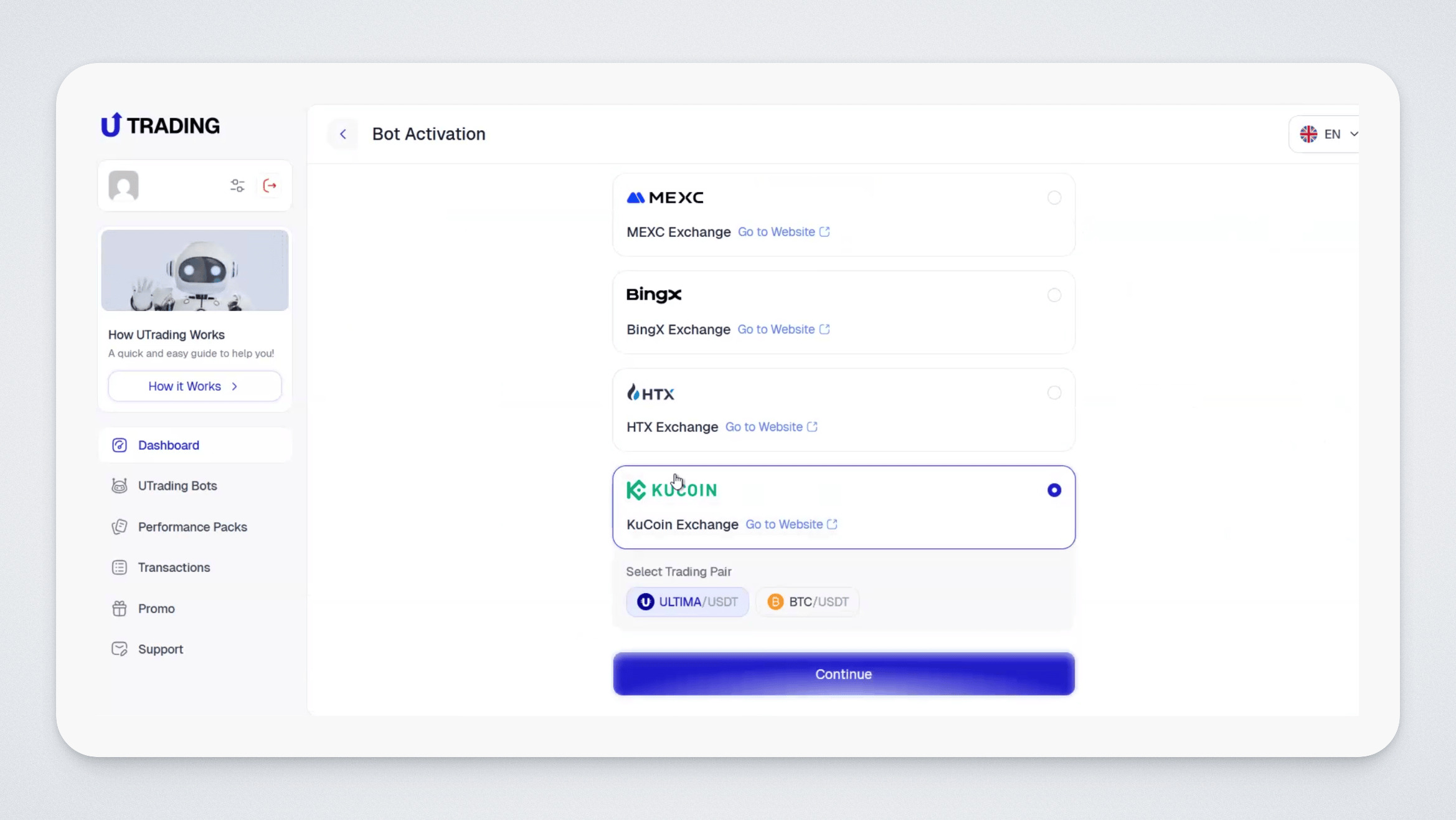
Next, you will be asked to choose the trading pair the bot will trade. Select your preferred pair and click “Next.”
The bot activation window will open:
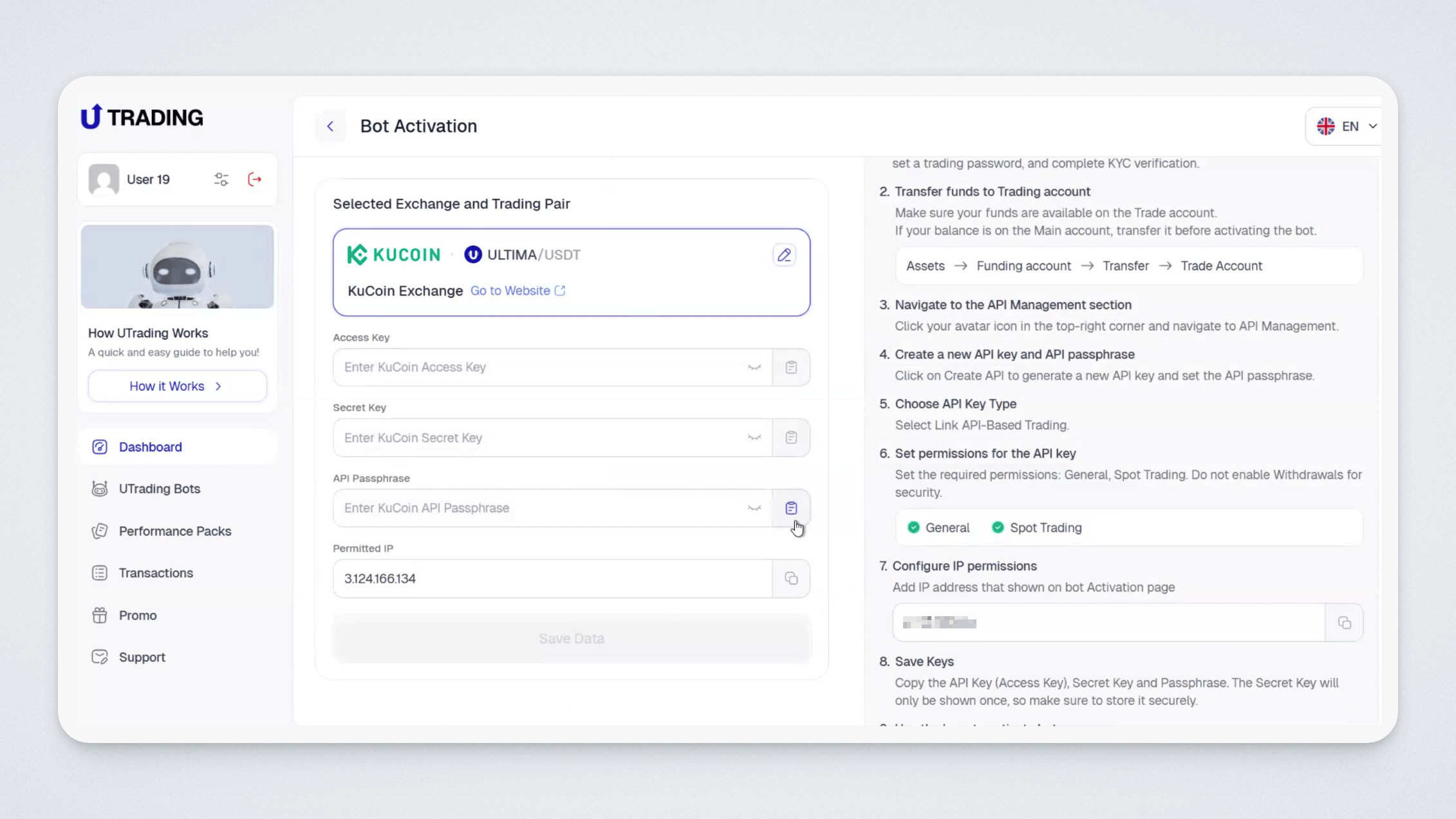
Save the IP address shown in the last section, you will need it later.
Now you need to connect your exchange account to the bot. To do this:
- Open the official KuCoin website.
- Log in to your account or register.
- Complete KYC verification to enable trading.
- Make sure your KuCoin balance has enough funds for the bot to operate. If necessary, deposit funds (the minimum required amount is shown in your bot settings).
Important: Before creating keys, enable two-factor authentication in your account.
Next, go to the “API Management” section.
To do this, hover over your avatar in the top right corner and select API Management from the menu.
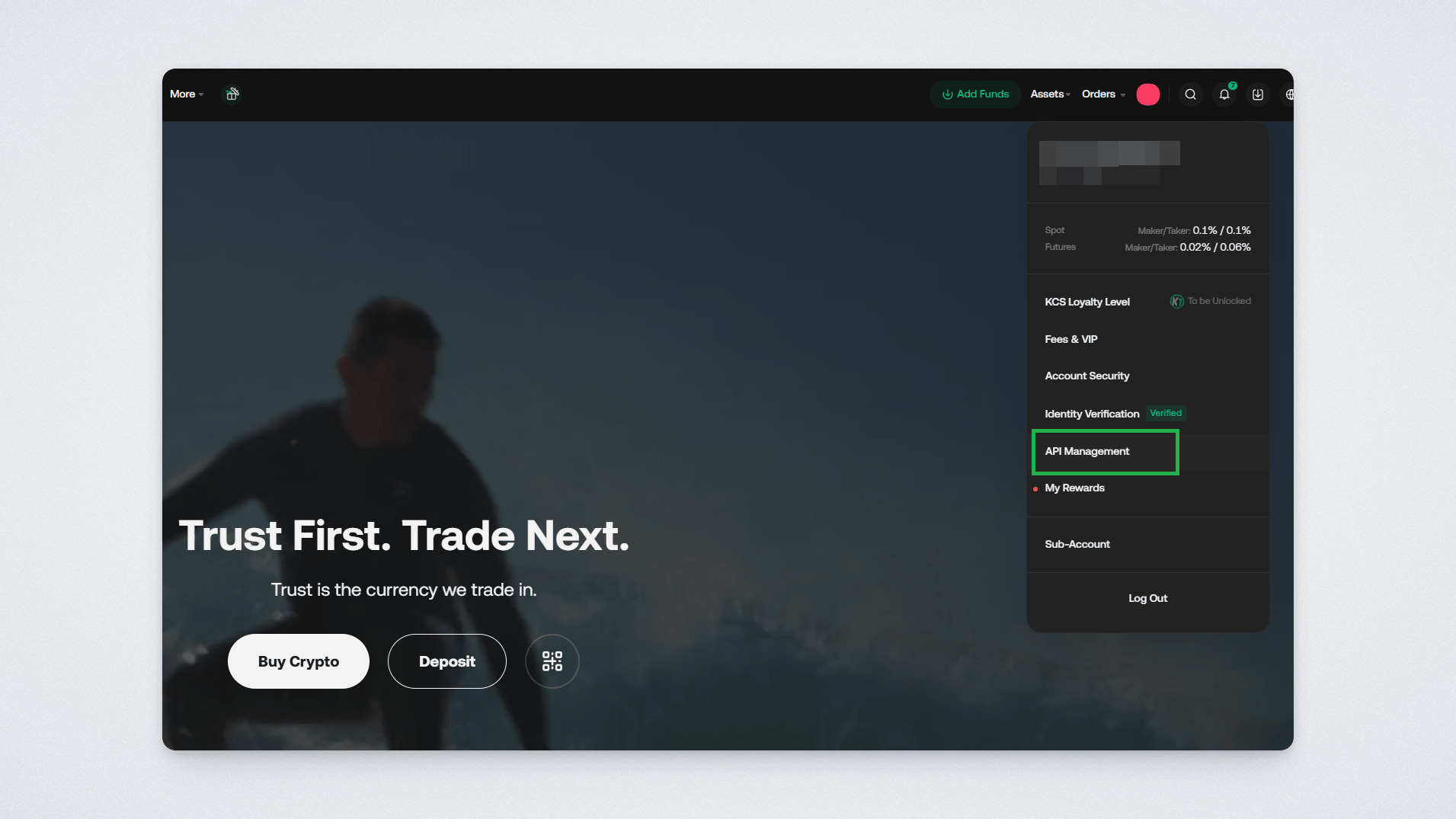
Then click Create API.
Set a name and password for your API keys.
Save the password, as you will need it later.
Enable permission for Spot Trading.
Below that, select “Restrict to Trusted IPs Only”, enter the IP address you saved earlier from UTrading, and click Add.
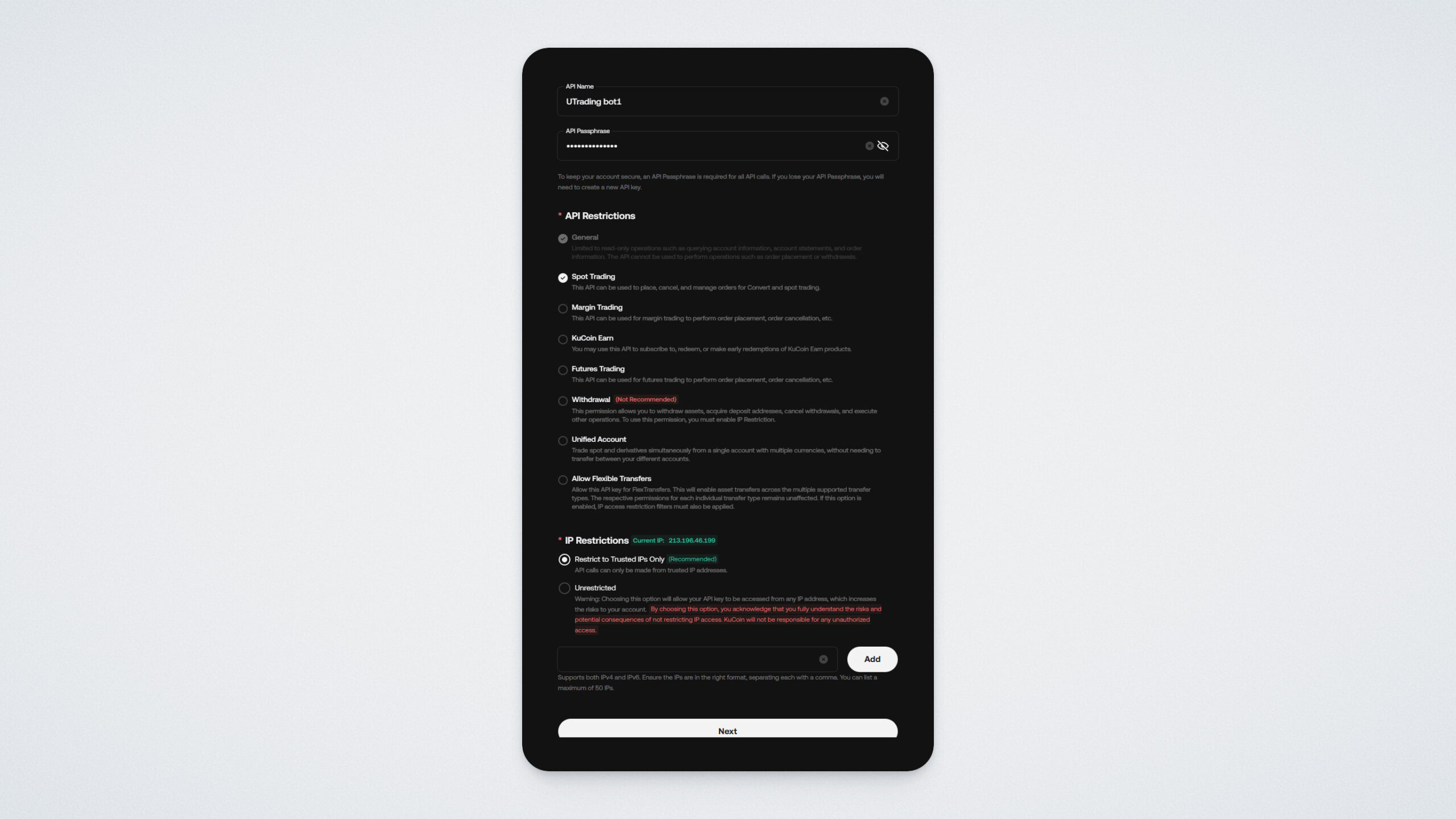
Click “Next.”
Confirm the action using your two-factor authentication codes.
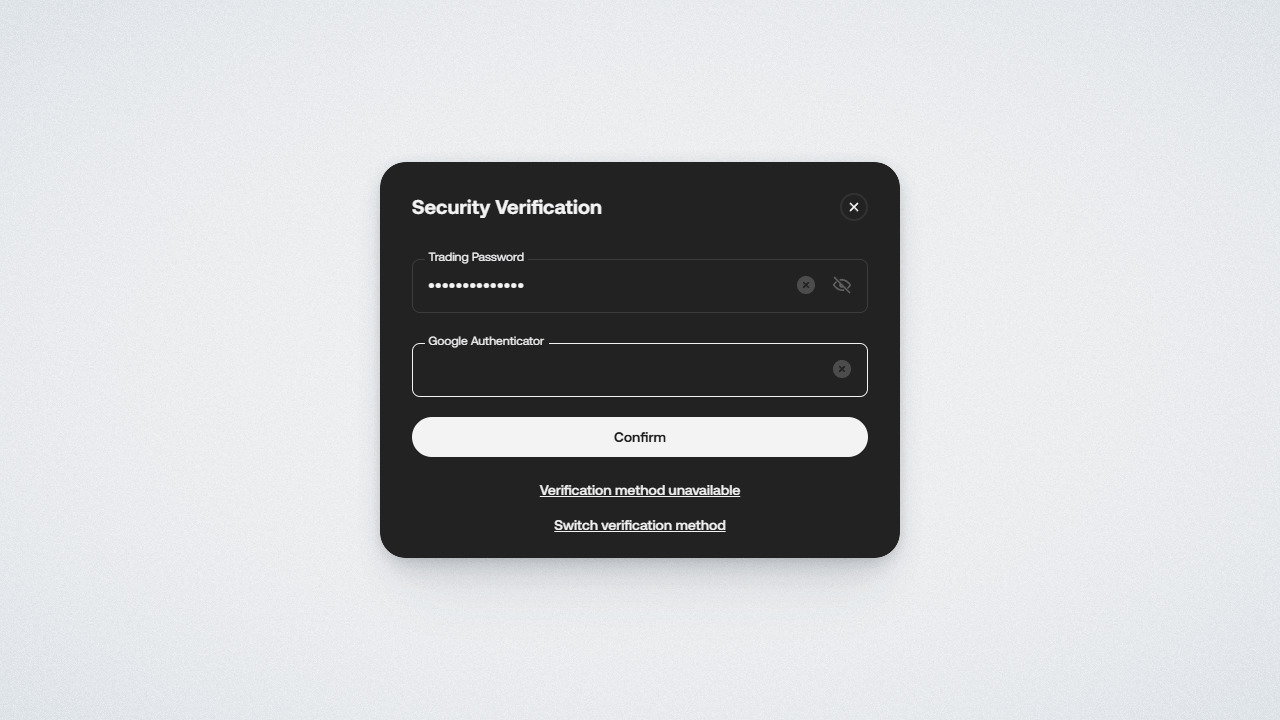
You will then see a confirmation message that the keys were successfully created — Key and Secret. You will need both for integration. Copy and securely save them.
Please note: the Secret Key is shown only once at the time of creation, so make sure to save it immediately. The Access Key can always be found later in the “My API Key” section.
Important:
- Never share your keys with anyone, as they provide full access to your account.
- Do not store keys in public repositories or on open web pages.
- If you lose your keys or suspect they are compromised, delete them immediately and create new ones.
Return to the UTrading website and paste the saved keys into the appropriate fields (Key into the Access Key, Secret into the Secret Key)
Enter the password you set when creating the API keys into the API Passphrase field
Then click “Save Data.”
Done! Your bot is successfully activated — you will see a push notification confirming this:
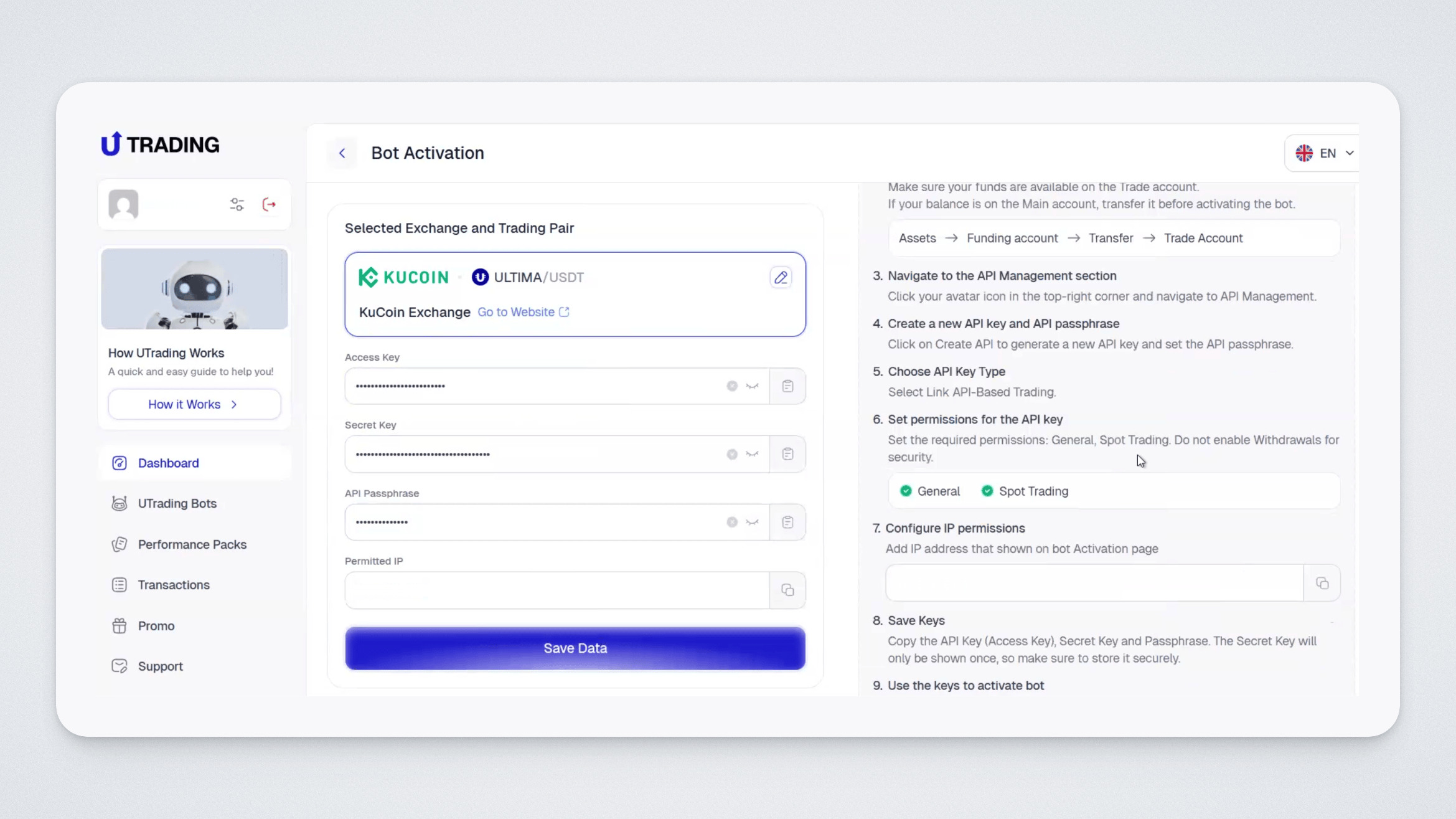
In the “Dashboard” section, you will now see which exchange your trading bot is currently connected to.
In this guide, we explained how to connect your UTrading bot to KuCoin. If you have any questions, you can always contact our support team.
Good luck and great profits!