


TURBO SPLIT is the TURBO Pool token that gives you the right to receive rewards in ULTIMA through the splitting mechanism.
What is splitting? It’s a technology where you freeze tokens in your wallet and receive daily rewards from a liquidity pool in return. In this guide, we’ll walk you step by step through how splitting works with the TURBO SPLIT token.
How is TURBO SPLIT different from other splits? When you purchase a Turbo contract pack, the tokens are not credited all at once. Instead, they are distributed gradually in equal parts every day over 360 days.
Important to know before you start
The accumulation period for this pool is 90 days. This means rewards can accumulate for a maximum of 90 days — if you don’t claim them in time, accumulation stops.
Step 1. Withdrawing TURBO SPLIT Tokens From the UTrading Dashboard
To start working with the pool, you need to withdraw your TURBO SPLIT tokens from your personal account on the UTrading website to your wallet in the Ultima Chain network.
Open the dashboard and go to the Contract Minting section. Then click the “Payout” button.
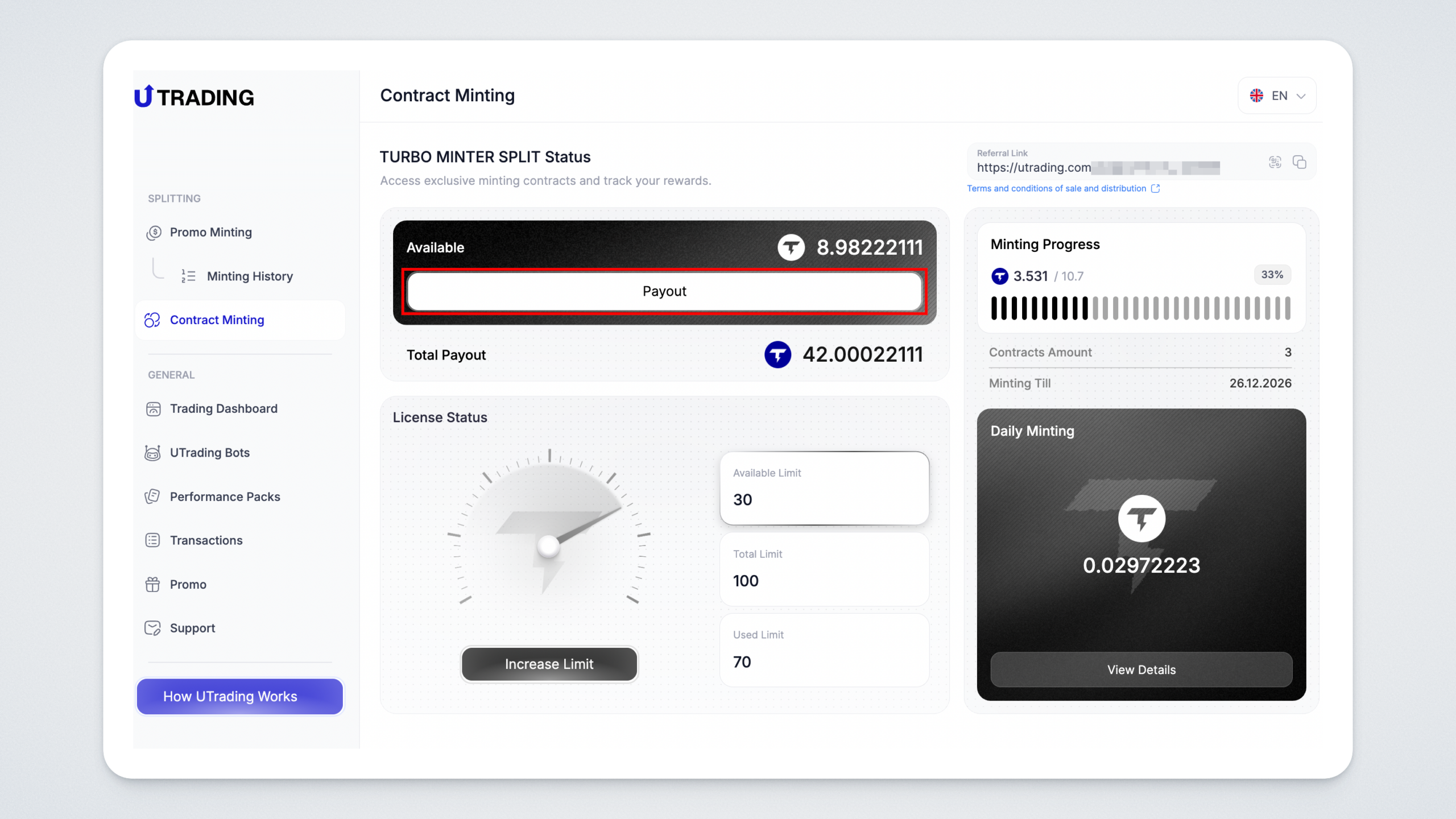
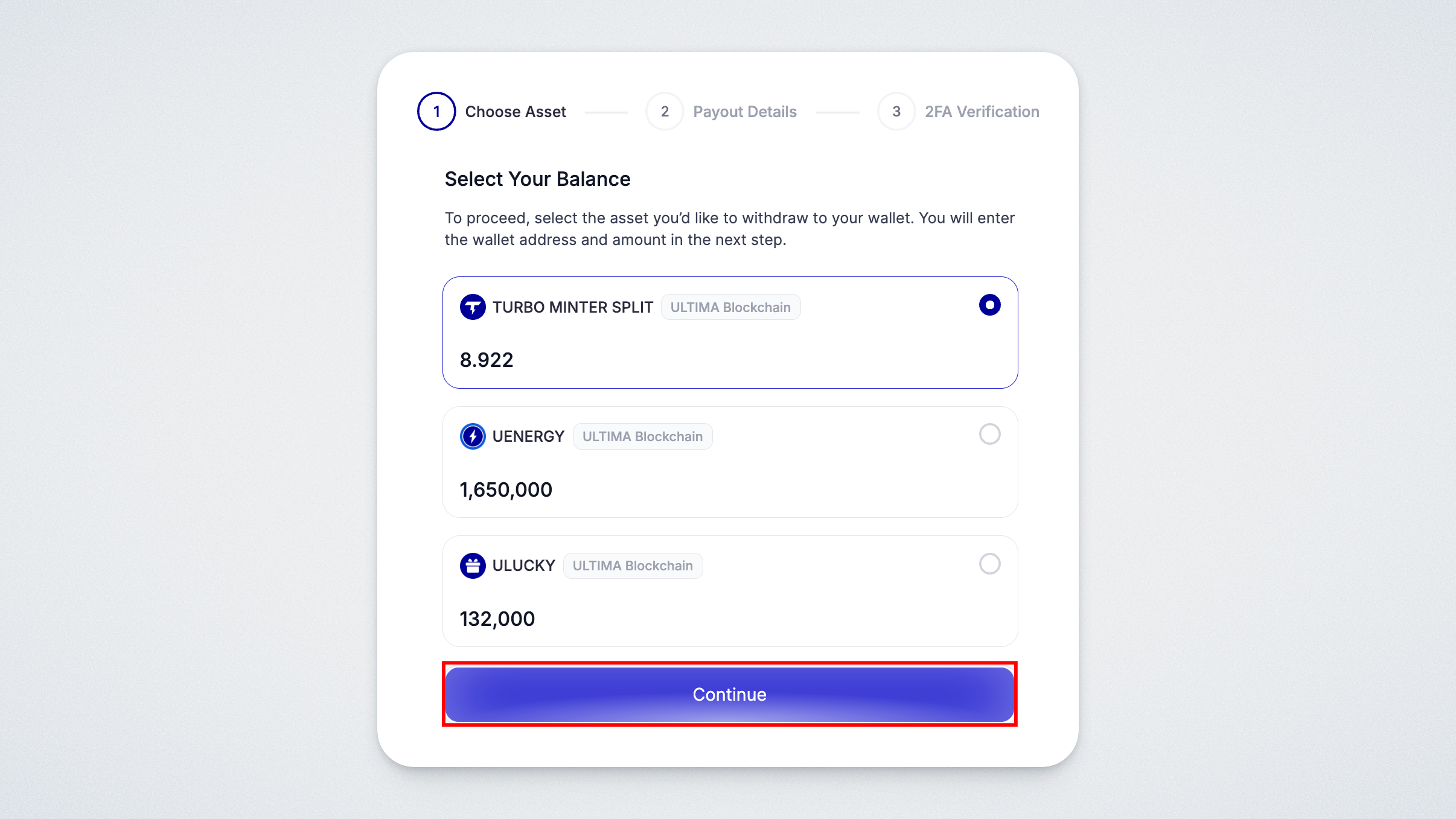
A window will open where you need to select the balance for withdrawal.
Select the TURBO MINTER SPLIT balance and click “Next Step.”
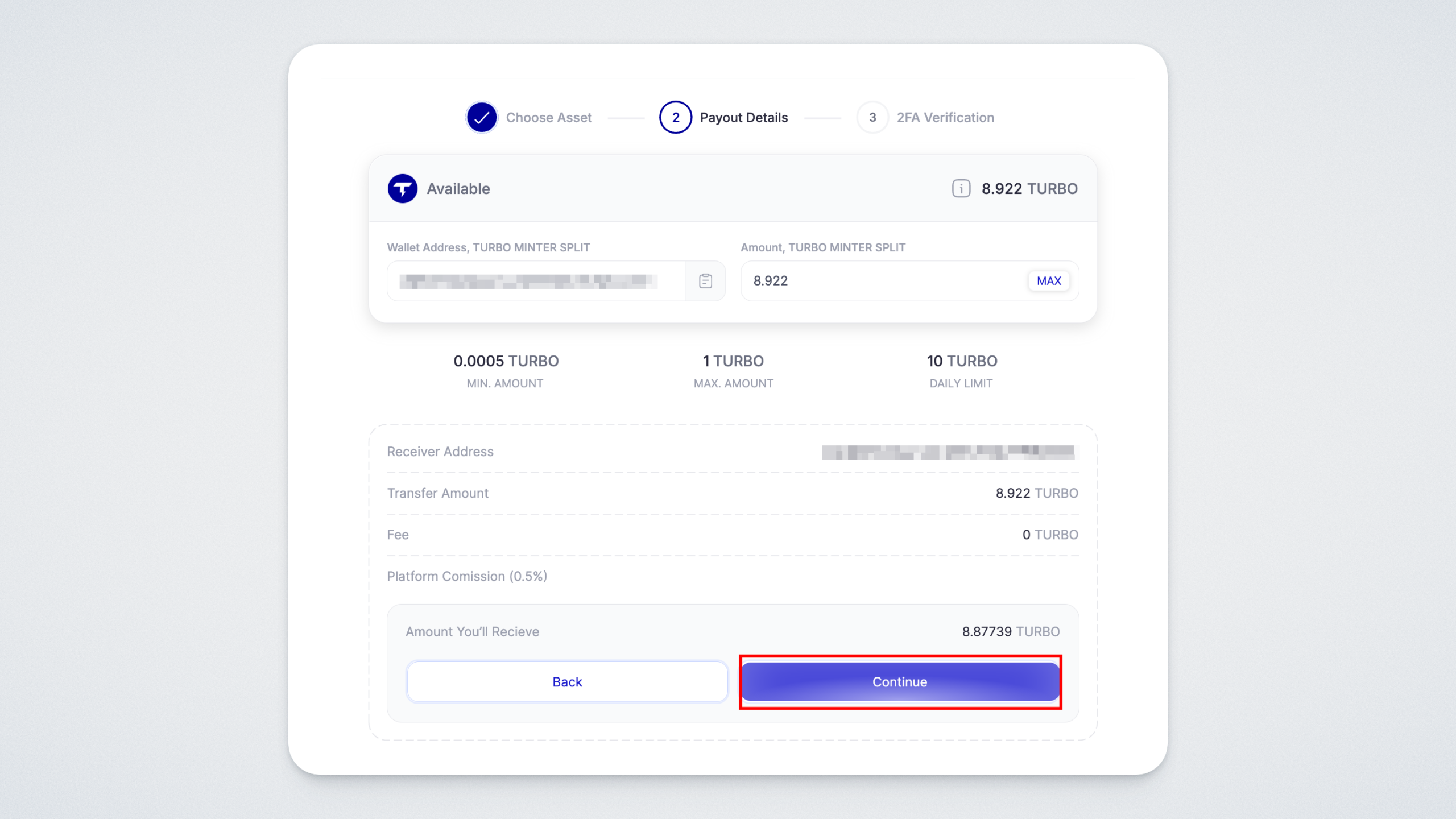
In the next window:
- In the “Wallet address” field, paste the address of your Turbo SPLIT wallet (you can copy it from your wallet app).
- On the right side, specify the amount of TURBO SPLIT tokens you want to withdraw.
Click the “Transfer” button in the lower-right corner:
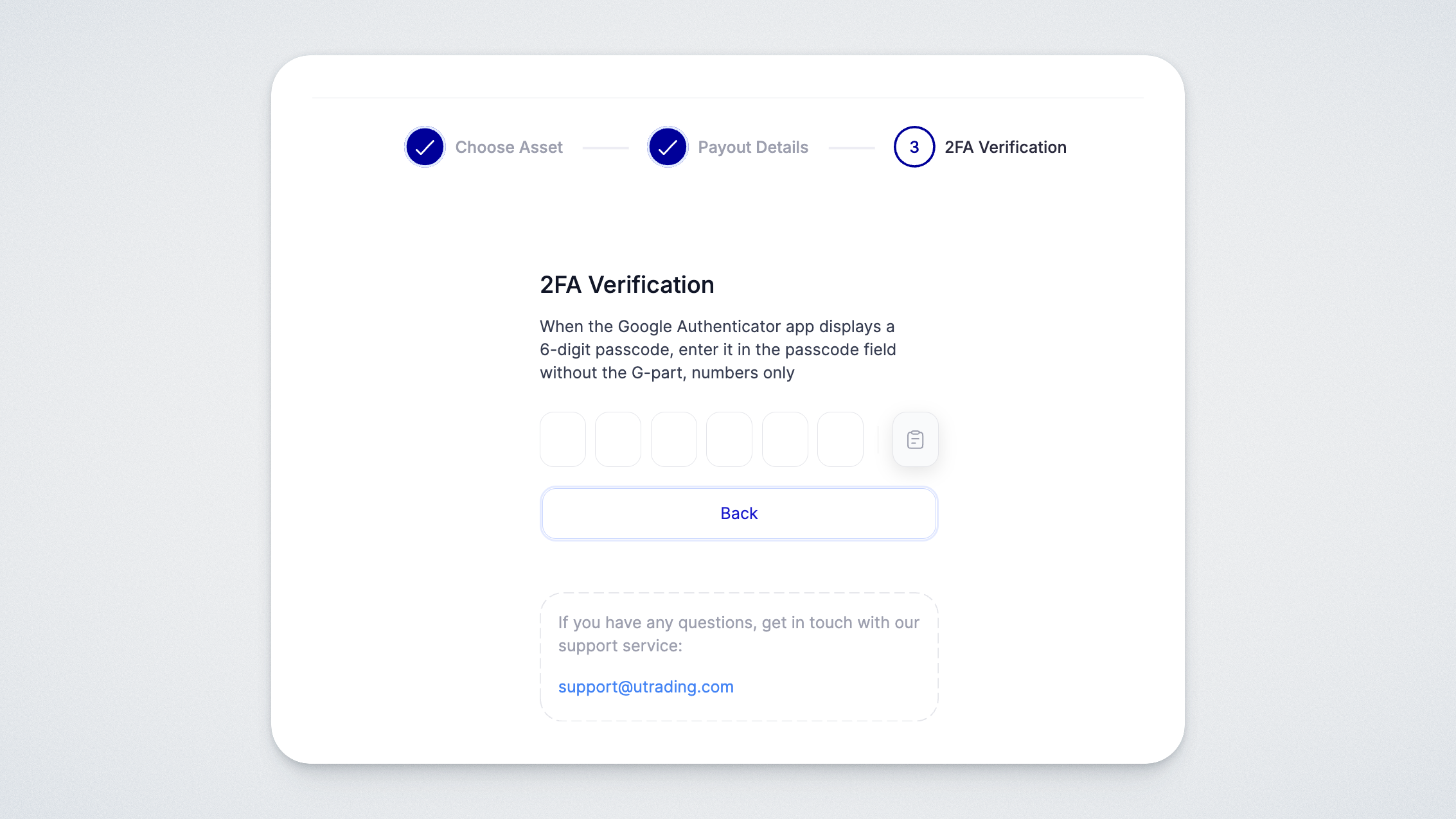
Next, the system will ask you to enter your two-factor authentication code. Open the Google Authenticator app and enter the current code in the corresponding field.
If everything is done correctly, you will see a message confirming that your withdrawal request has been created. The tokens will be credited to the specified wallet shortly.
You can find your withdrawal history in the “Withdraw” → “History” section.
Step 2. Freezing TURBO SPLIT Tokens
The first step before starting the splitting process is freezing your TURBO SPLIT tokens.
In your wallet, select the TURBO SPLIT (TURBO 3) token:
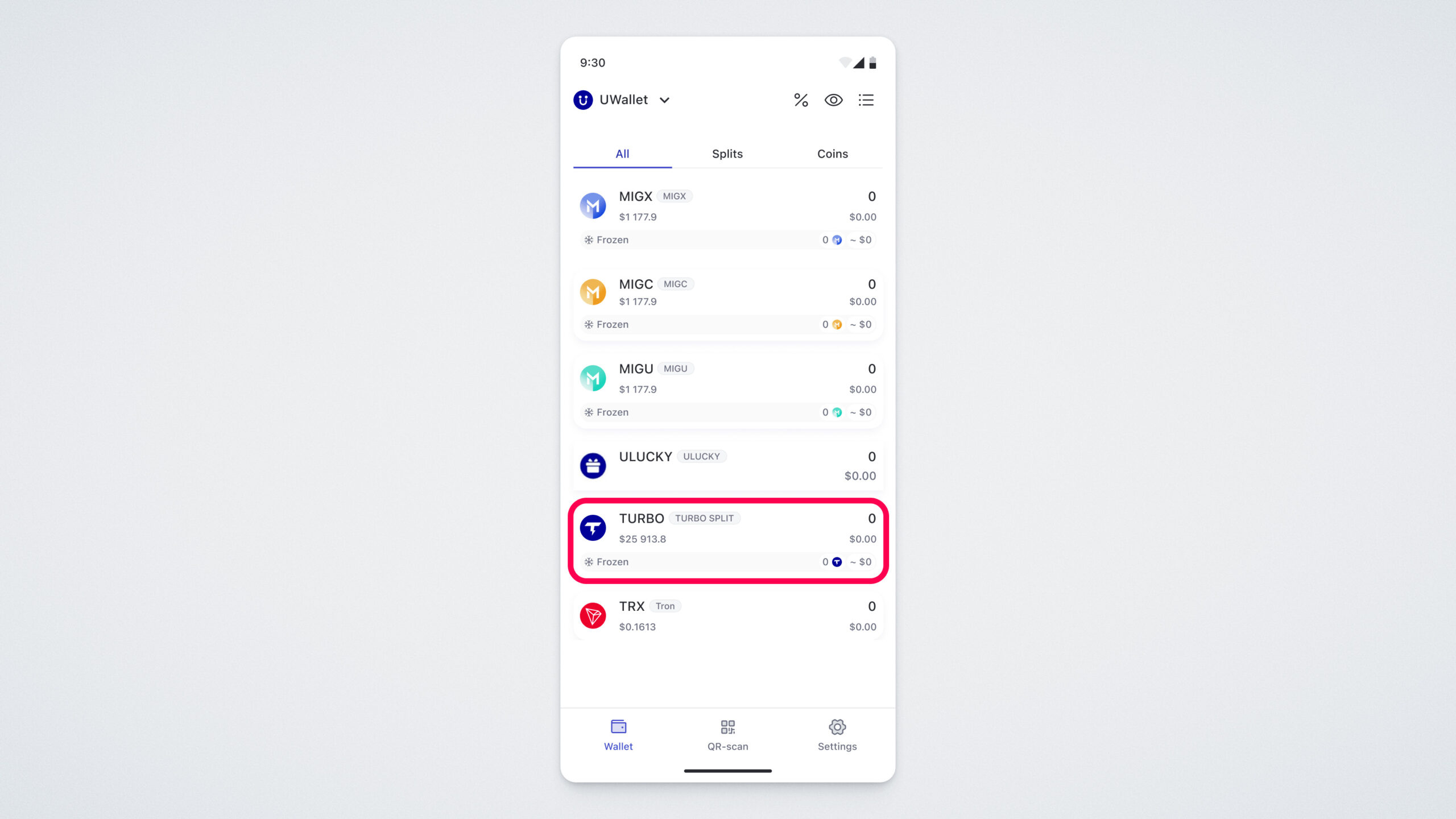
A screen will open displaying detailed information about your balance and transaction history.
To participate in splitting, you must first freeze your TURBO SPLIT tokens.
Let’s begin the preparation process for splitting the TURBO SPLIT token. Tap the freeze icon:
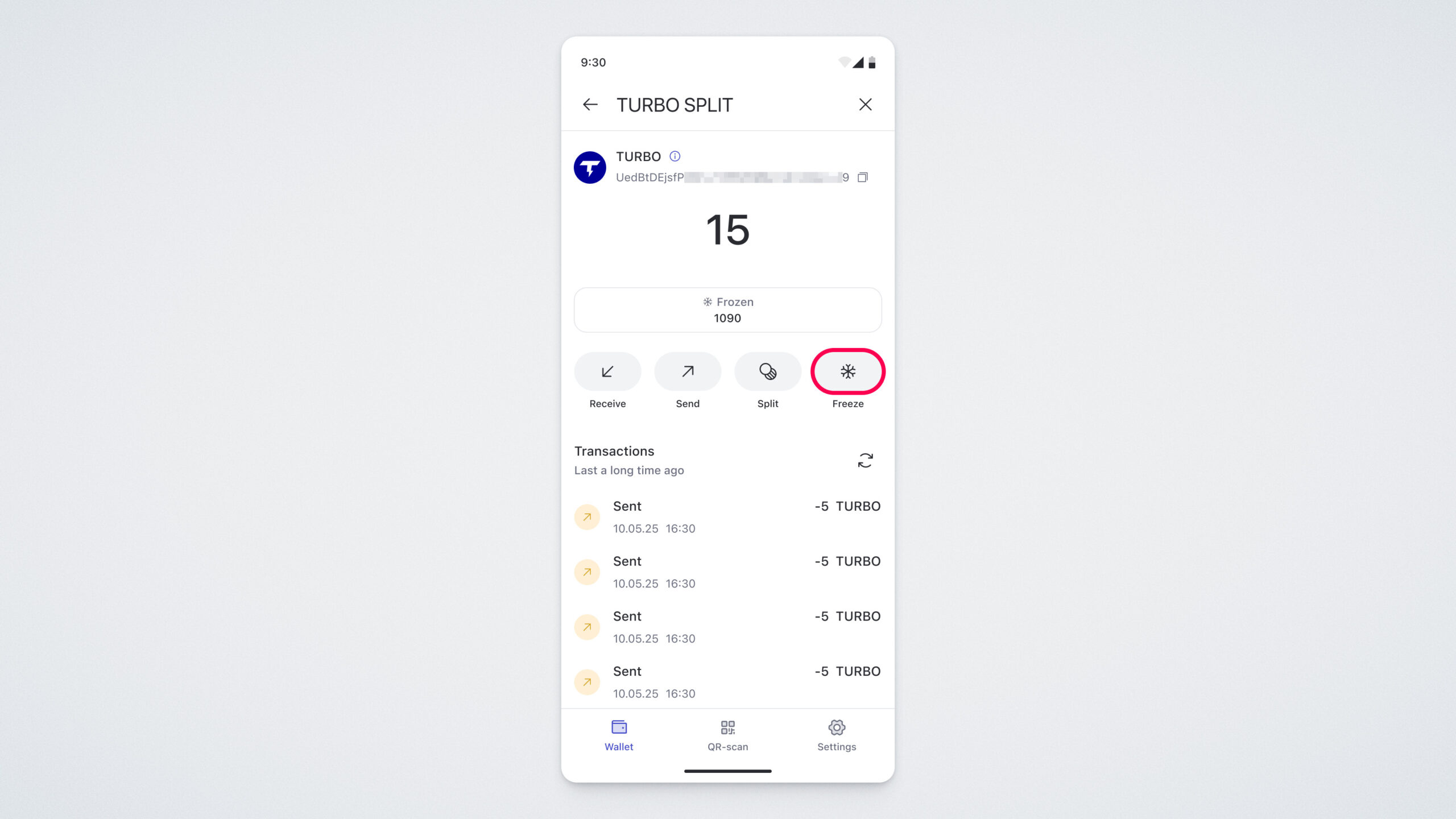
On the screen that opens, you will see your available balance for freezing and the total number of tokens already frozen in your wallet:
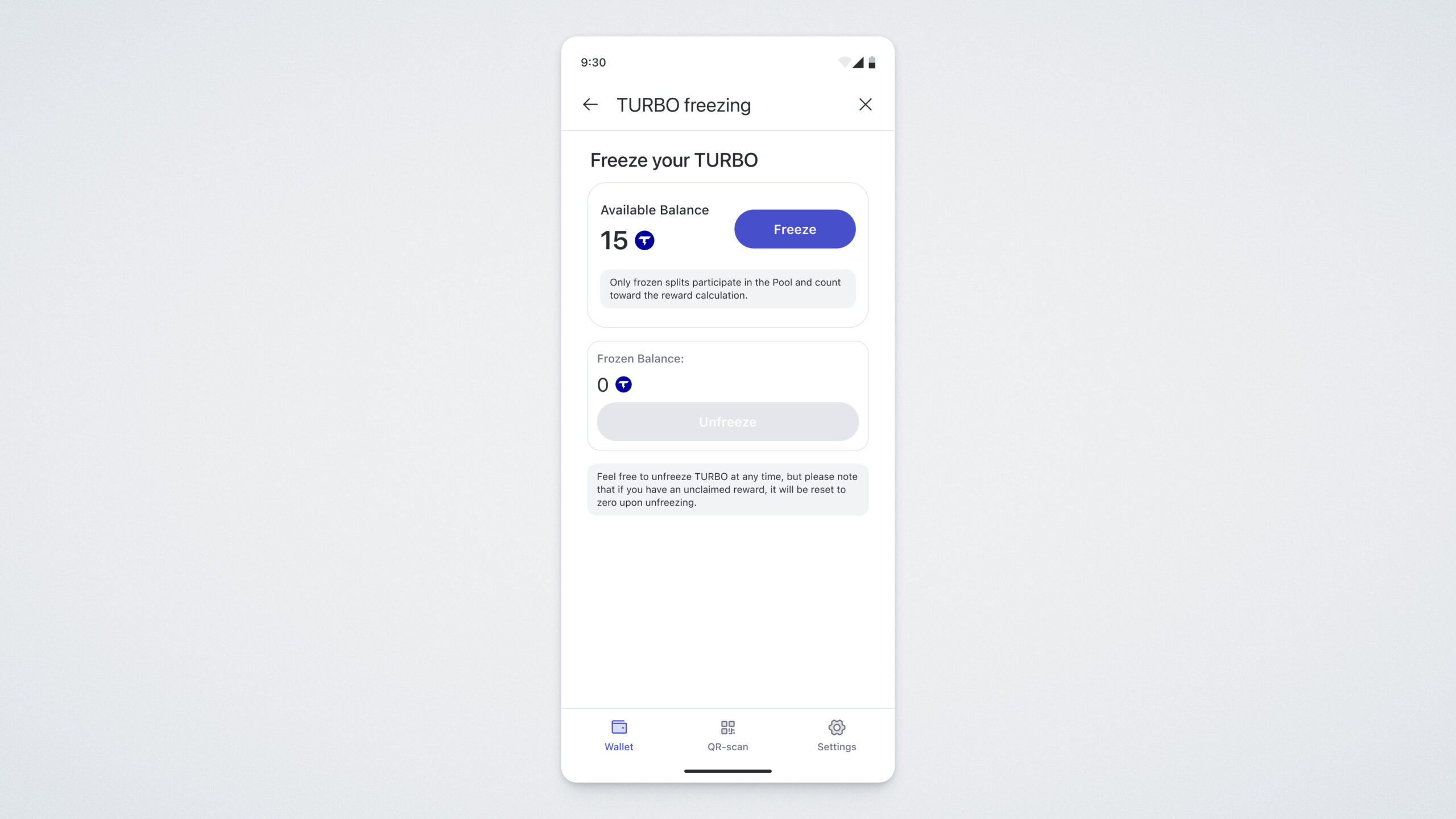
To freeze tokens, tap the “Freeze” button. On the next screen, you will be prompted to enter the amount of tokens you want to freeze. Enter the desired amount and tap “Prepare for Freezing”:
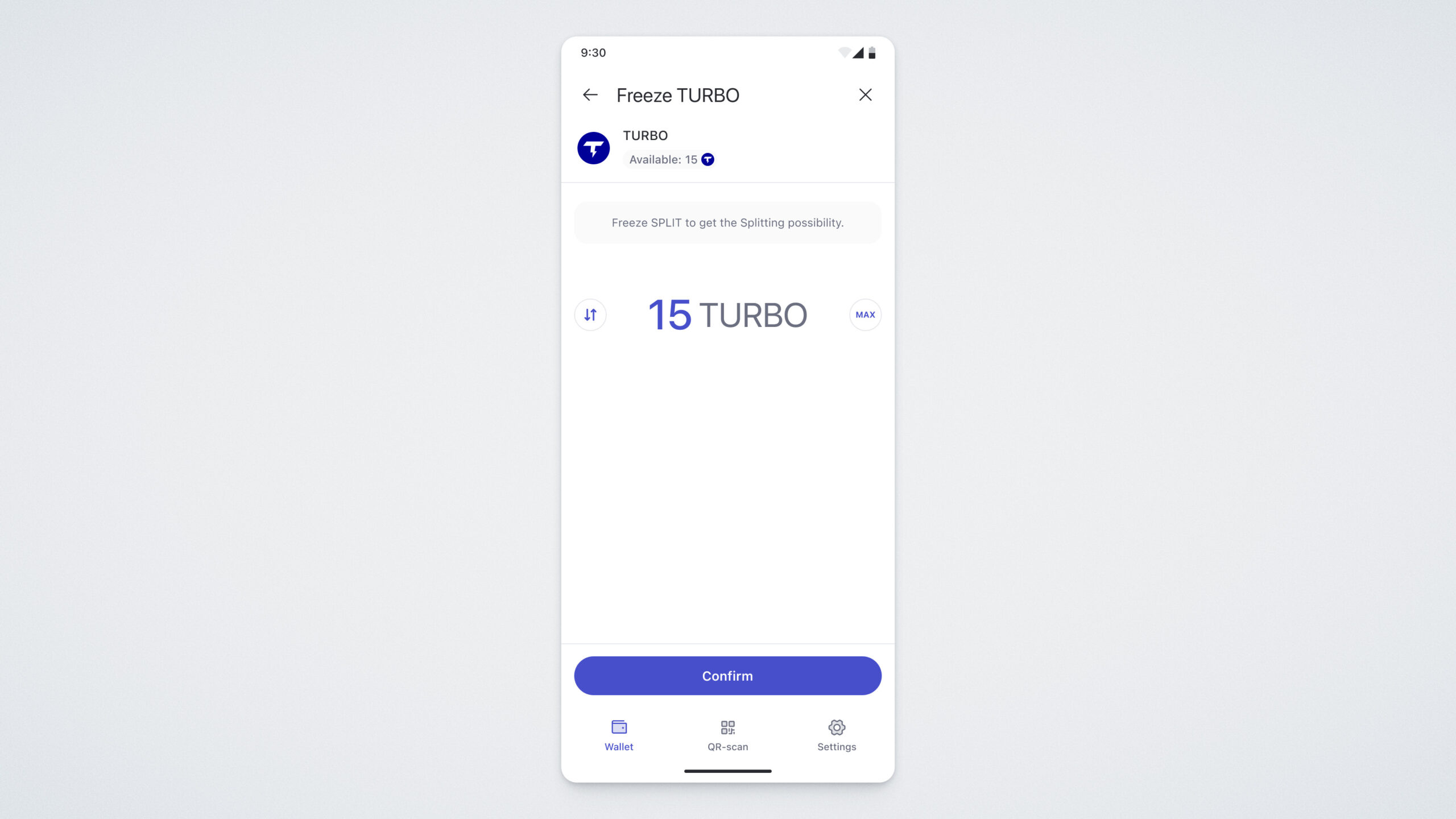
Next, review the amount and confirm the action by tapping “Confirm Freezing”:
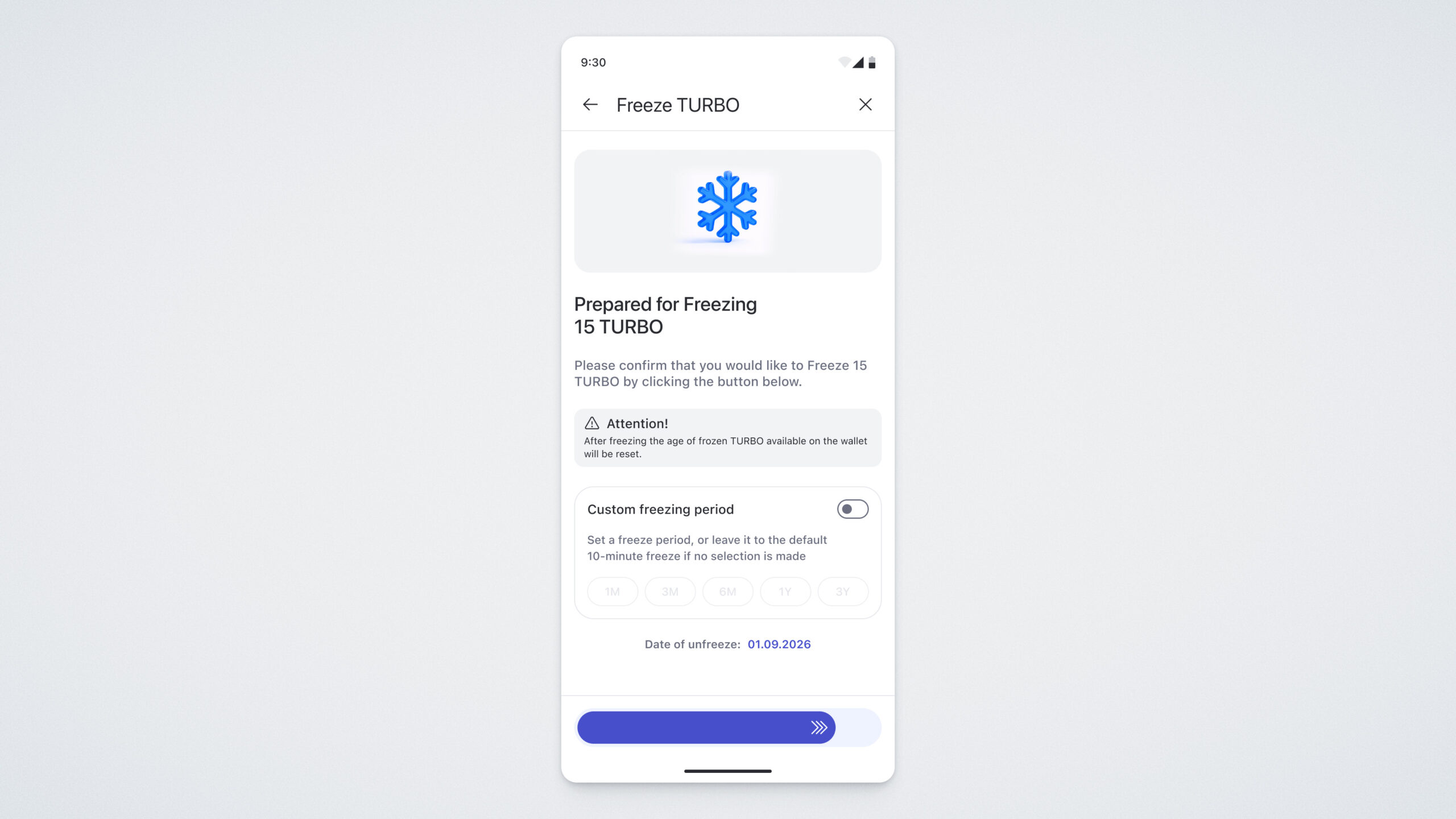
You will then need to confirm the action using your PIN code:
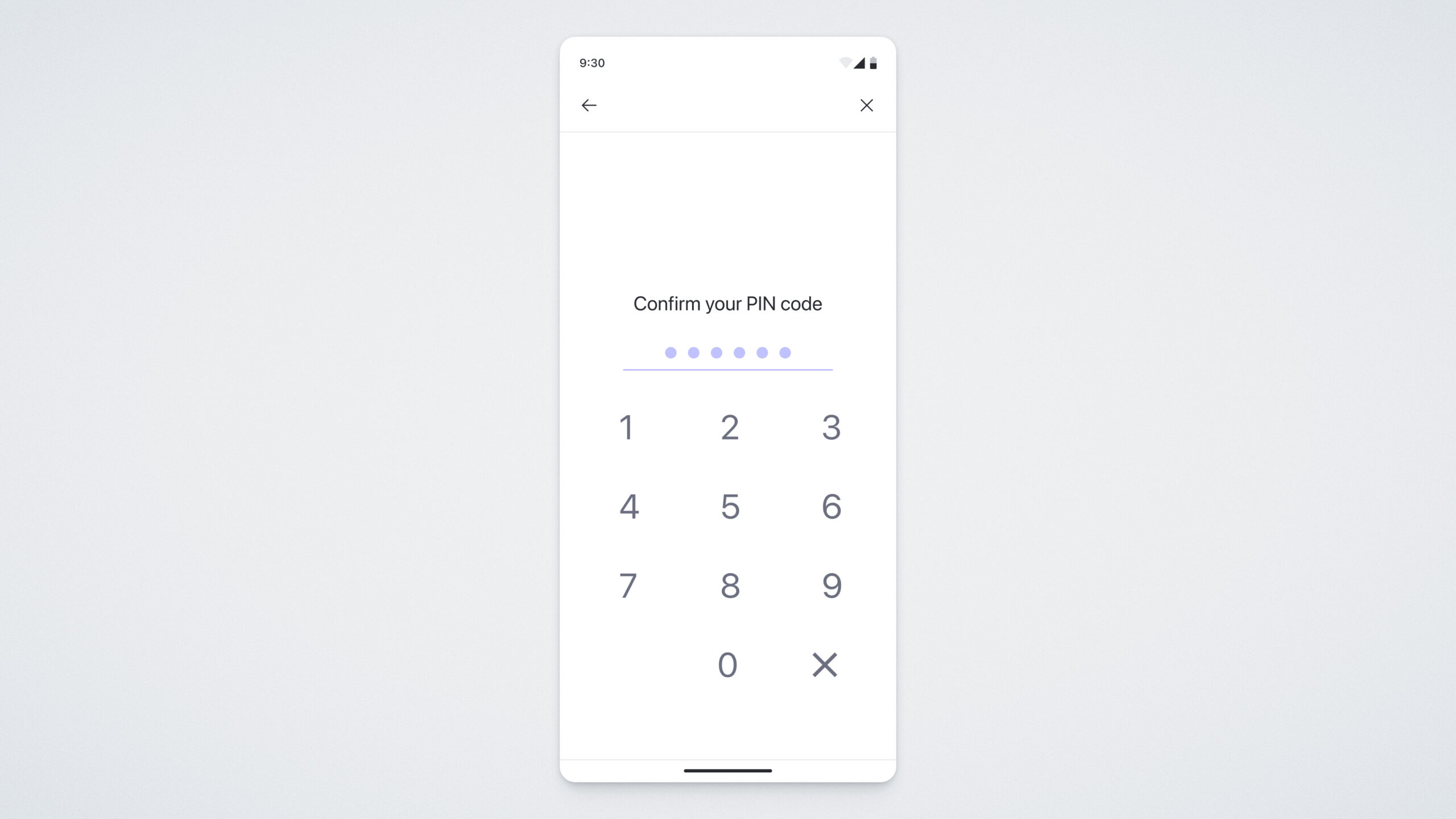
If everything is done correctly, you will see a confirmation screen indicating that the tokens have been successfully frozen:
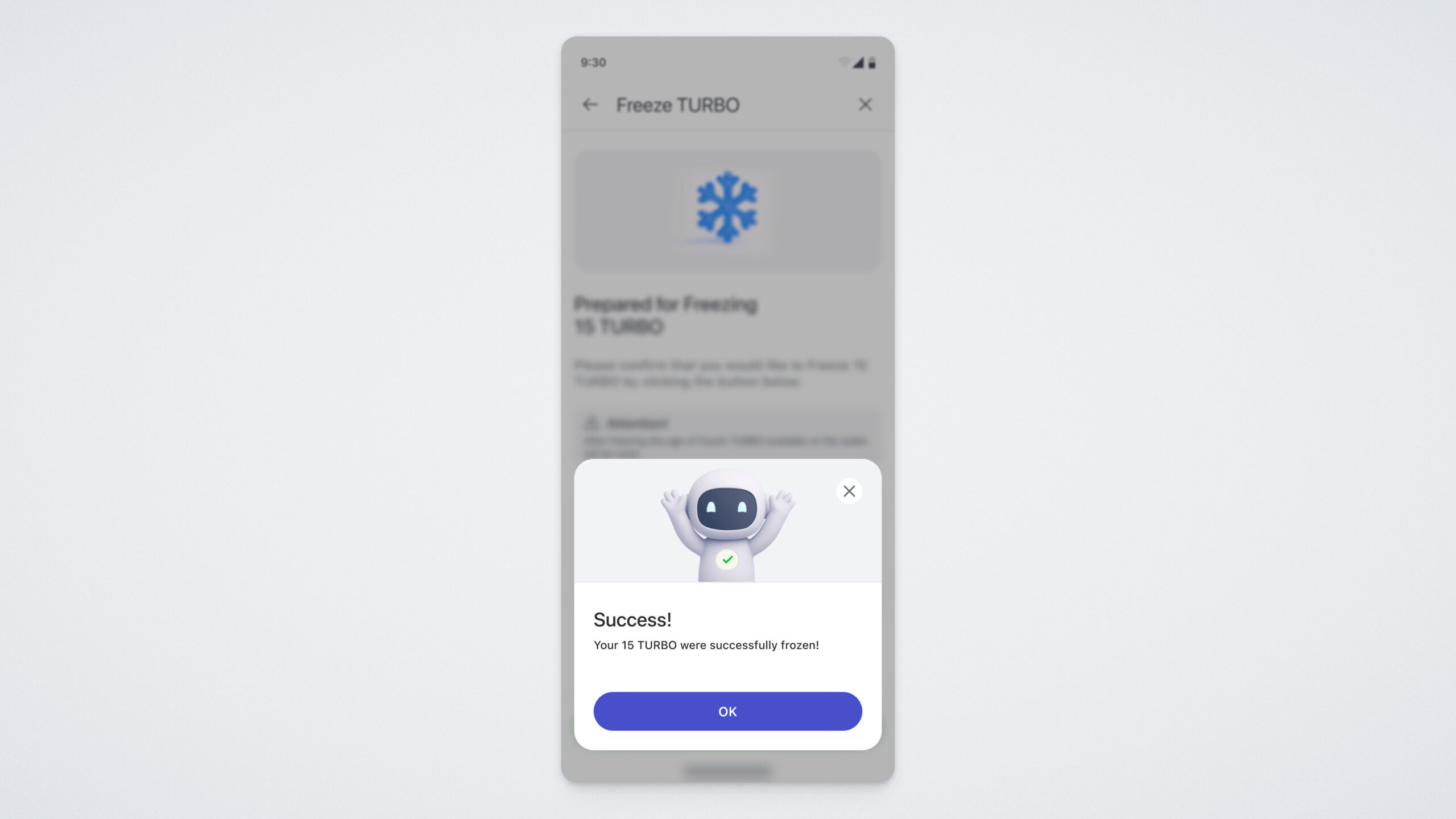
Step 3. Claiming Rewards for Frozen Tokens
Now let’s talk about how to claim your reward.
Select the TURBO SPLIT token and tap the “Splitting” button — it is located directly below your balance:
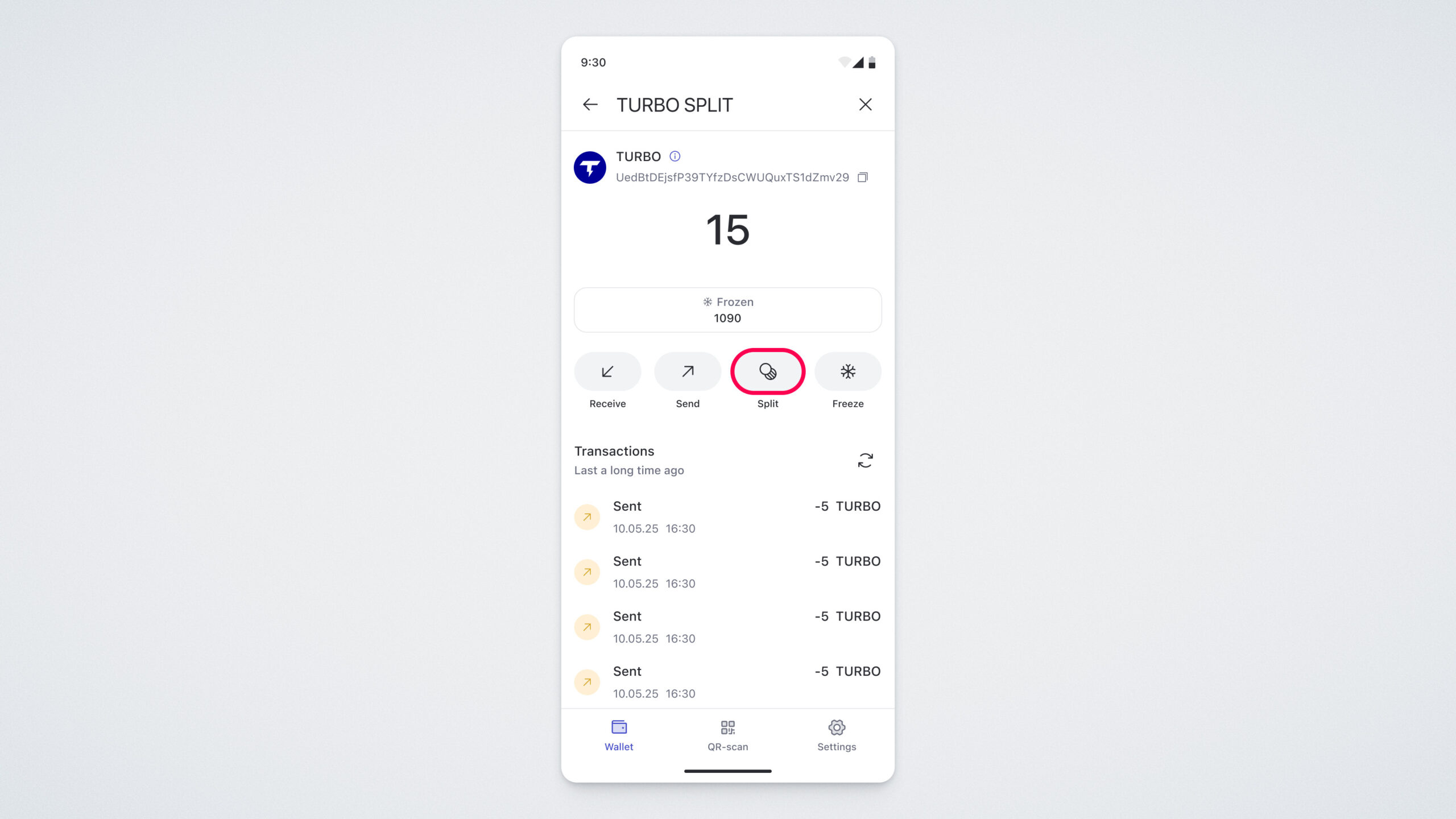
Please note: splitting requires ULTIMA coins on your balance, as they are needed to pay for the smart contract execution. If you do not have a sufficient amount of coins, you will be prompted to top up your balance.
If your balance has enough coins, a window with the current splitting status will open.
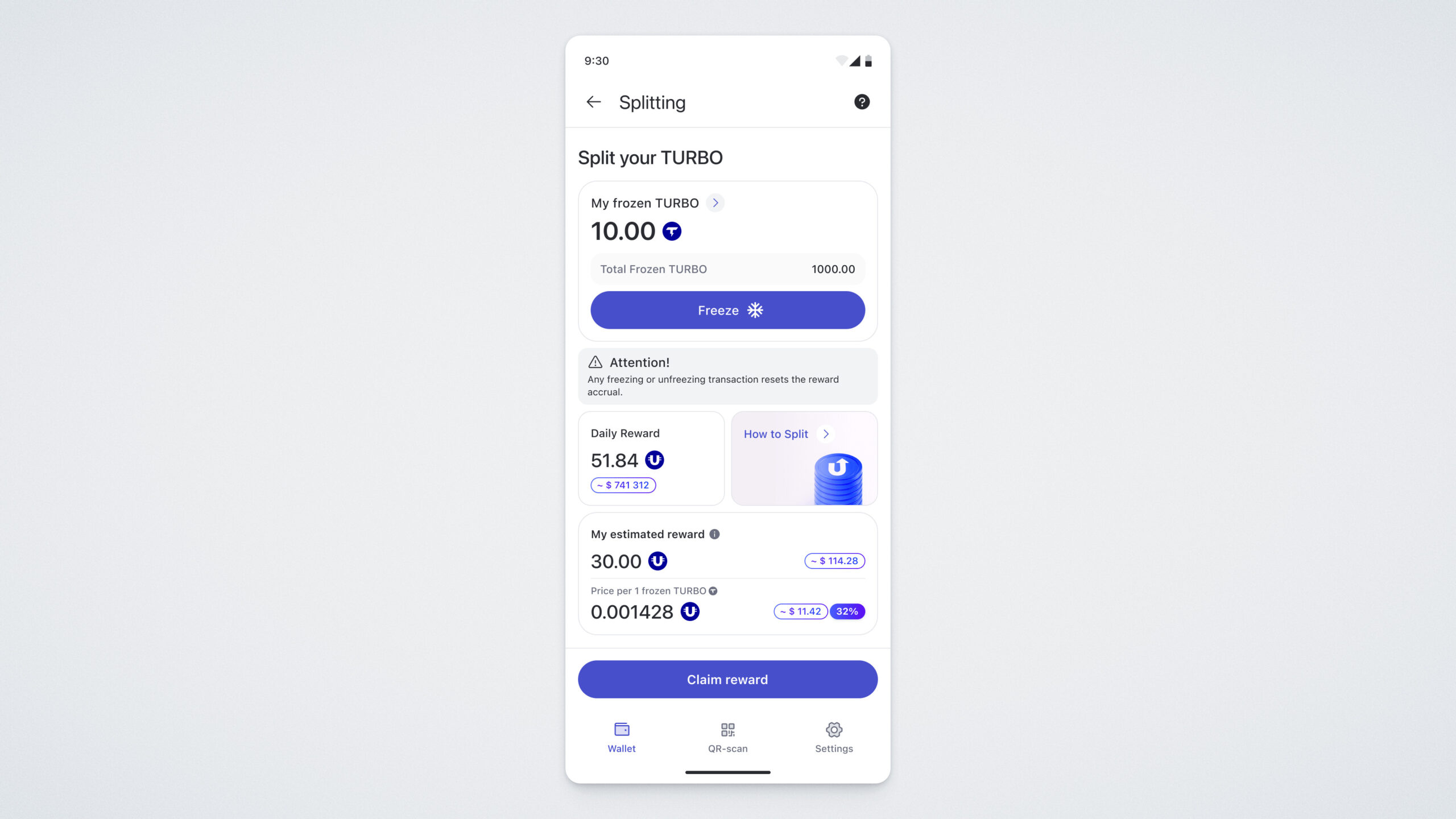
On this screen, you will see the following information:
“My Frozen TURBO SPLITS” — the number of TURBO SPLIT tokens frozen in your balance;
“Total Frozen TURBO SPLITS” — the total number of TURBO SPLIT tokens frozen in the blockchain;
“Daily Reward” — the daily amount of ULTIMA distributed among users who have frozen TURBO SPLIT tokens;
“Current Block” — the current block in the blockchain;
“Last Block” — the final block of the current halving period;
“Estimated Reward” — the approximate reward amount for all splits eligible for participation in splitting.
Please note that the first reward can be claimed 24 hours after freezing your tokens.
After this time has passed, tap the “Claim Reward” button to request your reward from the pool:
A confirmation screen will open.
If you are using ULTIMA Defender, you will need to tap your card to your smartphone to request the reward.
Check the box confirming that you agree to the product’s terms of use, then tap “Confirm.”
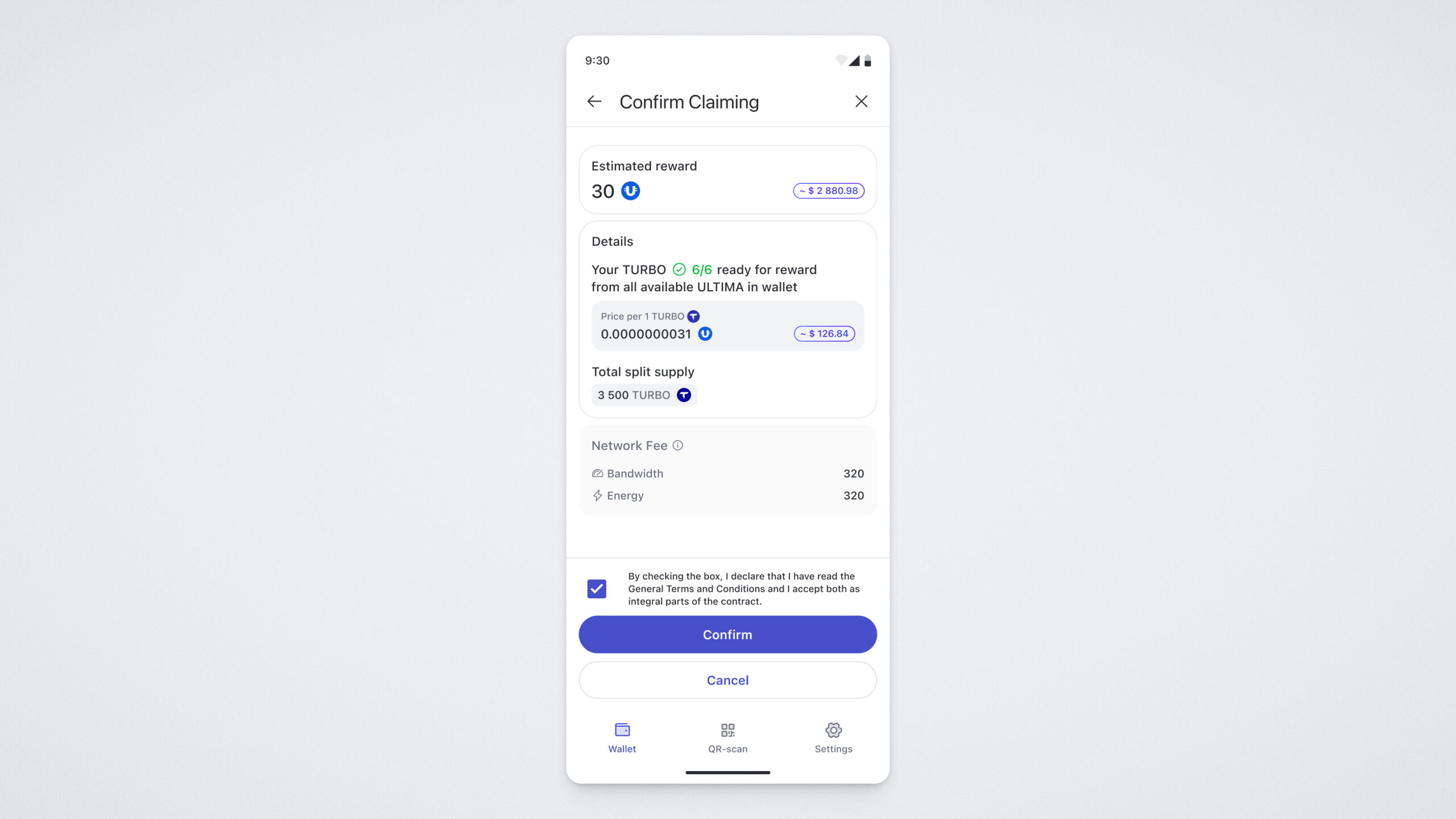
Done! You have successfully claimed your reward:
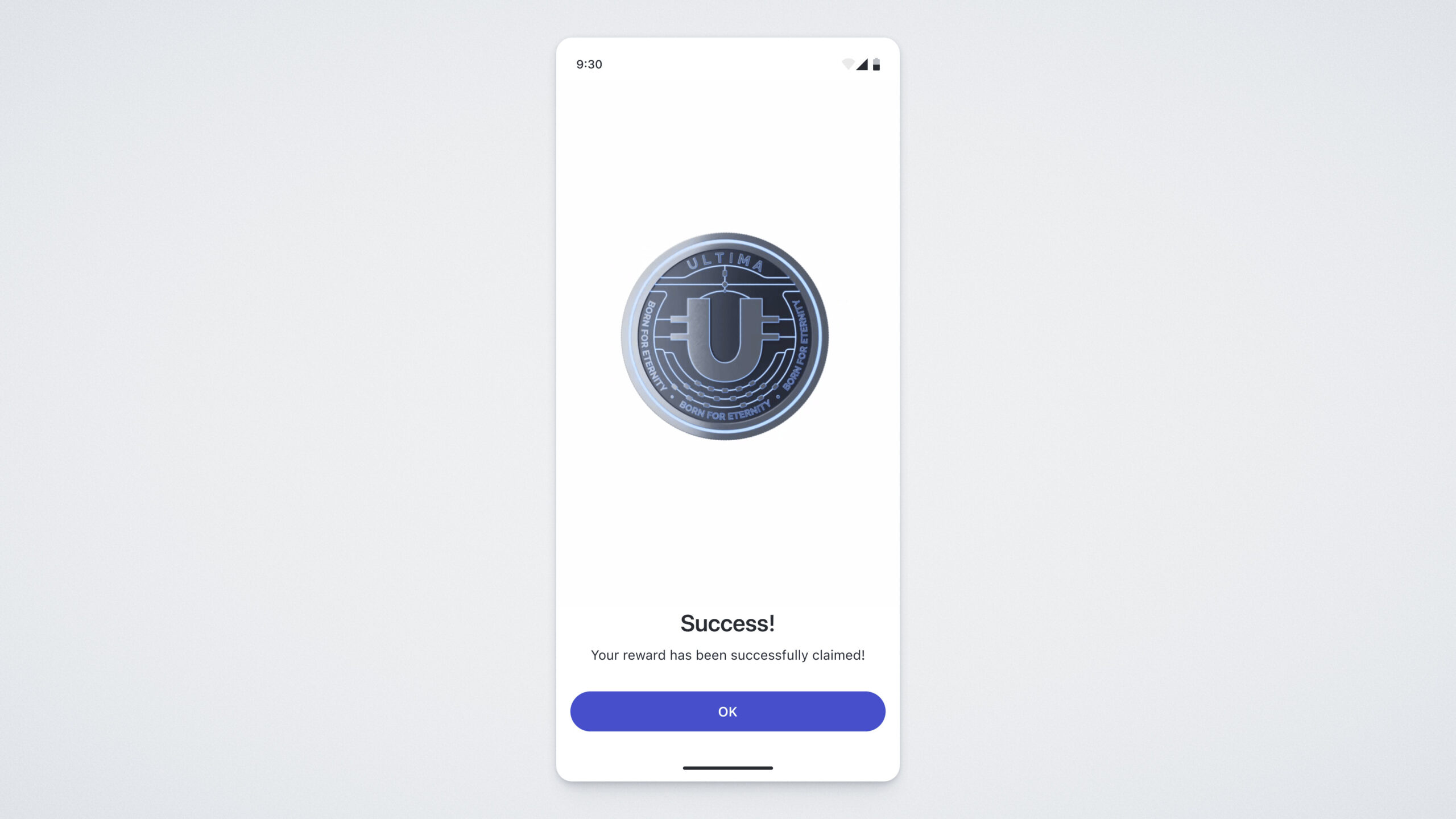
Tap OK, and the ULTIMA token screen will open — there you will see your reward credited!
Important Rule: Before starting the freezing process, please note that any action involving freezing or unfreezing TURBO tokens resets the reward waiting period in splitting on your wallet.
The waiting period for receiving a reward is 24 hours. For example, if you claimed a reward 20 hours ago and had 4 hours remaining until the next one, freezing or unfreezing TURBO tokens will reset the timer back to 24 hours. Therefore, we recommend claiming your reward first and only then freezing additional tokens.
Don’t forget to participate in splitting and claim your reward every day!