


ULUCKY packages are packages that grant ULUCKY tokens upon purchase, which are required to participate in pools on the platform. In this guide, we will demonstrate the package payment process.
Step 1. Go to the Packages Page
In the header of the ULucky platform, click the “Get ULUCKY” button. A page with all available packages will open.
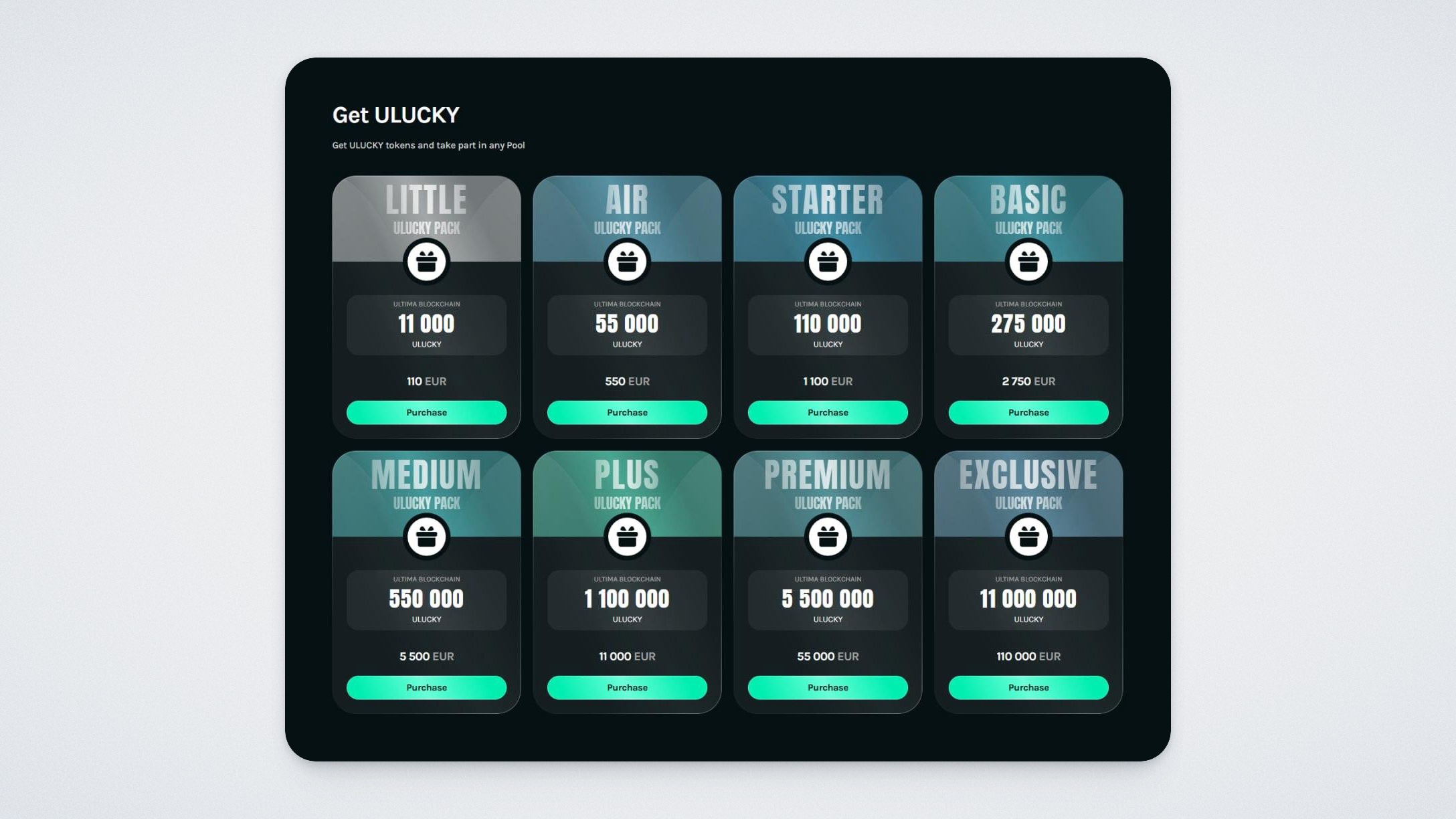
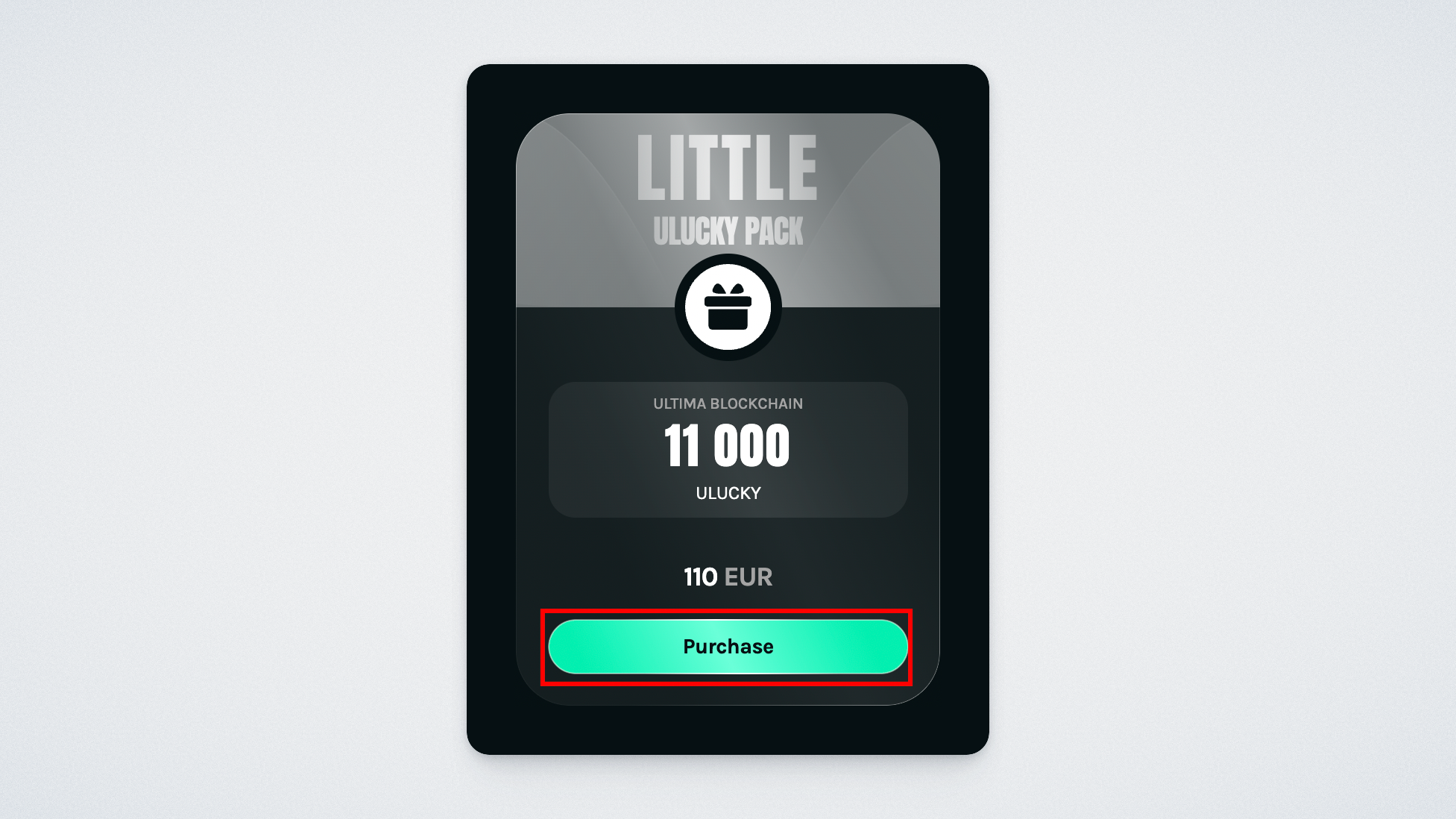
Select the package you need and click “Purchase”.
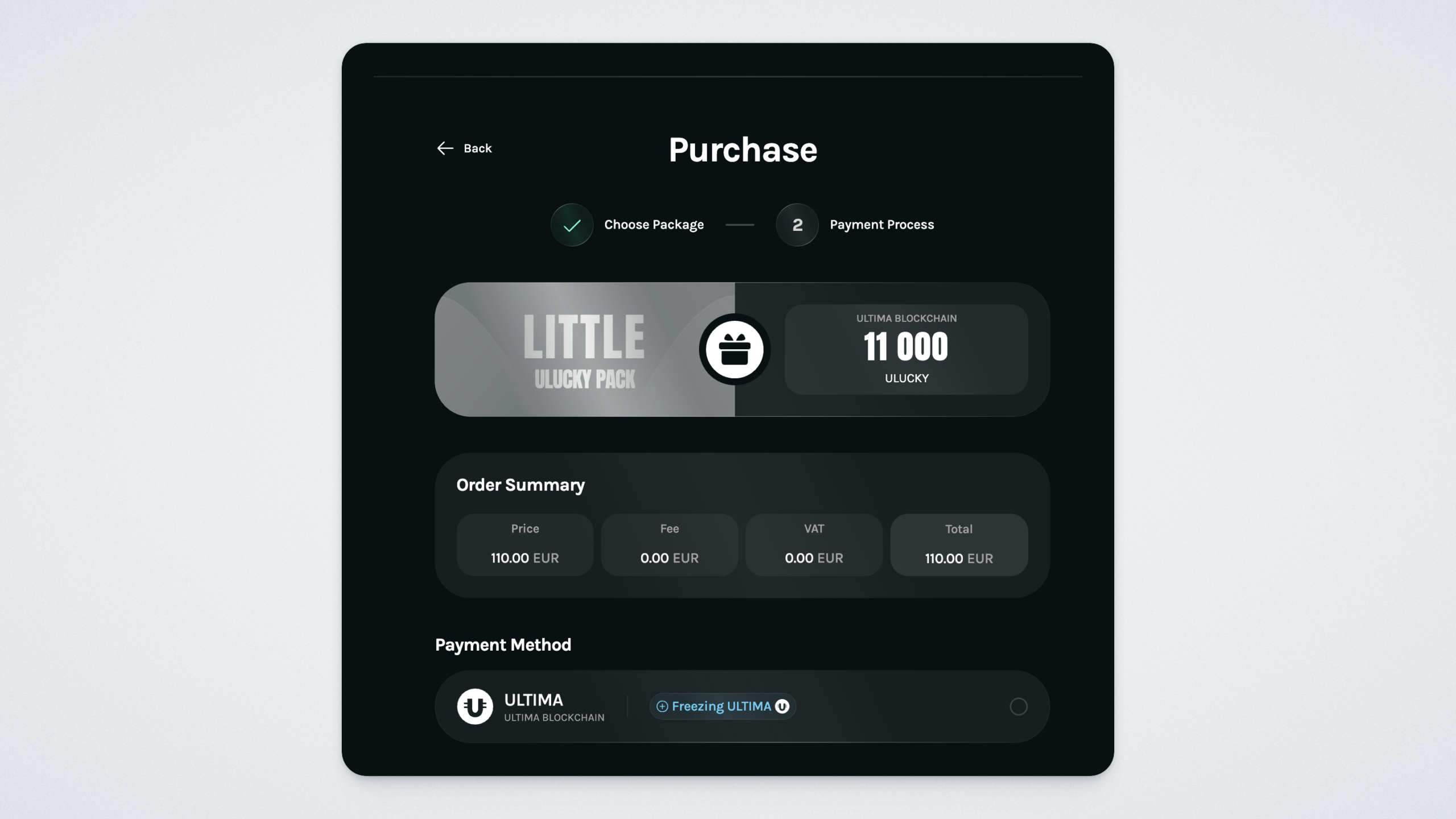
The checkout page will open — here you will see the package name, blockchain, number of ULUCKY tokens, total amount to be paid, and the payment method.
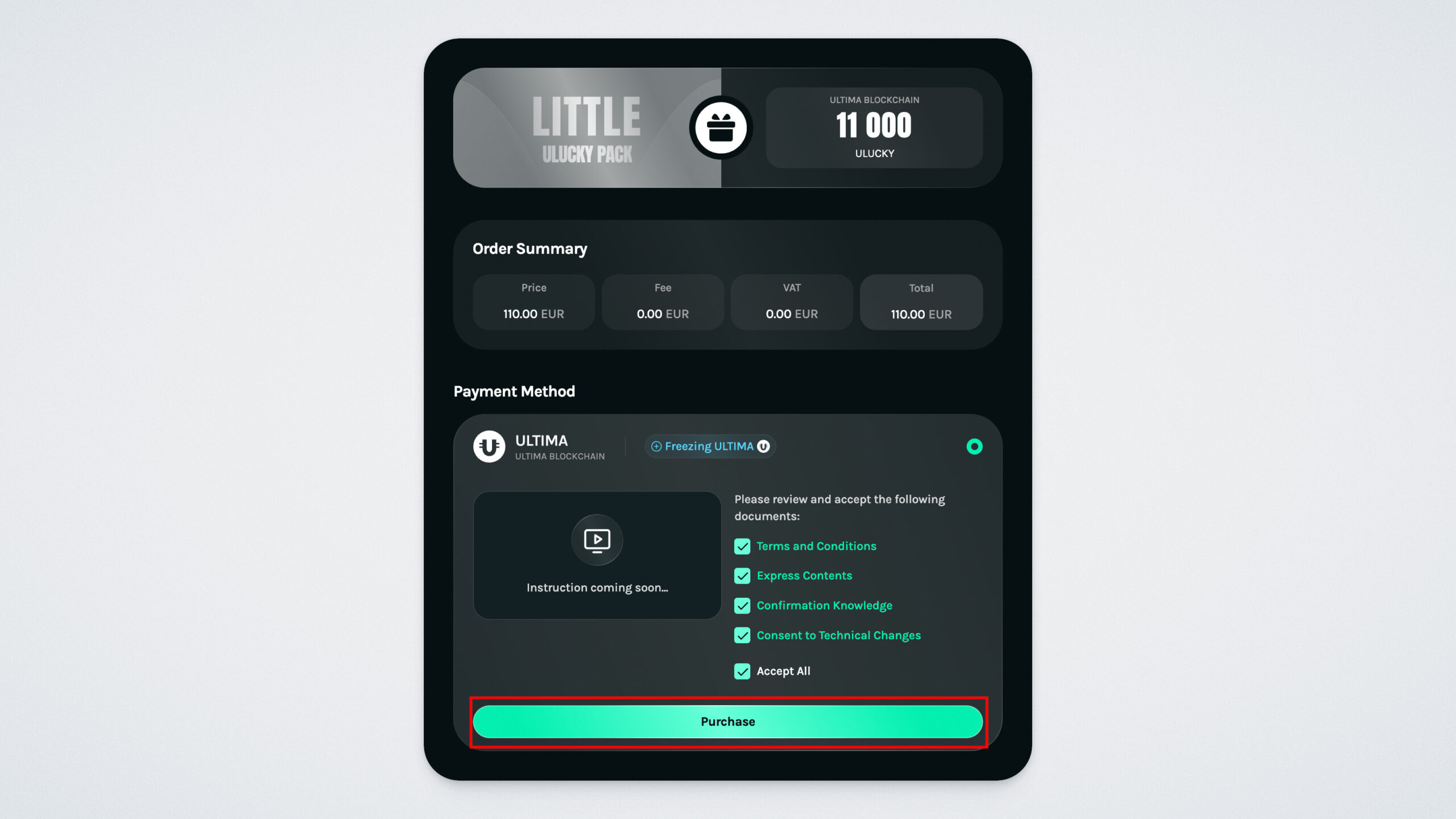
Select the ULTIMATE FREEZING payment method — payment in ULTIMA with freezing for 1 year. Confirm the terms, after which the purchase button will become active — click it.
Step 2. Enter Your Wallet Address
At the next step, enter your wallet address in the ULTIMA Blockchain network — this is where the ULUCKY tokens will be credited and where ULTIMA will be frozen. Please note: this same address is also the unfreezing address — after one year, the frozen ULTIMA tokens will be automatically returned to it. Paste the address, check the box, and click “Confirm”.
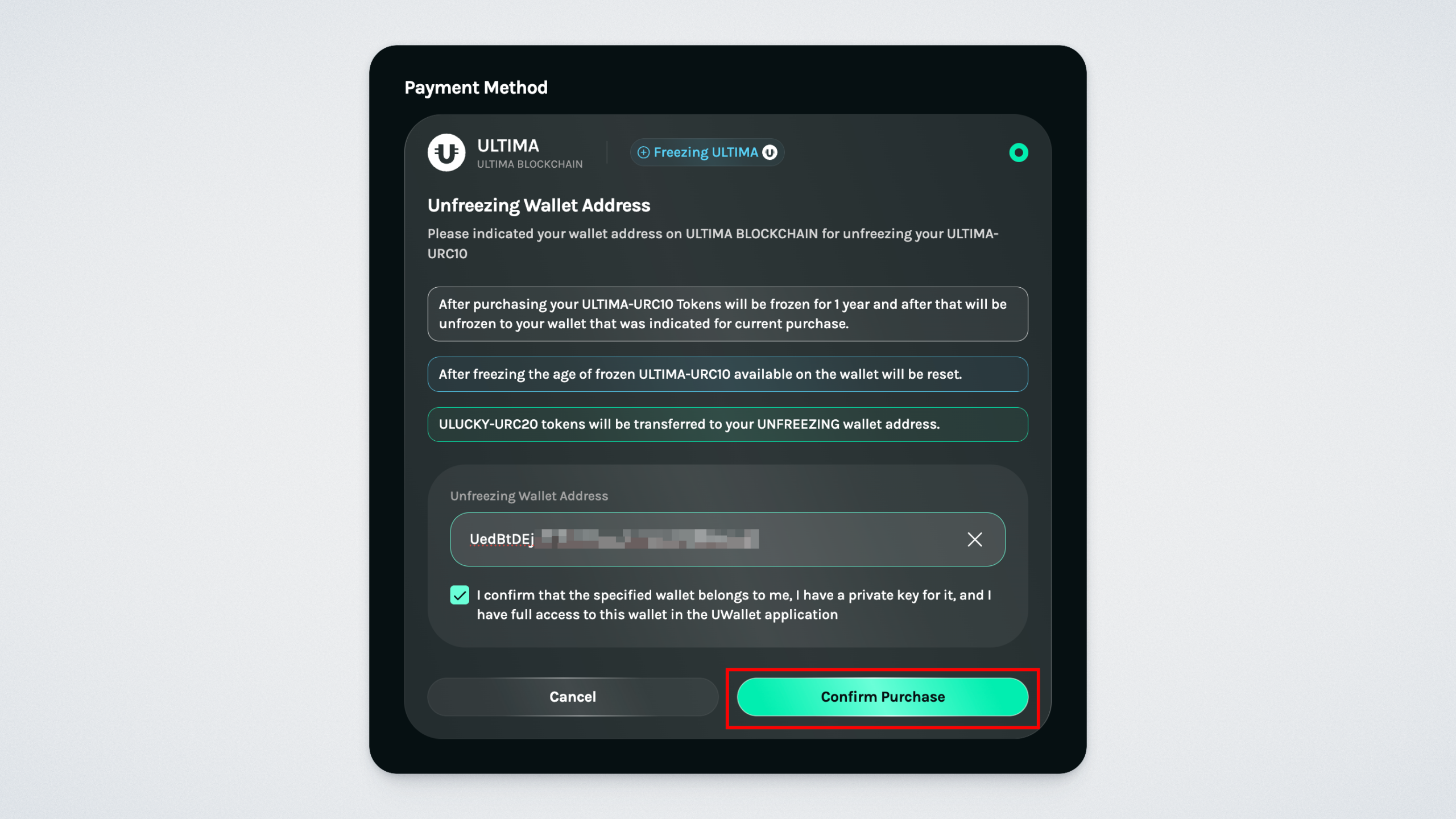
Step 3. Complete the Payment
After clicking the confirm button, you will be redirected to the payment page.
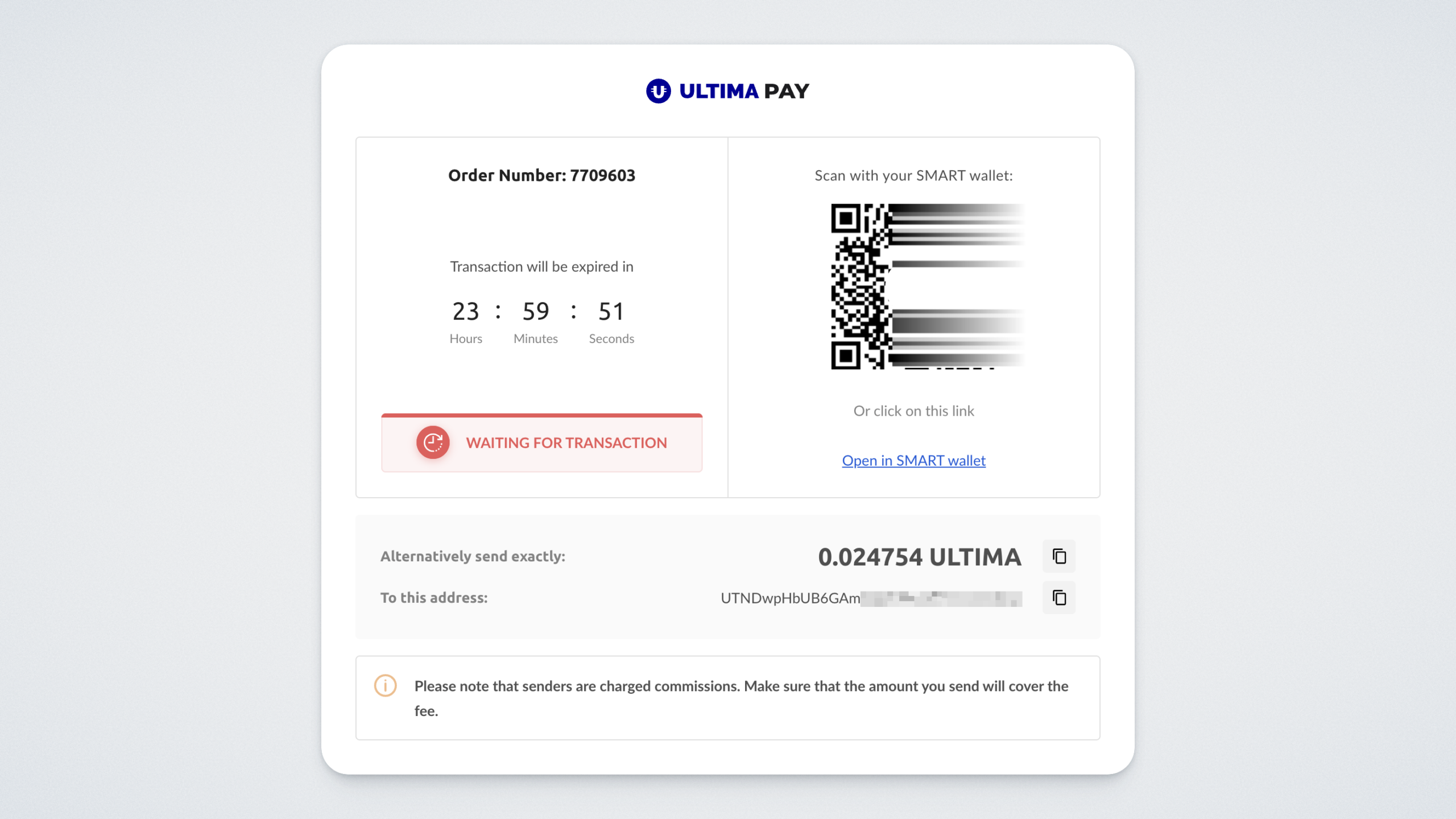
Complete the payment. After a successful transaction, the system will automatically return you to the ULucky page.
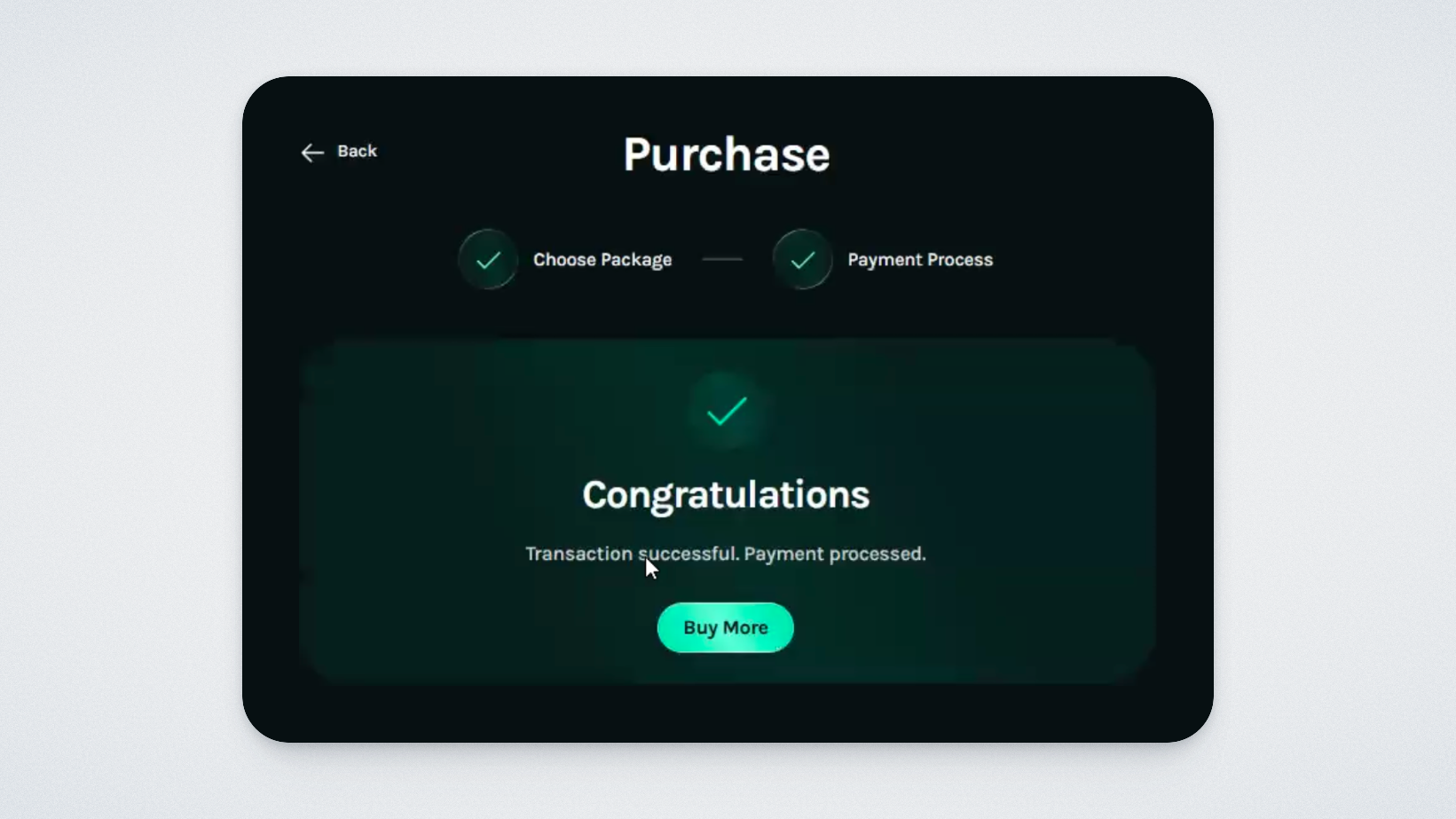
To return to the package catalog, click “Buy more”.
How to Use ULUCKY Tokens
After purchase, ULUCKY tokens are credited to the specified wallet. They can be used to participate in pools on the ULucky platform — the list of available pools is located on the platform’s main page.
Please note: to participate in pools (place bets), you will need not only a UPass account, but also a connected ULTIMA wallet. A wallet connection is not required for purchasing packages.
In this guide, we have shown how to purchase a ULUCKY package and start participating in pools on the platform. Good luck!