


In this guide, you will learn how the UTrading platform works. Even if you have never traded before, in just 15 minutes you will be able to launch a bot and start getting your first results!
UTrading is an automated trading platform where bots execute trades on crypto exchanges. You connect the bot to an exchange via API, while all funds remain in your exchange account under your control. The bot does not store your funds and cannot withdraw them — it only trades according to predefined algorithms. Upon launch, the TURBO bot operates with two trading pairs: BTC/USDT on the HTX, KuCoin, and BingX exchanges, as well as ULTIMA/USDT on the HTX, KuCoin, BingX, and MEXC exchanges.
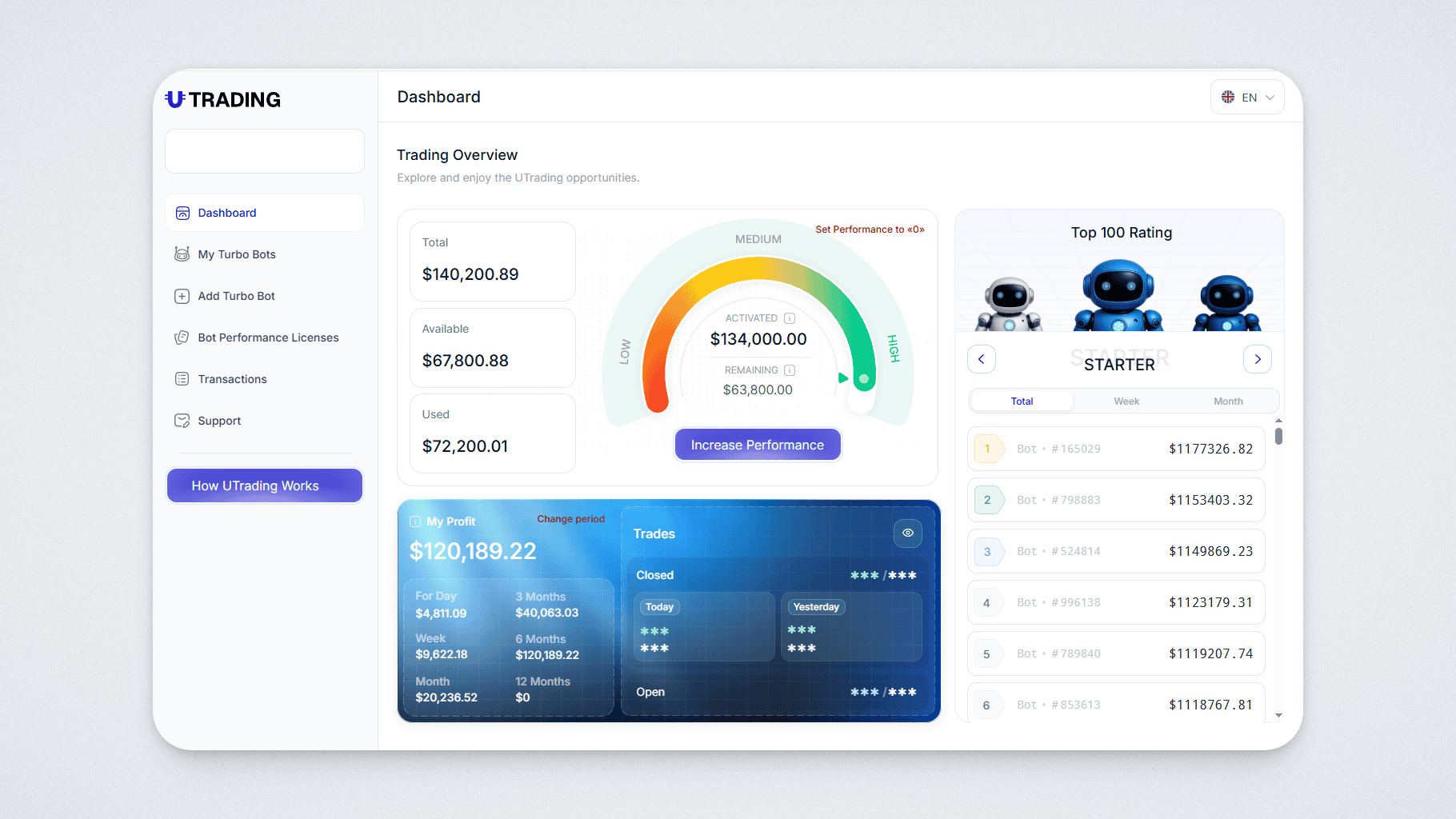
Important to know
- Bots operate automatically in 24/7 mode;
- No special knowledge is required: you perform the setup once, and then the bot works on its own;
- Trading results are recorded in USDT;
- Bot Performance License is the key product of UTrading. Each license has its own level of performance (Performance). The bot operates until the target performance is reached.
When the performance ends, you can activate a new license and continue the bot’s operation.
Step 1. Purchasing a Performance Pack
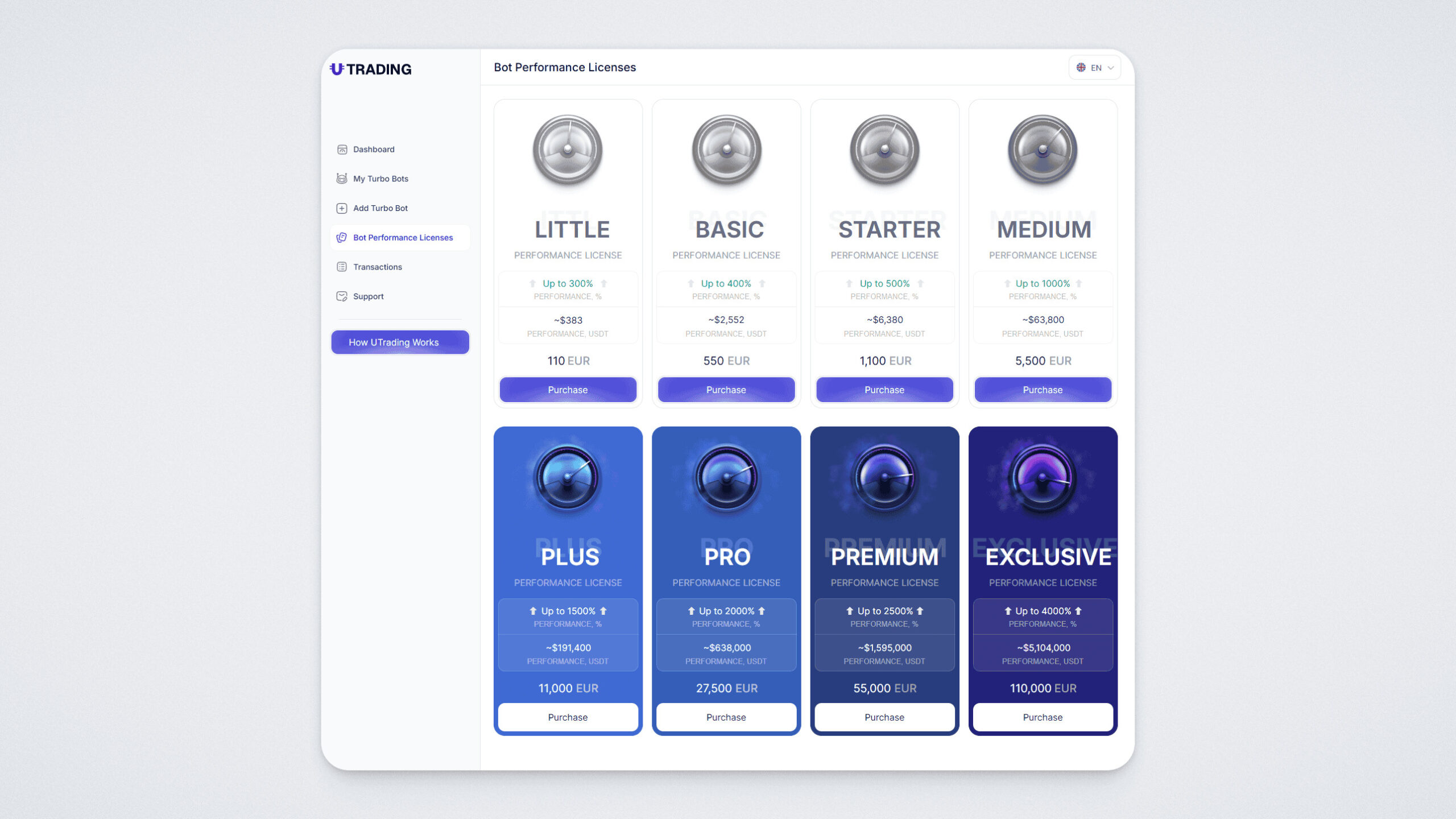
To get started, you need to purchase a Bot Performance License. Using the menu on the left, go to the Bot Performance Licenses section. The licenses differ in price and performance level. In this guide, we will demonstrate the purchase process.
Select the package that suits you, taking into account that higher performance usually provides a higher potential result.
Click “Purchase”:
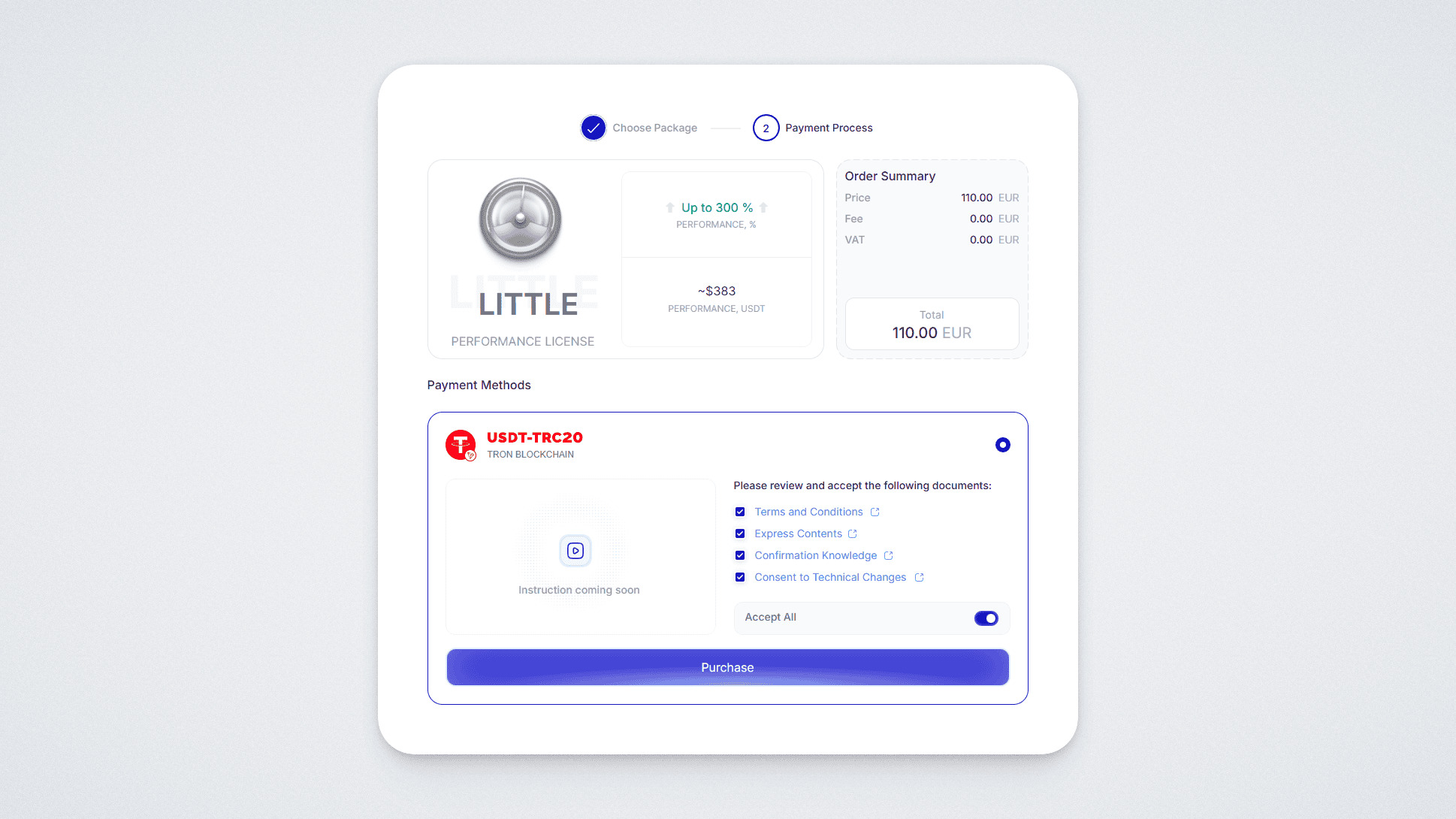
Select any of the available payment methods, review the documents, click “Accept All”, and then click “Buy”. We will demonstrate the process using the USDT TRC-20 method as an example.
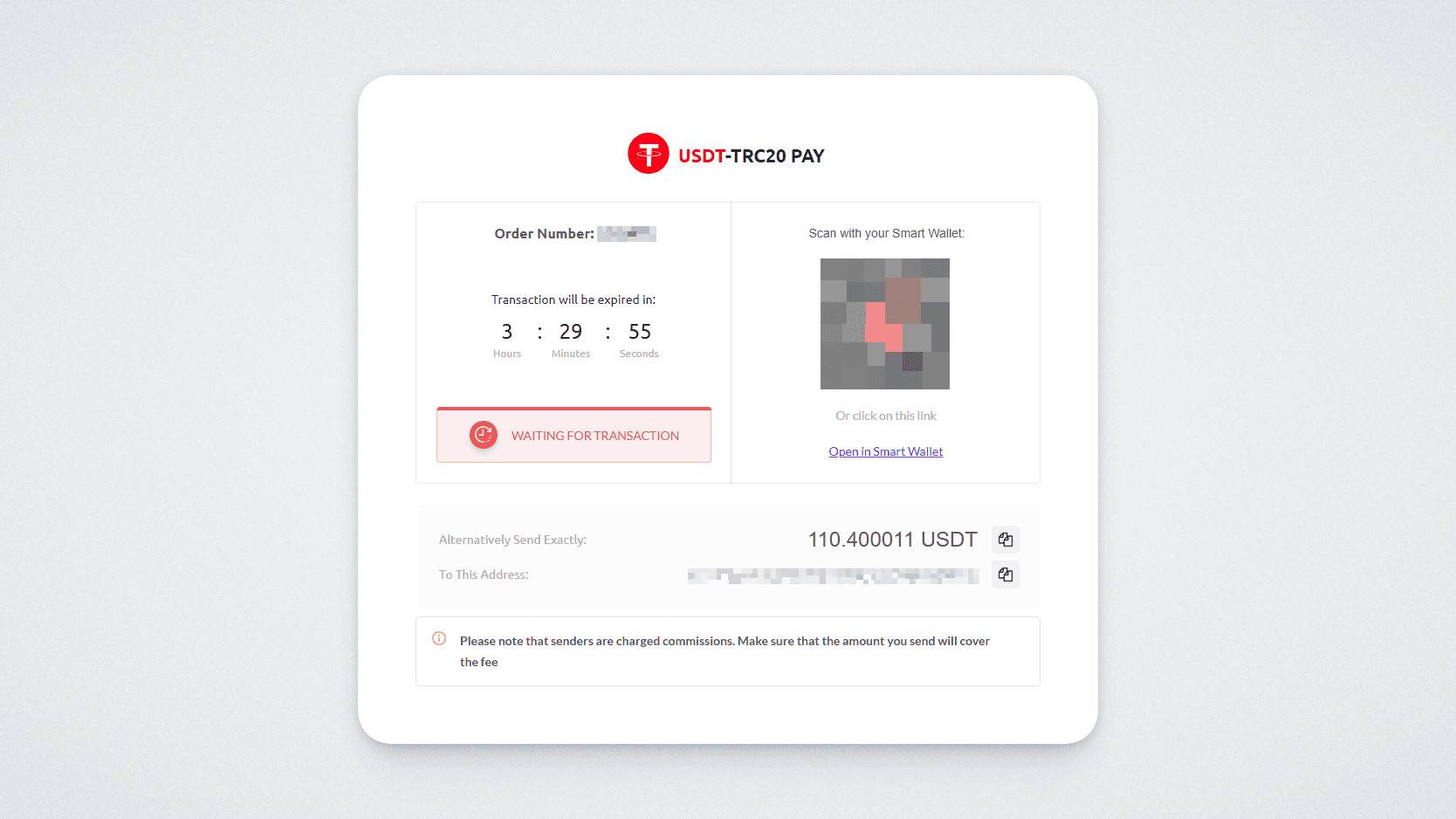
A payment window with a QR code will open.
Transfer the exact specified amount to the provided address — either manually or by scanning the QR code in your mobile wallet.
If the payment is successful, the following message will appear:
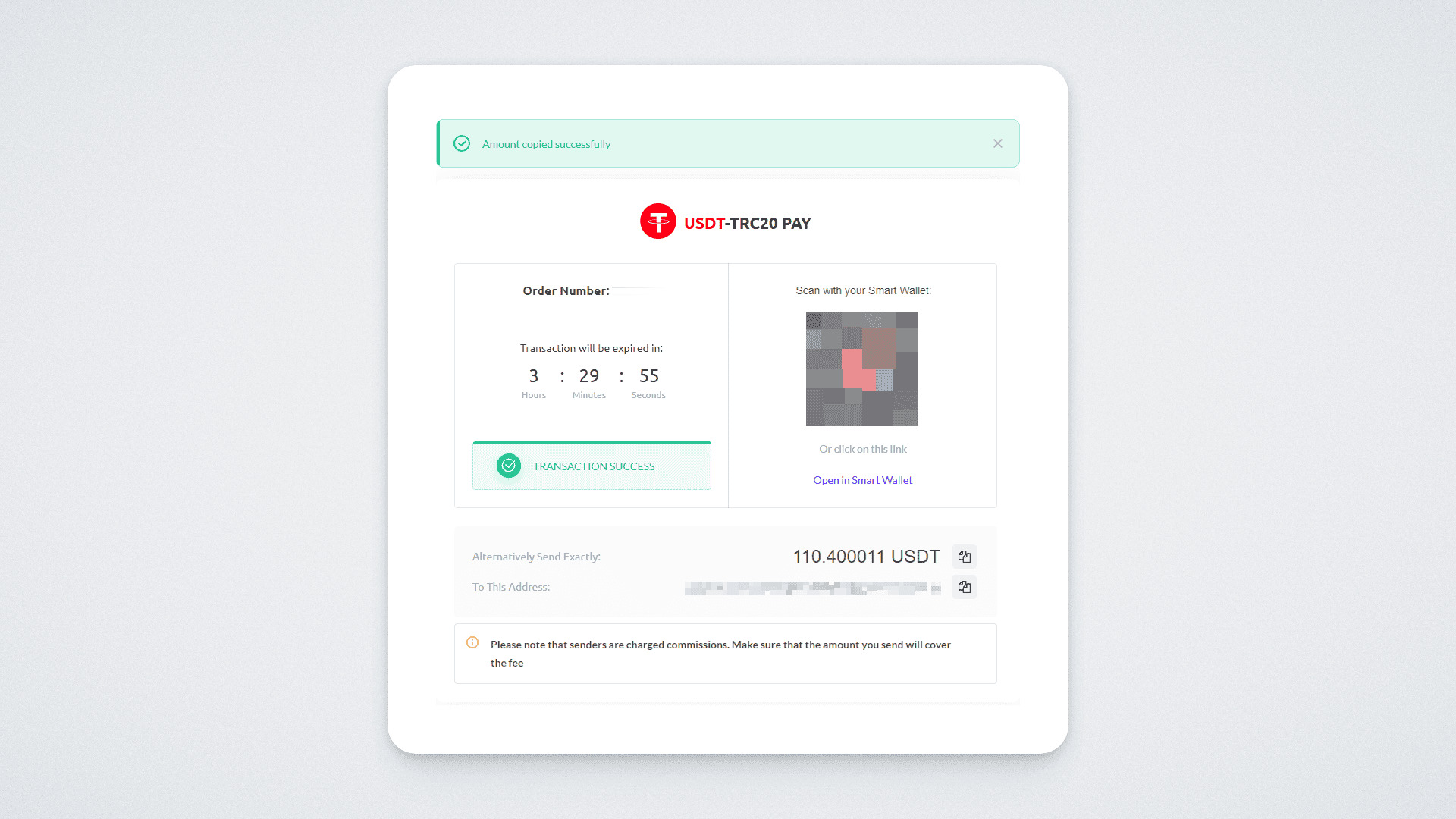
Done! You have successfully paid for the license.
Step 2. Selecting a Trading Bot
To start generating profit, you need to add your first bot and purchase a Bot Performance License. We will explain how to do this in just a few steps below.
On the left, you will see the Add Turbo Bot section. By clicking on it, you will be taken to the section with available bots.
There are a total of 9 types of bots, which differ from each other in the minimum activation amount and the maximum deposit (trading amount).
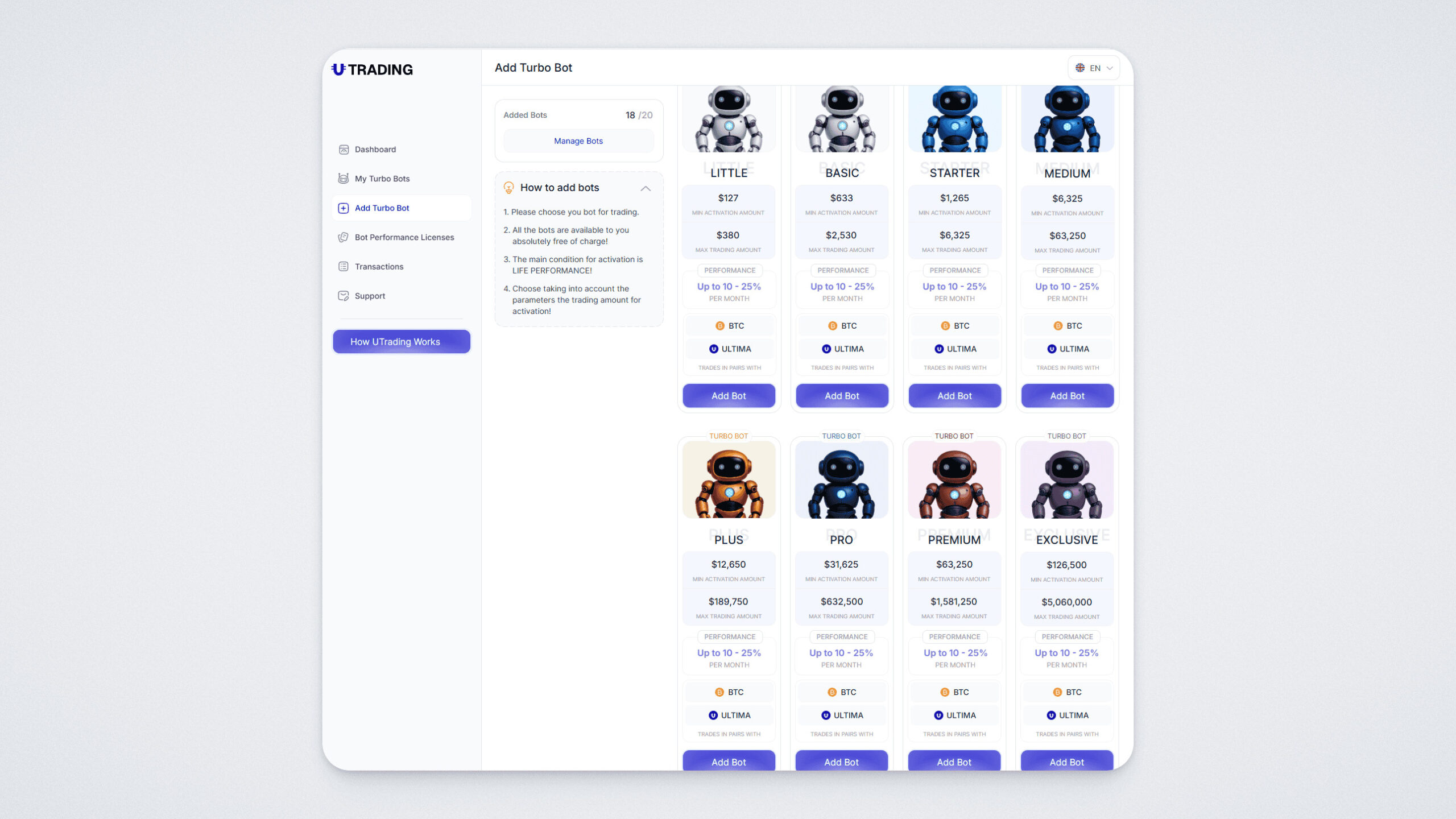
Click the “Add Bot” button for the bot you have selected. Then confirm your choice.
You can add a maximum of 20 bots. All of them will operate independently on the exchange you have connected.
Step 3. Exchange Registration and Balance Funding
After selecting a bot, the next step is to register on a crypto exchange and fund your balance.
Each bot specifies a “minimum activation amount” — this is the deposit required for the bot to start operating.
UTrading works with reliable exchanges such as MEXC, HTX, KuCoin, BingX, and the list of supported platforms is constantly expanding. In this guide, we will demonstrate the connection process using the MEXC exchange as an example.
MEXC registration guide: https://www.youtube.com/watch?v=Z80tKmjZzLM&t=11s
Step 4. Bot activation and exchange connection
The bot can be activated immediately after connecting to the exchange or at any time in the “My Turbo Bots” section.
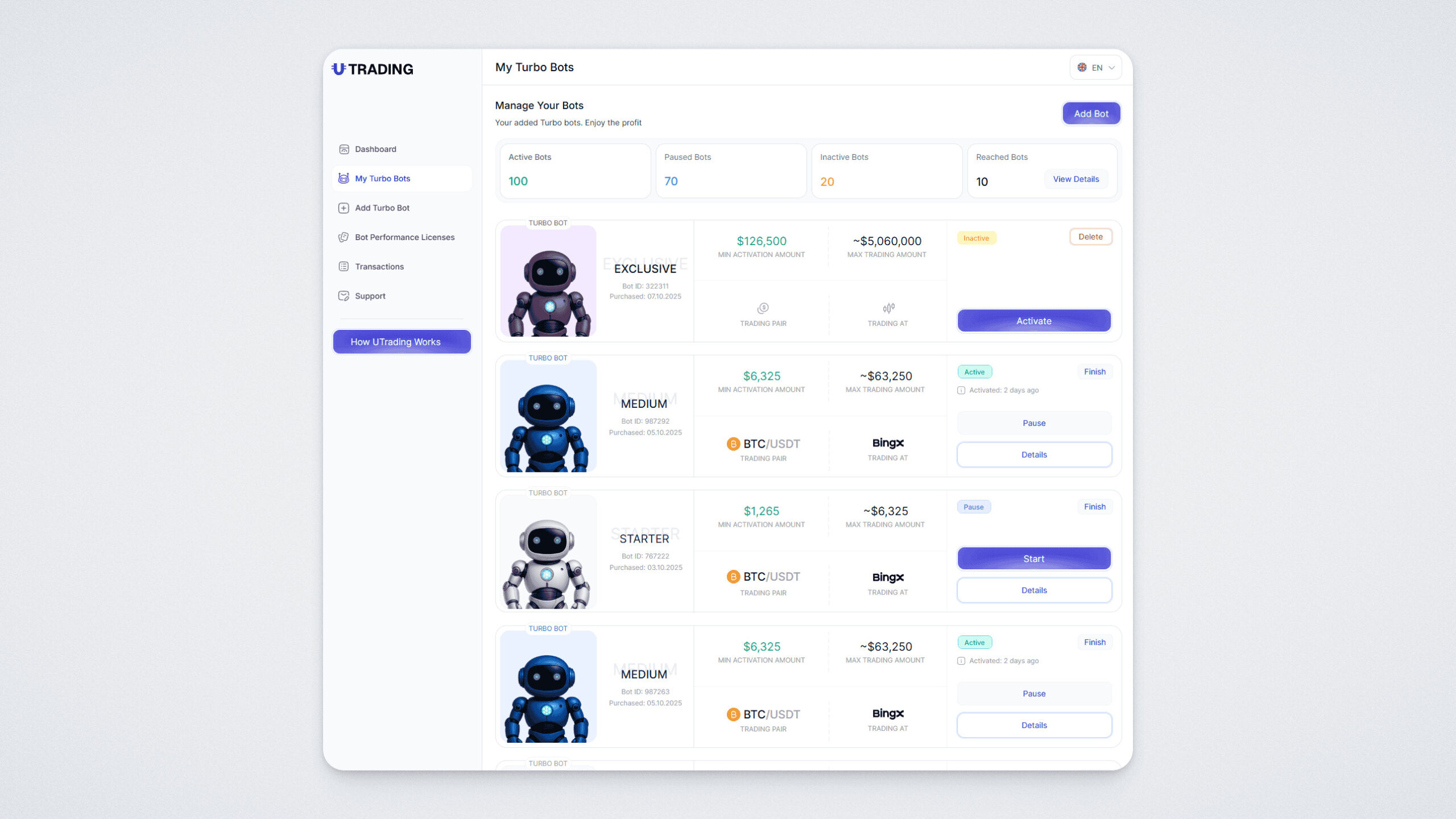
In the list, select the MEXC exchange and the trading pair that the bot will trade on. Then click “Continue.”
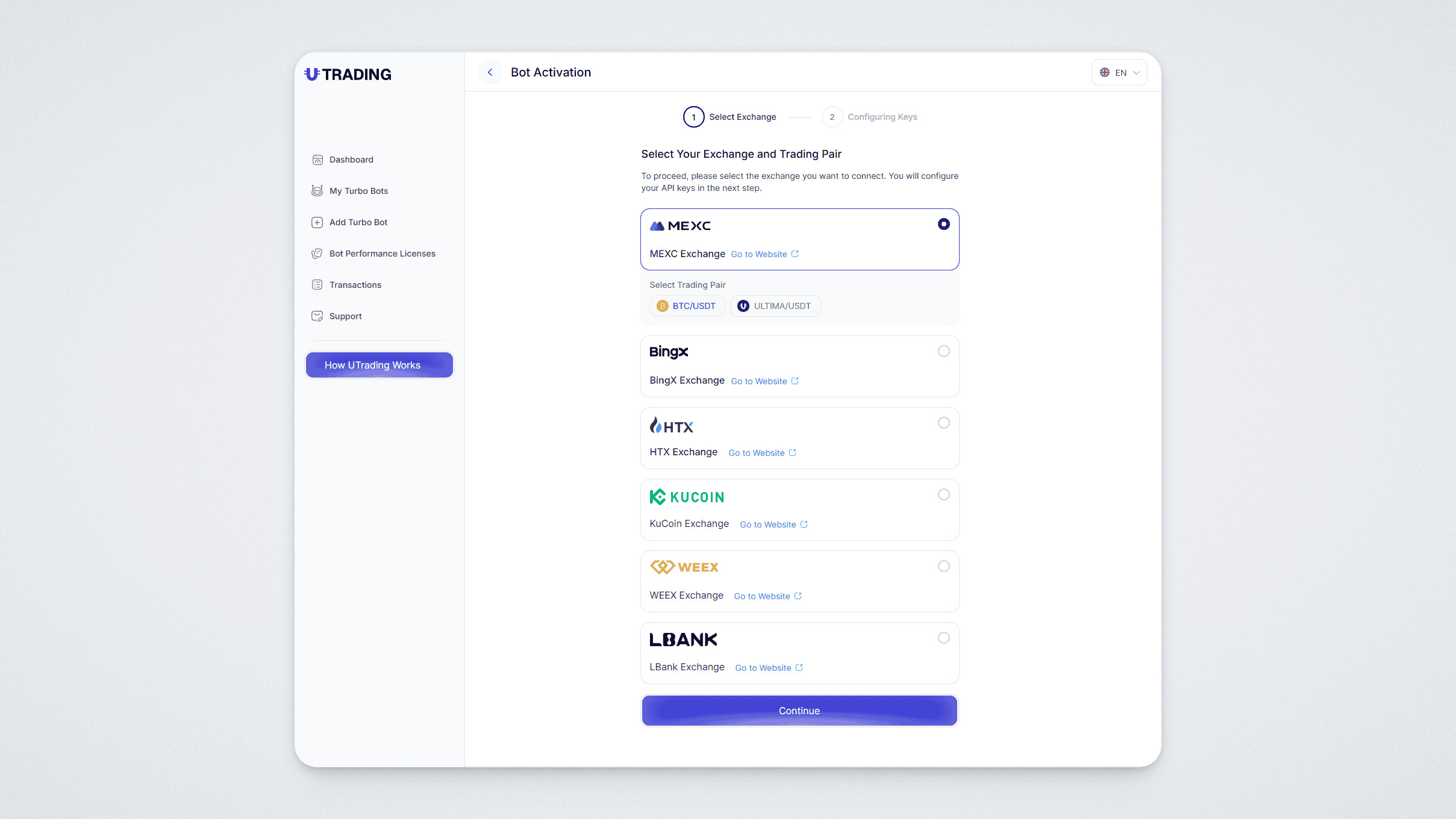
A bot activation window will open:
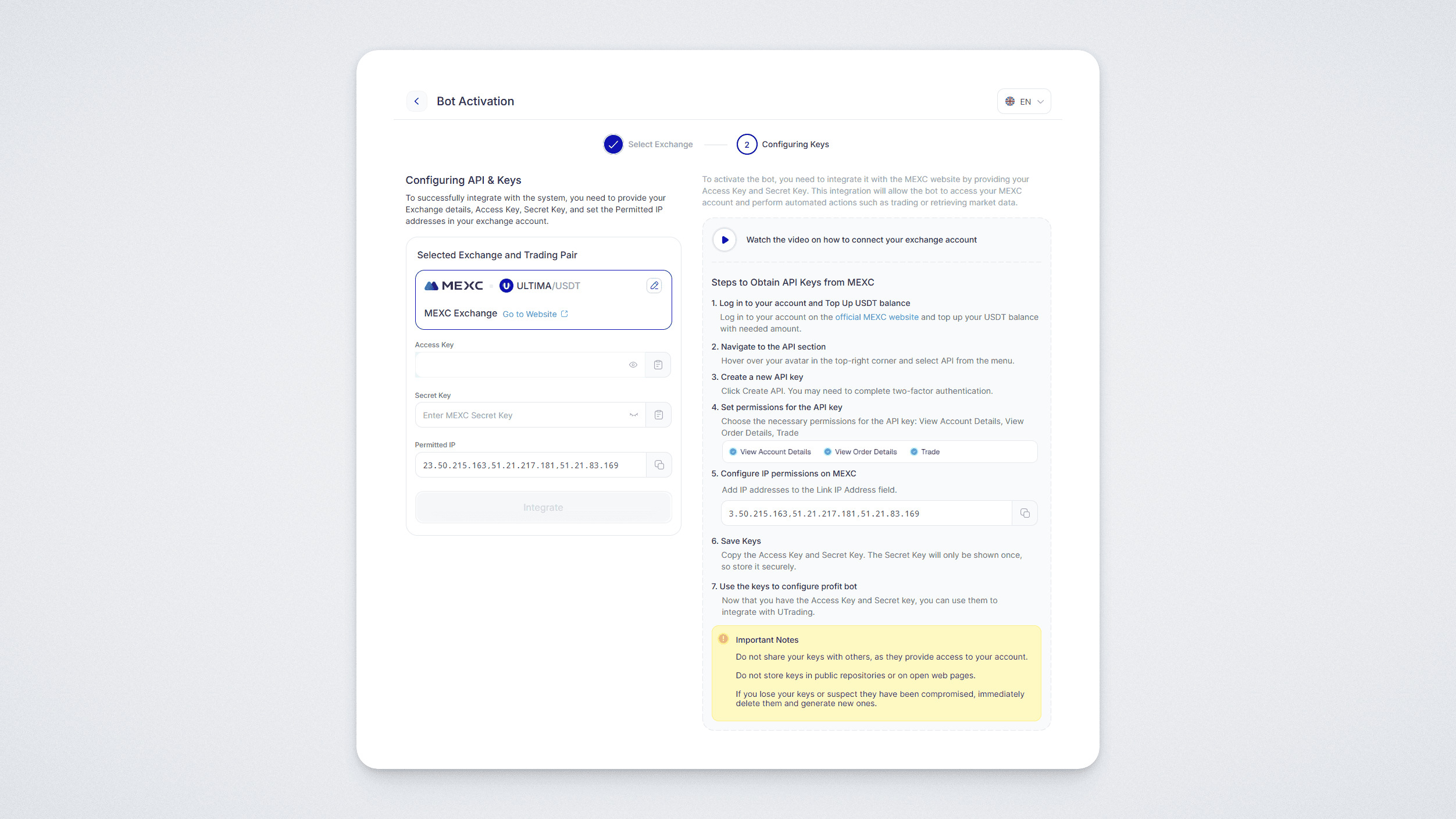
Save the IP address from the last item. You will need it later.
Now you will need to connect your exchange account to the bot. To do this, perform the following actions:
Log in to your account.
Go to your account on the official MEXC website.
Make sure that your balance on the MEXC exchange is funded with the amount required for the bot to operate. Top up the balance if the funds are insufficient (the minimum amount is specified in your bot).
Important: before creating keys, enable two-factor authentication in your account.
Go to the API Management section (“API Management”).
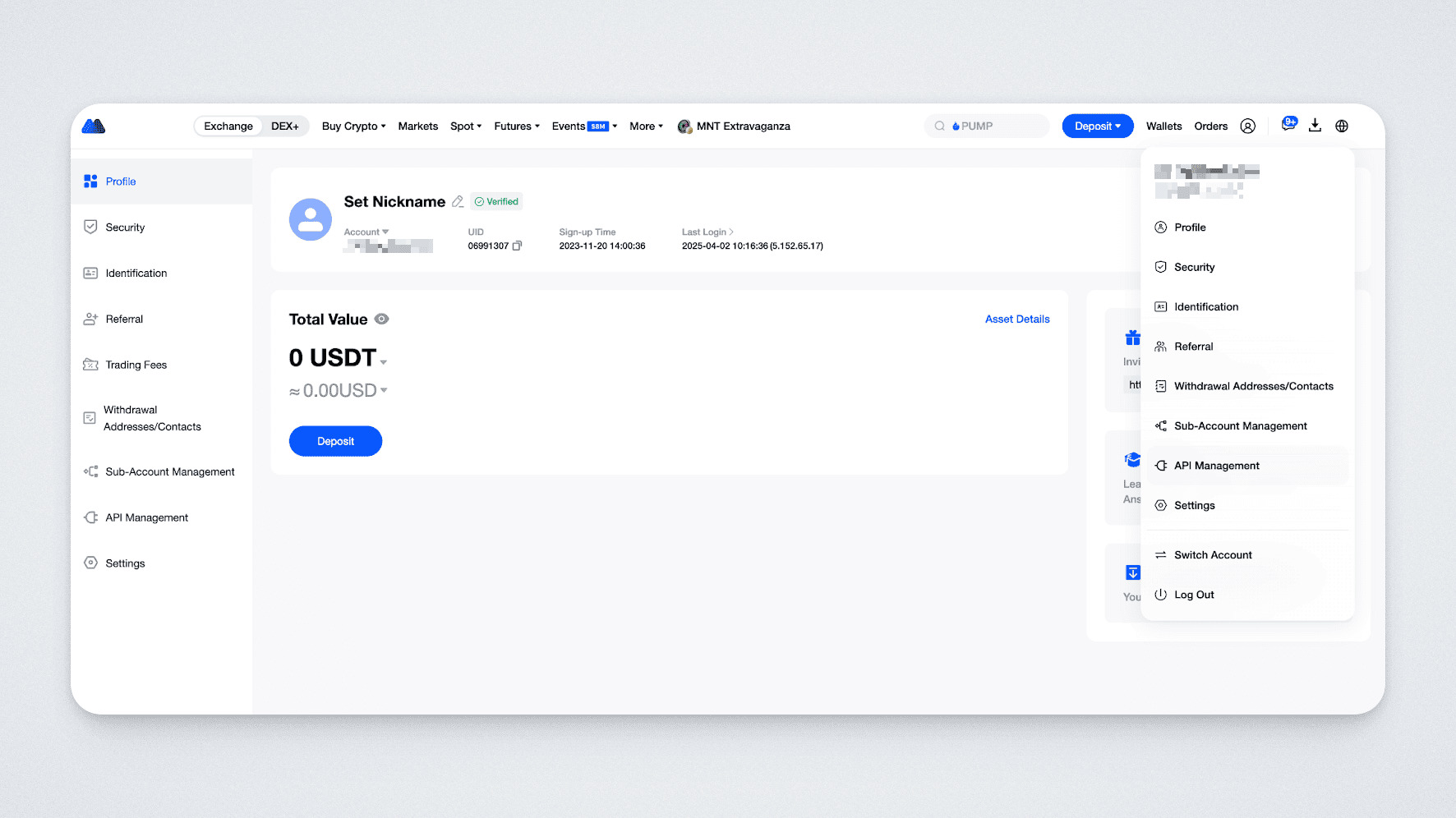
Hover over your avatar in the upper right corner and select API Management from the menu.
Then, to create keys, perform the following actions:
Set permissions for the API keys in the Spot section:
- View Account Details.
- View Order Details.
- Trade.
In the Link IP Address field, enter the IP address you saved earlier.
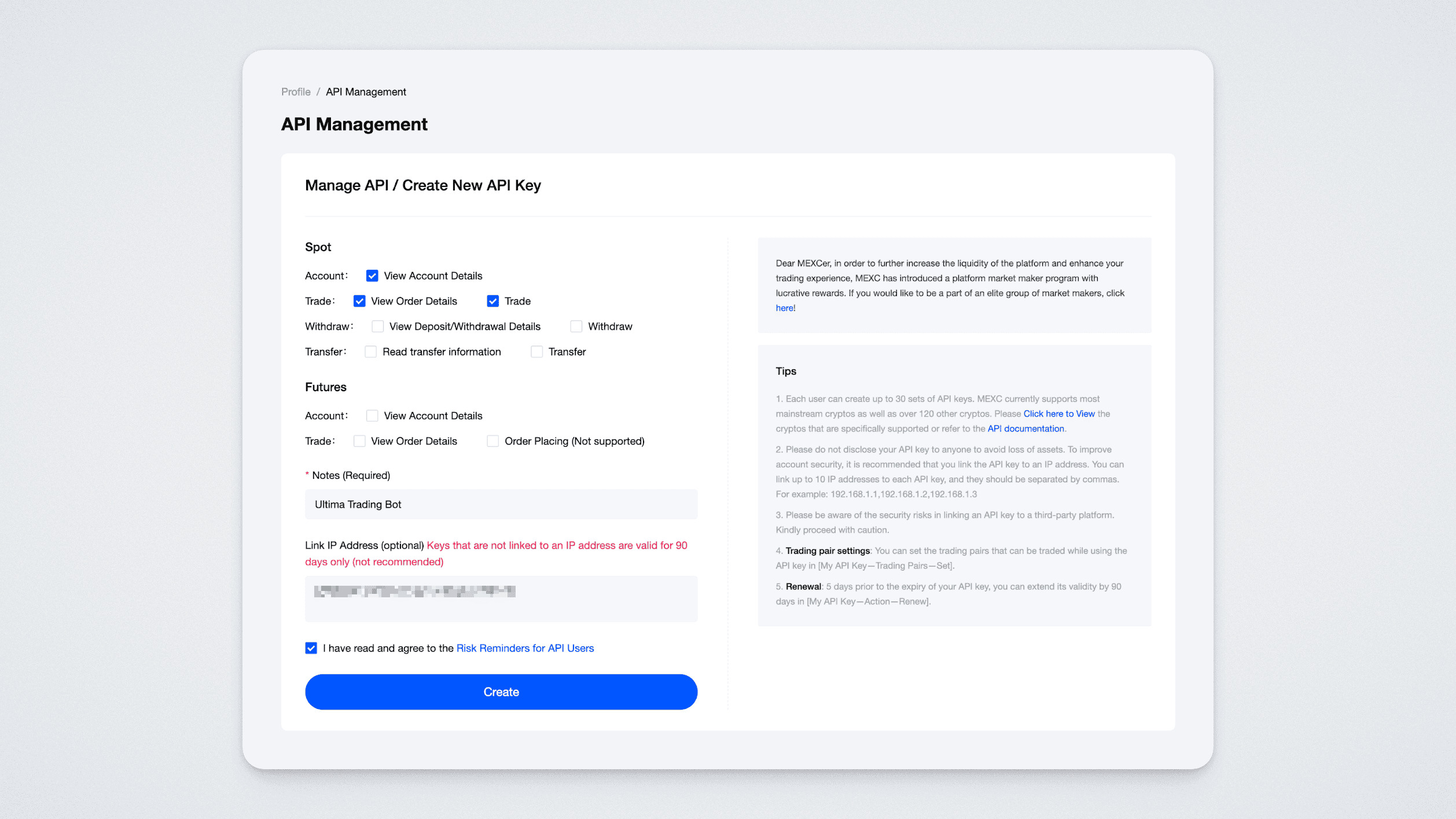
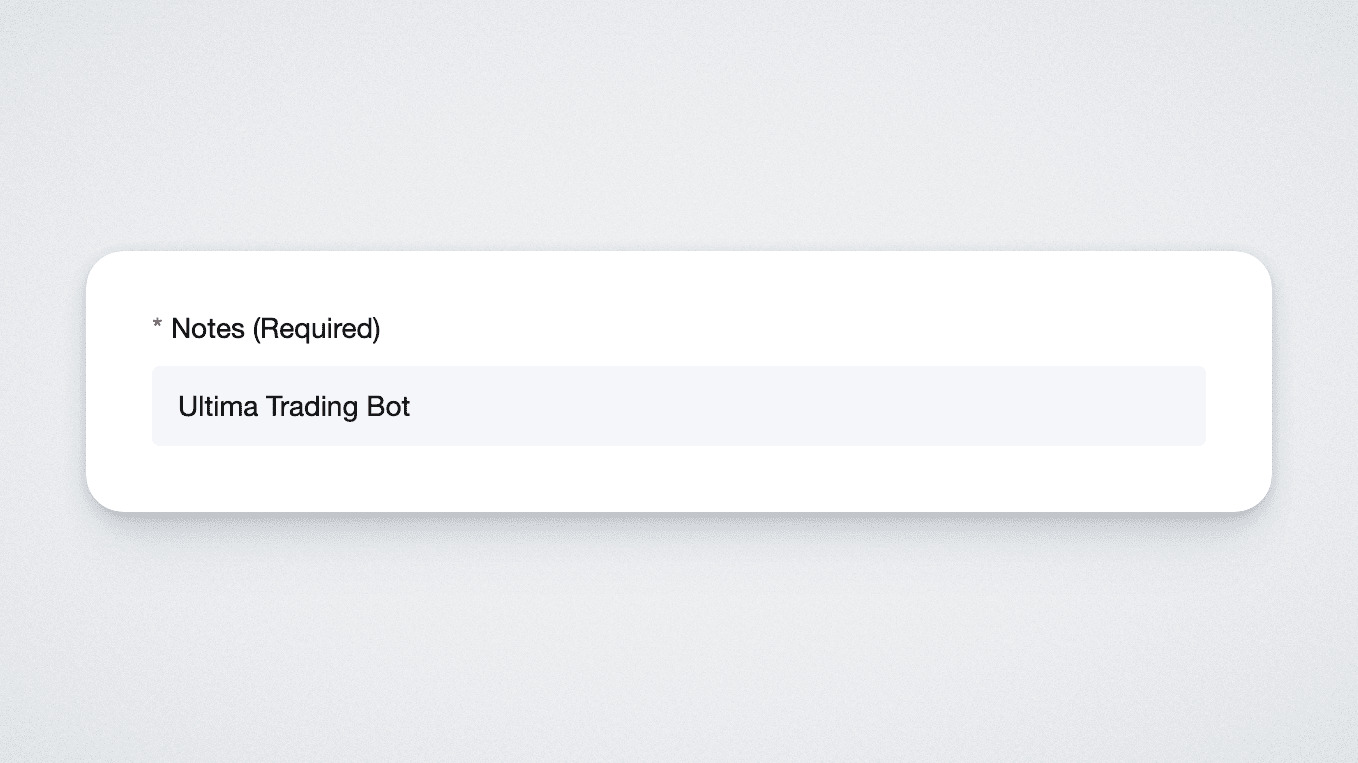
Add a name for the key in the “Notes” field.
Come up with a name for the keys, for example UTrading.
Click “Create”. Complete the two-factor authentication.
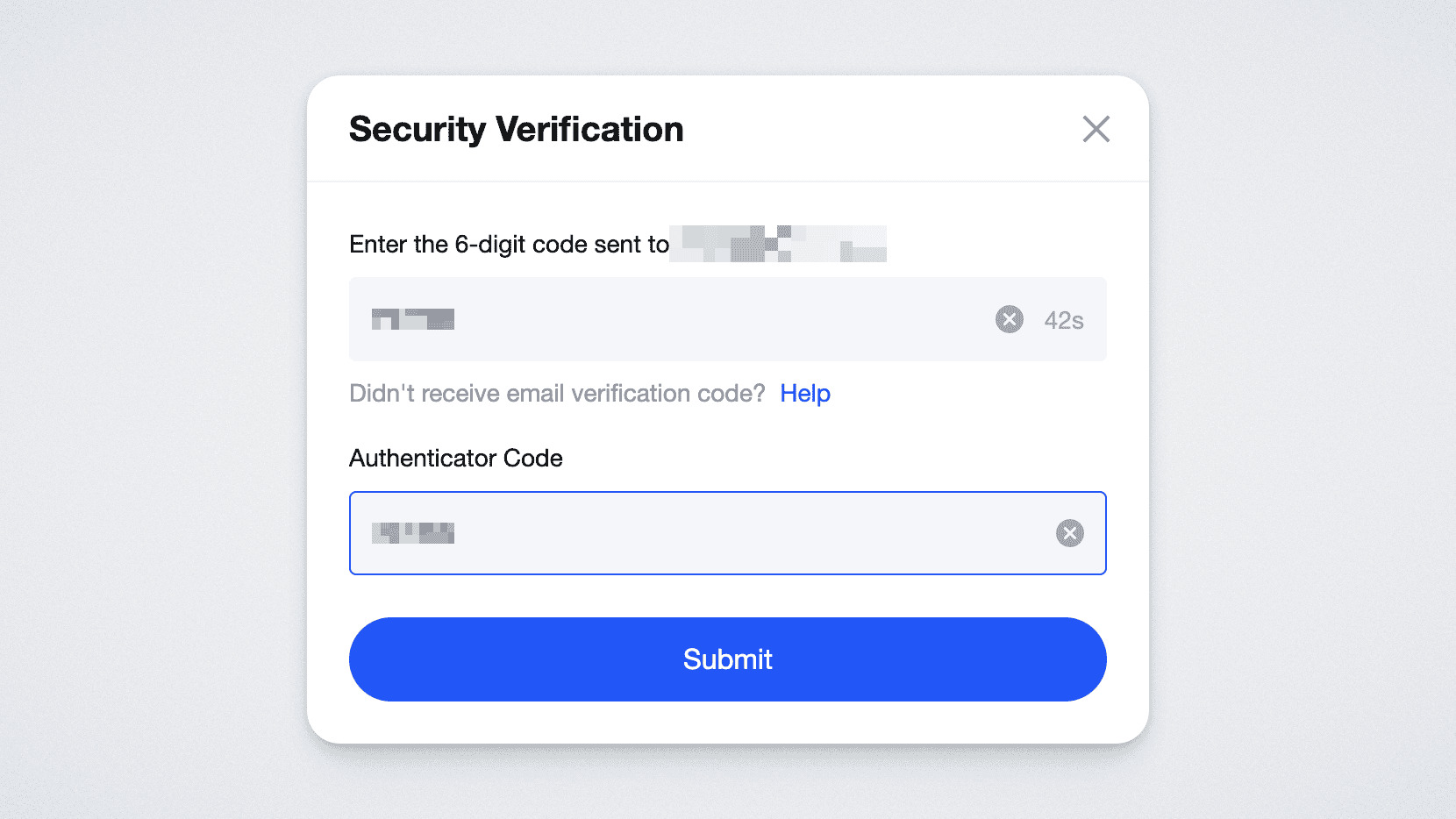
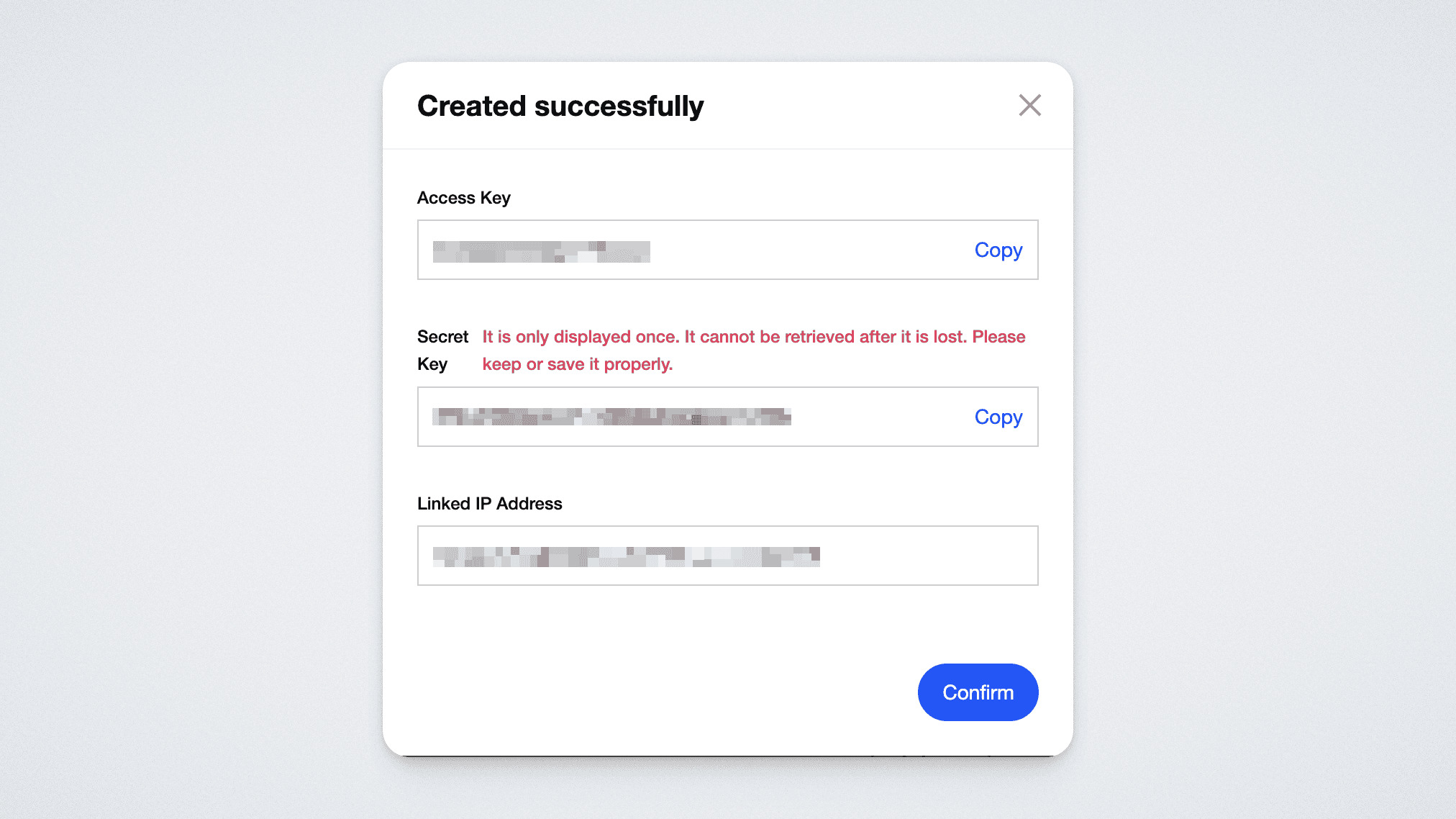
Next, you will see a message that the keys have been successfully created — Access Key and Secret Key. Both keys will be required for integration. Copy and save the keys — Access Key and Secret Key.
Please note that the secret key (Secret Key) is shown by the exchange only once at the time of creation, so it is important to save it. You can always find the Access Key below in the “My API Key” section.
Important:
- Never share your keys with other people, as they provide full access to your account.
- Do not store keys in public repositories or on open web pages.
If you have lost your keys or suspect that they have been compromised — immediately delete them and create new ones.
Connecting a trading pair
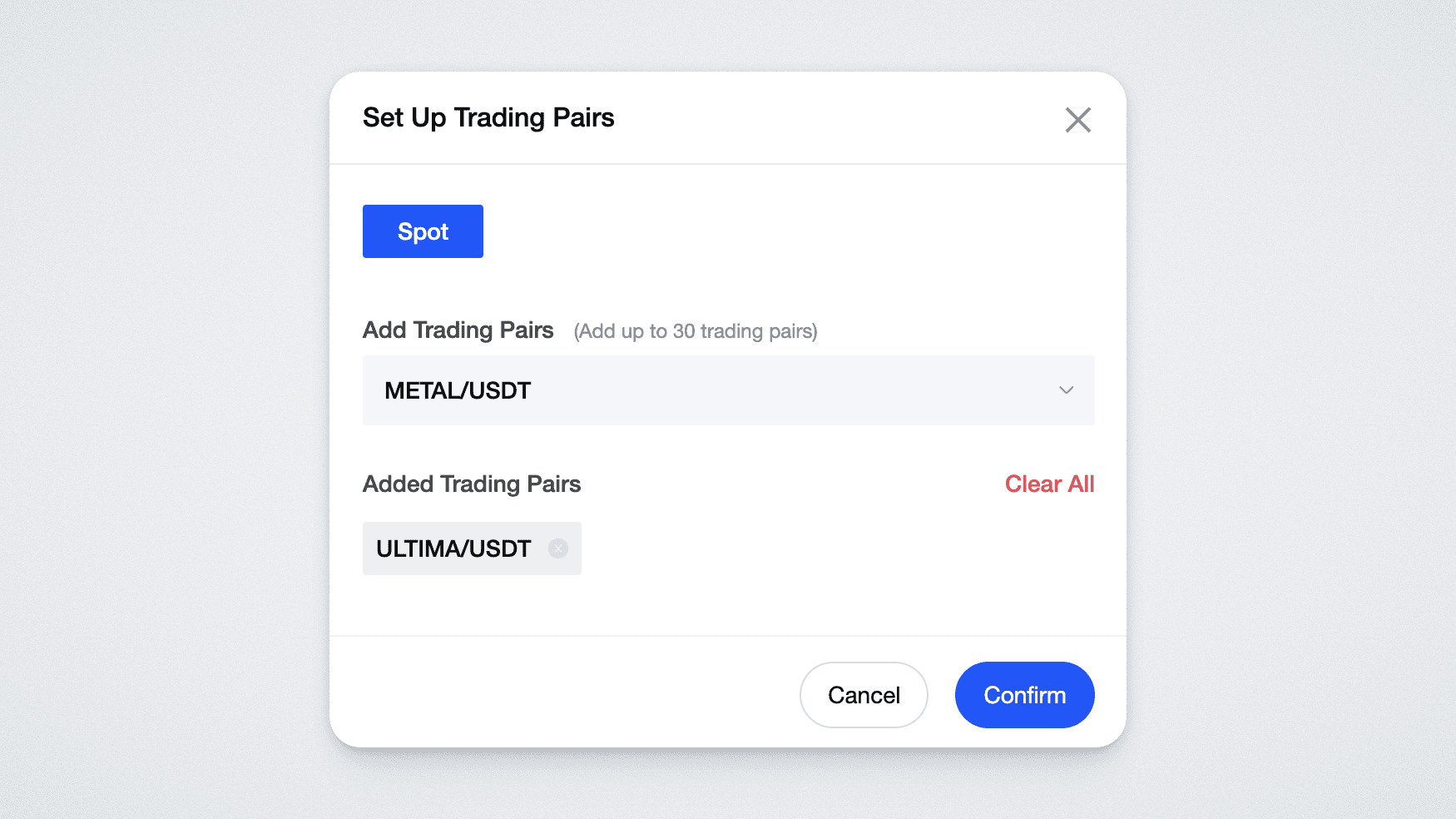
Connect the trading pair you have selected. To do this, in the My API Key section in your exchange account, find the key you have just created (Access Key) by the name you assigned when creating it, click the “Set” button, and in the window that opens select your pair.
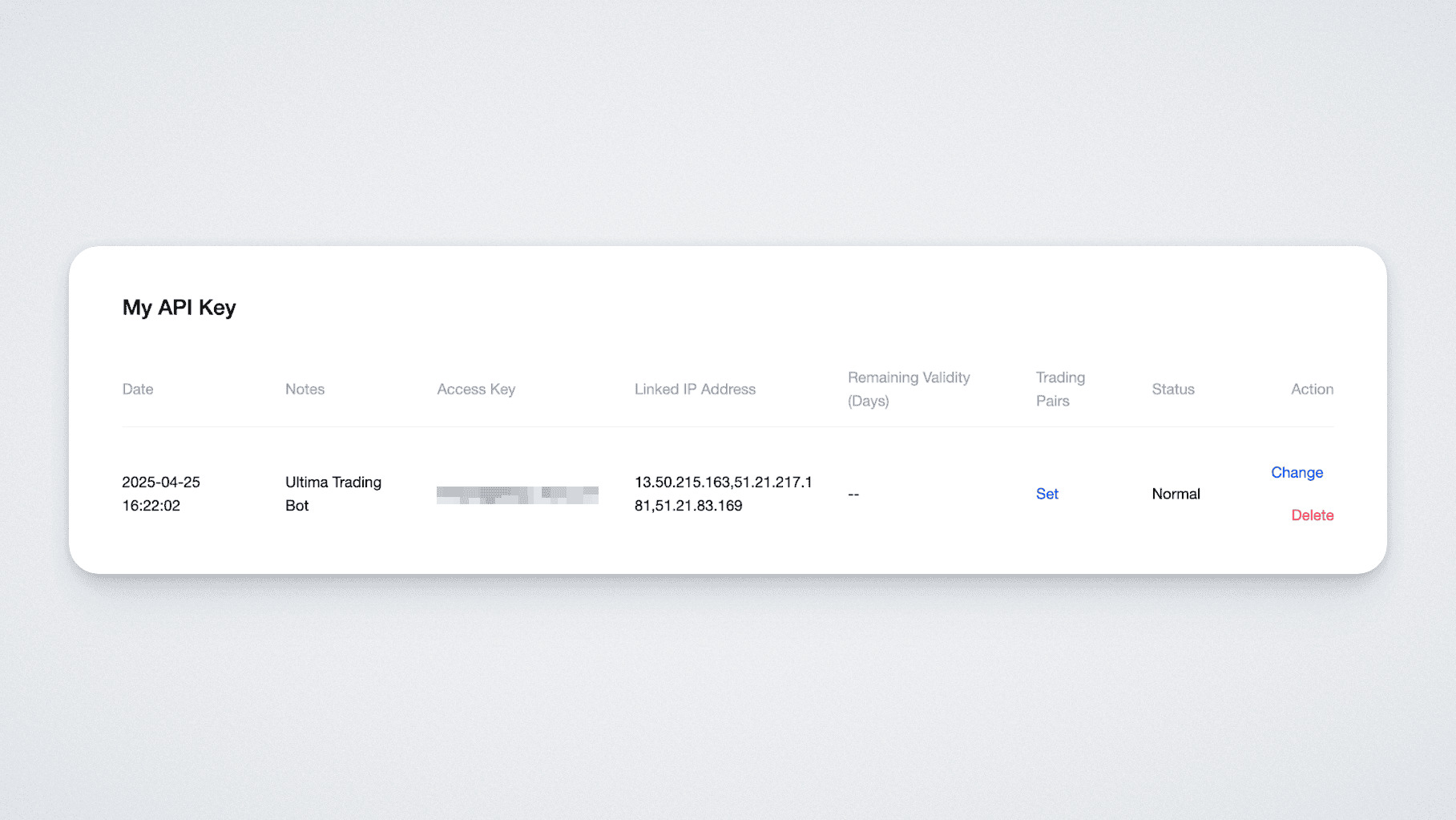
Make sure that you have selected only one pair:
Return to the UTrading website and insert the saved keys into the corresponding fields (Access Key into the Access Key field, and Secret Key into the Secret Key field).
After that, click the “Integrate” button:
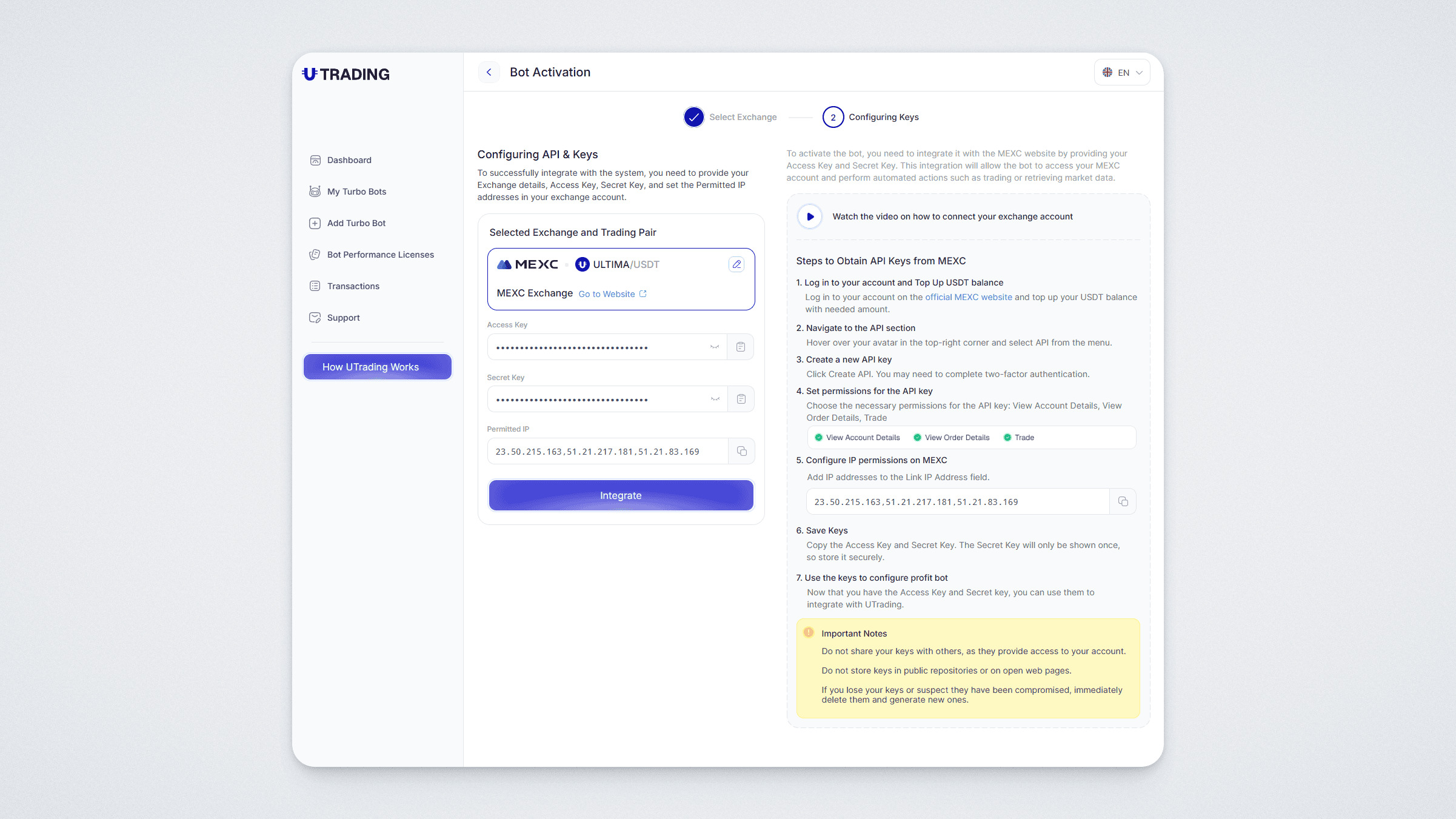
Done! Your bot has been successfully activated — you will see a push notification about this.
And in the “My Turbo Bots” section you will now see which exchange your trading bot is currently connected to.
Step 5. Bot launched
Congratulations — the bot has been successfully activated and has started trading on the exchange.
Now you can:
- track the results in your UTrading account;
- view detailed statistics on the bot’s performance;
- follow updates and bonuses in the official Telegram channel.
If you want to increase your potential result, you can purchase additional Bot Performance Licenses. Their performance is cumulative: the higher the total indicator, the greater the bot’s potential performance.